The page says my plan does not include this
What a locked module, an ended trial and a read-only account mean, why nothing has been deleted, and how to get access back.
Short answer: your role allows the module, but your company's plan does not. Nothing is deleted when a module is locked: the records stay in Solmex and reappear when the plan includes the module again. Only Solmex can change a plan, so your administrator contacts us.
There are three different situations behind messages about your plan.
1. The module is not on your plan
The sidebar shows a lock beside the module. Opening it shows a page titled, for example, "Fuel is not on your plan", with the explanation below.
Each plan builds on the one below it:
| Plan | Adds |
|---|---|
| Starter (free) | Equipment register and meters, work orders, breakdowns, work requests, labels and QR codes |
| Growth | Preventive maintenance, inspections, maintenance planning, daily maintenance |
| Business | Fuel, spare parts, tools, costs, work permits, workforce, procurement, chat, analytics |
See Plans, the free trial and seats.
2. Your free trial has ended
Every new company starts with a 14-day trial of Business. When it ends, the company moves to the free Starter plan and keeps working. Modules Starter does not include are locked, and everything entered in them during the trial is kept.
3. The account is read only
When the plan status is Payment overdue or Cancelled, Solmex is read only for everyone. You can still open every record and export your data, but nothing new can be saved until the account is back in order.
What you may see
| If you see… | What it means | What to do |
|---|---|---|
| "Your role allows this, but your current plan does not include it. Contact us to add it." | Plan lock: the module is not on your plan | An administrator contacts Solmex to move up a plan |
| "Your role allows this, but the Starter plan does not include it. Contact us to add it." (with your plan's name) | The same, naming your plan | As above |
| "Your Business trial has ended. You are on Starter now, and everything you entered is still here." | The trial is over and you are on the free plan | Nothing is lost. Move up a plan to unlock the trial's modules again |
| "3 days left in your free trial." | The trial is ending soon | Decide on a plan before it ends |
| "Your account is past due, so the system is read-only. Your data is safe and can still be read and exported." | Payment overdue | Settle the payment with Solmex |
| "Your subscription has been cancelled, so the system is read-only. Your data is safe and can still be read and exported." | The subscription is cancelled | Contact Solmex |
| "Your plan allows ... and ... are in use. Deactivate one, or ask us about a larger plan." | You have reached your full seat limit | Disable an unused full seat, use a work requester seat, or move up a plan |
| "Over the plan limit. Nothing has been removed; new additions are refused until you are back under it." | More full seats in use than the plan allows | Disable full seats you no longer need |
| "No plan recorded" | Your company has no plan on record | Contact Solmex support with your Organization ID from the General tab |
A lock is not a permission problem
If a module is missing from the sidebar with no lock, or a button is missing inside a page you can open, that is your role, not your plan. See I can't see a menu item or a button.
Where to see your plan
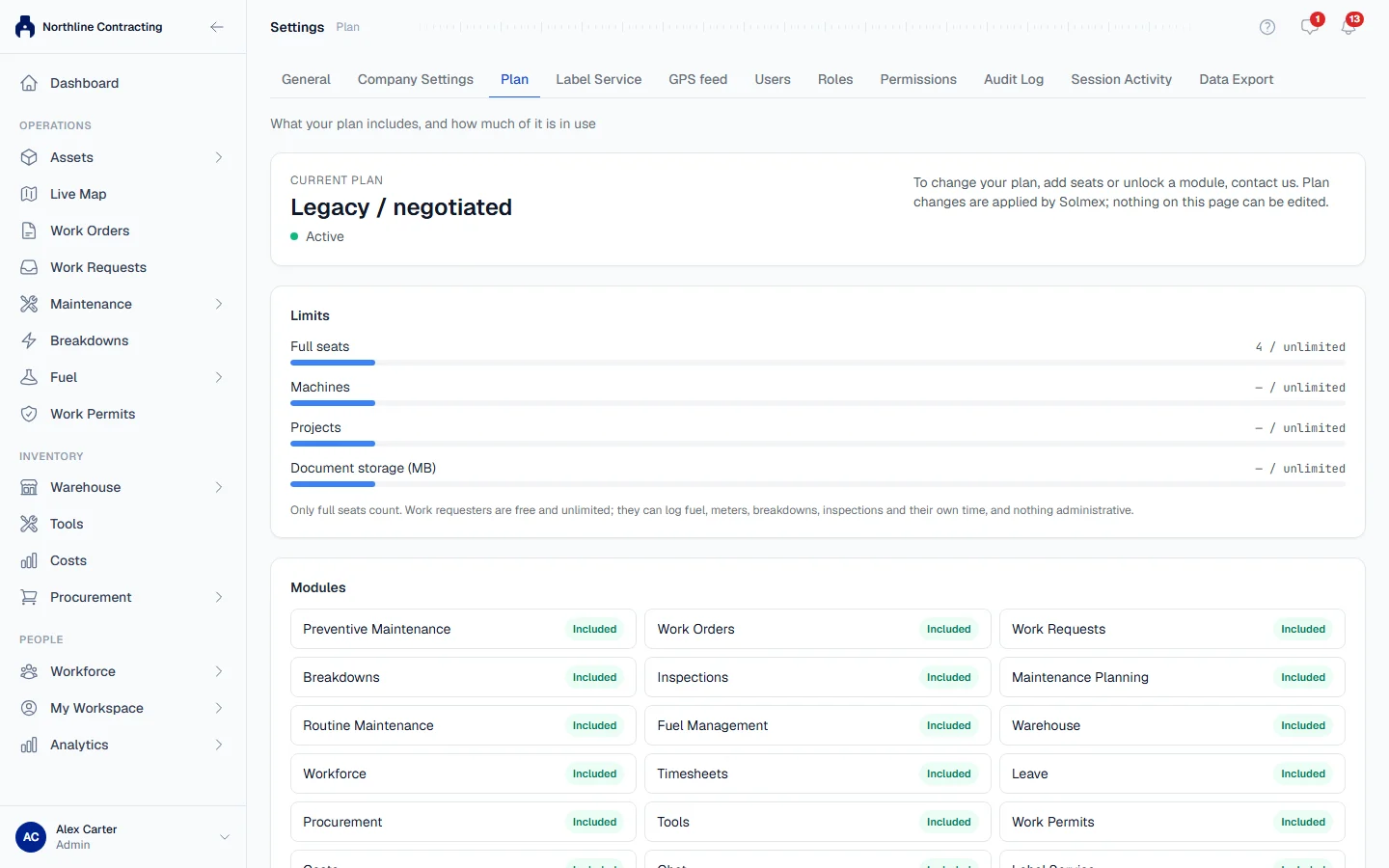
Open Settings and go to the Plan tab. It shows your plan and its status (Active, Trial, Trial ended, Payment overdue or Cancelled), how many full seats are in use, and every module marked Included or Not included. See Your plan page.