
What daily maintenance is
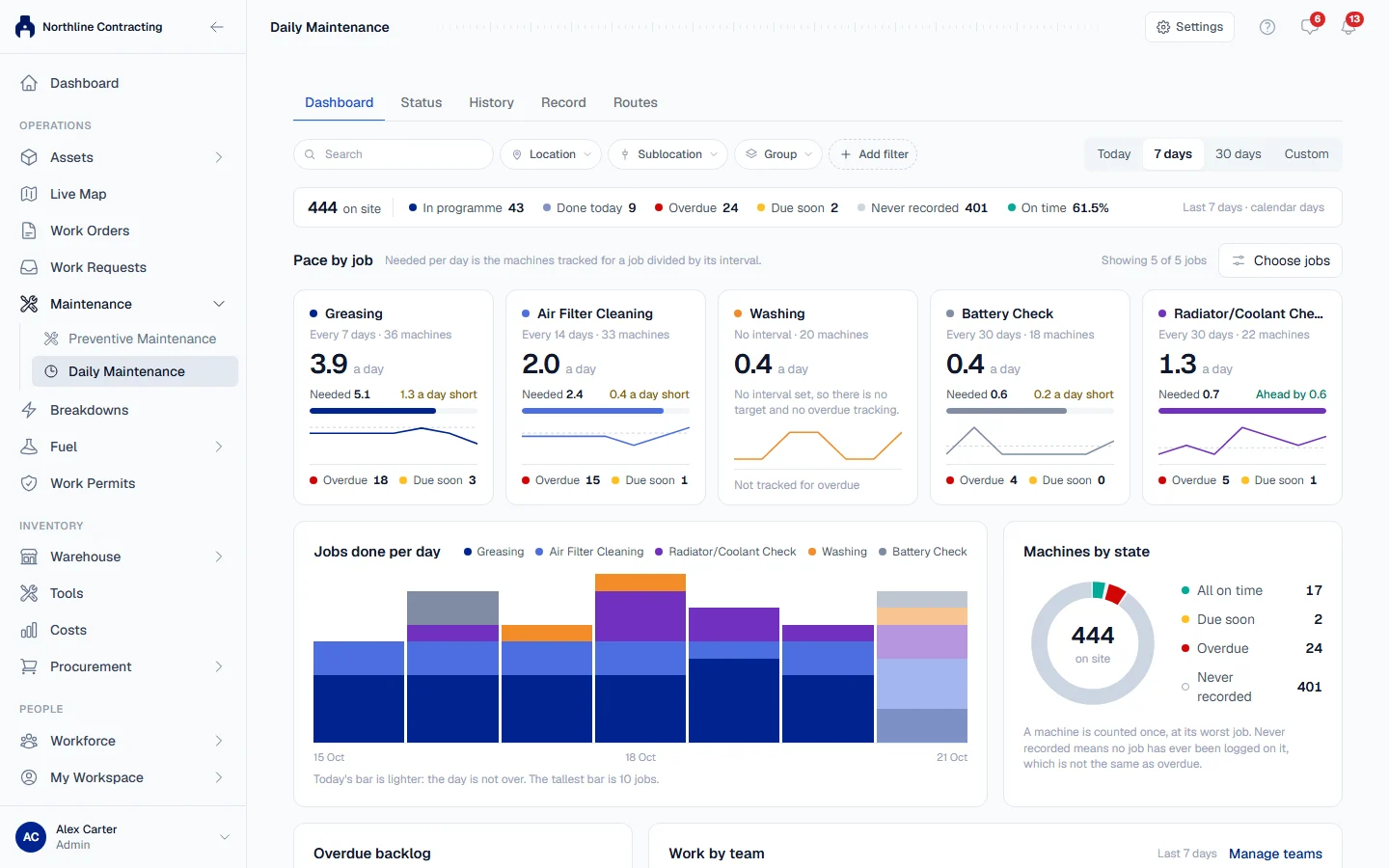
Daily Maintenance records the small, frequent jobs your crews do on every machine, such as greasing, filter cleaning and washing, and shows which machines are falling behind.
Some maintenance happens too often for a preventive maintenance service and is too small for a work order: greasing, air filter cleaning, washing, a battery check. Daily Maintenance is where those jobs are recorded, machine by machine and day by day, so you can see at a glance which machines are on time and which have been missed.
Before you start
- You need Routine Maintenance: View to open the page, Routine Maintenance: Edit to record work, and Routine Maintenance: Manage to change the job list and the maintenance teams. Administrators have all three.
- Daily Maintenance is included in the Growth and Business plans.
- Machines must be on the Equipment Register. See Add equipment.
Where to find it
In the sidebar, open Maintenance > Daily Maintenance. The page has these tabs:
| Tab | What it is for |
|---|---|
| Dashboard | How the work is keeping pace: jobs done per day against jobs needed per day, machines by state, where the backlog is, and work by team. |
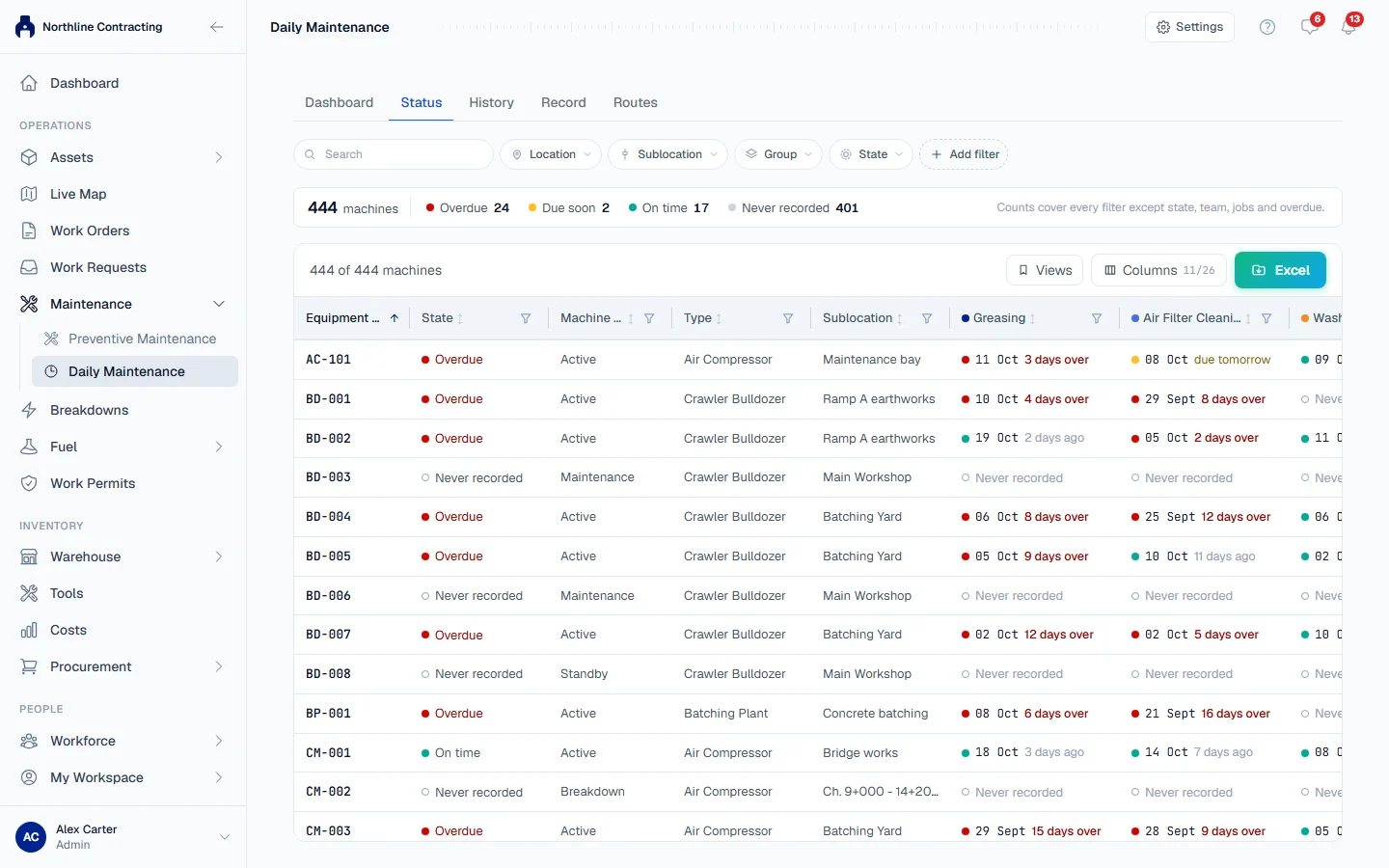
| Status | One row per machine and a column per job, showing when each job was last done and whether it is due. |
| History | Every job recorded in a period, with whether it was on time. |
| Record | The daily entry sheet: tick what was done on each machine and save once. |
| Routes | Where each team's service vehicle went. Shown only when your company has Live Map and GPS tracking. |
The Settings button at the top right opens two setup pages: Jobs (your list of daily jobs) and Maintenance teams (your crews).
How the pieces fit together
Jobs list  →  Record the work  →  Status and Dashboard  →  History
(once) (every day) (what is due) (what was done)- You list the jobs your crews do, and how often each should be done. See Set up your job list.
- Each day, someone ticks the jobs done on each machine. See Record a day's work.
- Solmex works out, for every machine and every job, whether it is on time, due soon or overdue. See See what is due.
- The Dashboard and History tabs show the trend. See The Daily Maintenance dashboard and Daily Maintenance history.
The states
Every pair of one machine and one job is in one of four states:
| State | Meaning |
|---|---|
| On time | Done recently enough, or the job has no interval. |
| Due soon | Within the last two days of its interval. |
| Overdue | More days have passed since it was last done than the job's interval allows. |
| Never recorded | Nobody has recorded this job on this machine yet. |
Daily maintenance or preventive maintenance?
| Use Daily Maintenance for | Use Preventive Maintenance for |
|---|---|
| Small jobs repeated every few days or weeks | Manufacturer services at fixed hours, kilometres or months |
| A calendar interval in days | Meter based schedules, task lists and parts |
| A tick on a sheet | A full service record with checklist and parts |
Daily jobs are scheduled by days only. If a job needs to follow the hour meter, such as every 250 hours, it belongs in a preventive maintenance template instead. See How preventive maintenance works.