
Emails are not arriving
Invitations, password resets, automatic reports and trial emails that do not reach you, and what you and your administrator can check.
Short answer: most missing emails are in the spam or junk folder, or the address on the Solmex account is wrong or missing. Solmex sends only to the address on a person's own account, and only to people who have an account in your company. An address that bounced or reported Solmex as spam is blocked until Solmex clears it.
Check these first
- Look in the spam or junk folder, and search the mailbox for "Solmex".
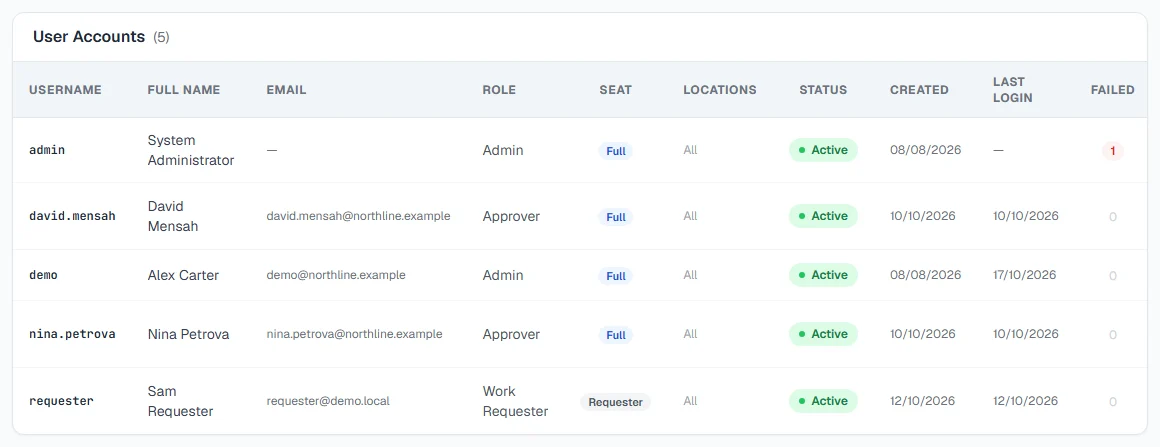
- Check the address on your account. An administrator sees it on the Users tab of Settings. A user with no email address cannot receive any email from Solmex.
- Ask your IT team whether mail from Solmex is held or blocked, and add Solmex's sending address to your allowed senders.
- Ask for the email again: a new invitation with Invite, a new reset with Forgot your password?
Which emails Solmex sends
| Sent to | Link works for | |
|---|---|---|
| Invitation | A new user, when an administrator adds them | 7 days |
| Password reset | A user who clicked Forgot your password? | 2 hours |
| Confirm your email | Someone setting up a new company | 3 days |
| Trial emails | Your company's administrators, during a free trial | |
| Automatic reports | The users chosen on the report's schedule | |
| Scheduled data exports | The users chosen on the export's schedule |
Updates on your work, such as a work order assigned to you or a request awaiting your approval, are not in this list. They arrive as notifications inside Solmex.
What you may see
| If you see… | What it means | What to do |
|---|---|---|
| "The user was created but the invitation could not be sent." | The account exists, but the email did not leave | Check the address, then click Invite on their row |
| "An invitation was sent moments ago. Wait a minute before sending another." | Invitations to one person are spaced out | Wait a minute, then click Invite again |
| "No mail server is configured, so no invitation can be sent." | Your Solmex installation cannot send mail | Set the password with Reset PW and tell the person, or contact Solmex |
| "The invitation could not be sent. Check the mail server configuration." | Sending failed | Try Invite again later. If it keeps failing, contact Solmex |
| "This account is deactivated. Reactivate it first." | Disabled accounts are not invited | Click Enable, then Invite |
| A recipient marked cannot be reached on an automatic report | That person has no usable email address | Add one to their account |
| "With nobody selected the report is still generated and kept in the history, but it is not emailed to anyone." | The schedule has no recipients | Tick at least one recipient |
| "Email is not configured on this server. Reports will still be generated and can be downloaded from the history, but nothing will be sent." | Reports are made but not emailed | Download them from History, and contact Solmex support |
| "Report could not be generated. View details." | The run failed, so there was nothing to send | Open History and read the reason on the failed row |
| No reset email, and you have no email on your account | Reset emails need an address | Ask your administrator to reset your password |
Reports go to users, never to addresses
Automatic reports and scheduled data exports are sent only to people with a Solmex account in your company, chosen from your users. To send a report to someone outside the team, they need an account first. See Automatic reports.
Bounced and blocked addresses
If an email to an address bounces permanently, or the person marks a Solmex email as spam, Solmex stops sending to that address. Correcting the mailbox is not enough on its own: contact Solmex so we can clear it.
Trial emails stopped
During a free trial, administrators receive up to five short emails. The unsubscribe link in any of them, followed by Stop these emails, stops trial emails for that person only. Invitations and password resets still arrive.
Password reset, a special case
The reset email arrives only if an account with that address exists, but the sign-in page shows the same message either way. If you are sure of the address and nothing arrives after the checks above, your account may have a different email or none. See I can't sign in.