
Plans, the free trial and seats
What each plan includes, how the 14-day trial works, what happens when it ends, and the difference between a full seat and a work requester.
The free trial
Every new company starts with a 14-day free trial of the Business plan, with everything switched on. No card is needed.
When the trial ends, your company moves to the free Starter plan. Nothing is deleted. Everything you entered during the trial stays in Solmex. Modules that Starter does not include are locked until you move up, and their records reappear as soon as you do.
From seven days before the end, a banner shows how many days are left.
What each plan includes
| Plan | Modules |
|---|---|
| Starter (free) | One full user. Equipment register and meters, work orders, breakdowns, work requests, labels and QR codes. |
| Growth | Everything in Starter, plus preventive maintenance, inspections, maintenance planning and daily maintenance. |
| Business | Everything in Growth, plus fuel, spare parts (warehouse), tools, costs, work permits, workforce (employees, timesheets, leave), procurement, chat and analytics. |
| Enterprise | Everything, priced on the size of your asset base. |
Starter is one full user per company; add as many work requesters as you like. Prices, and the number of full users, machines and sites each plan includes, are on the pricing page. Every help article states which plans include it at the top.
Full seats and work requesters
Each user has one of two kinds of seat:
| Seat | Who it is for | Counts against your plan? |
|---|---|---|
| Full seat | Planners, supervisors, managers, anyone who plans, assigns, approves or reports. | Yes |
| Work requester | People who report problems, log fuel, record breakdowns and inspections, record work done on a work order, and enter their own time. | No: free and unlimited on every plan |
A work requester can never administer users, export data or configure a module, whatever their role says. The seat is a ceiling on top of the role. See Invite your team.
See your plan
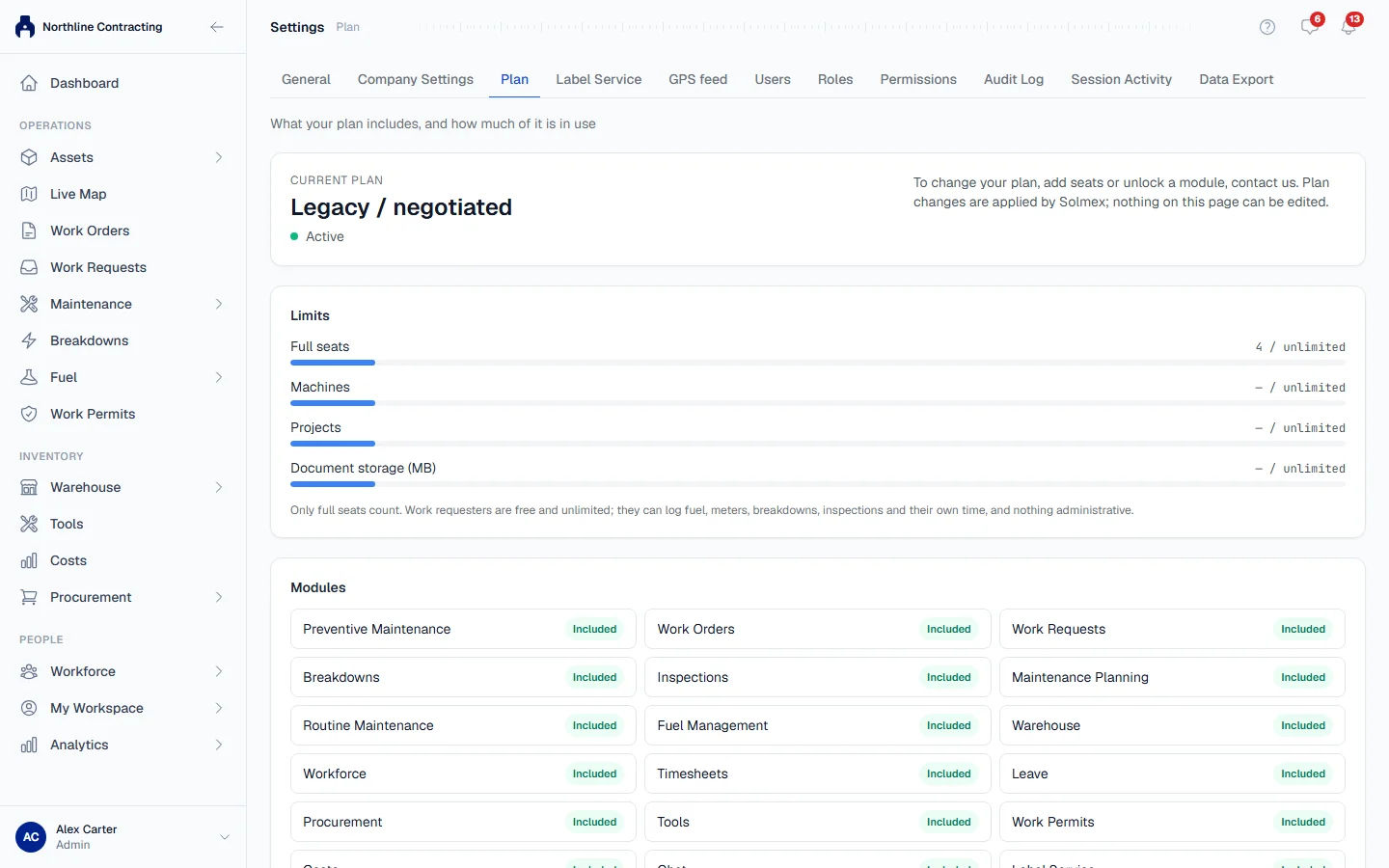
Open Settings (click your name at the bottom of the sidebar) and go to the Plan tab. It shows:
- your current plan and its status (Active, Trial, Trial ended, Payment overdue or Cancelled), with the trial end date;
- Limits: how many full seats, machines and Locations you use against what the plan includes;
- Modules: each one marked Included or Not included.
Change your plan
Plan changes are made by Solmex. Contact us to move up a plan, add seats or unlock a module. Your data, history and documents stay exactly as they are.
What a locked module looks like
If your plan does not include a module, its menu item shows a lock and the page explains which plan includes it. If you can see a module but get a message that your role does not allow an action, that is a permission, not your plan: ask your administrator. See Roles and permissions.