
What's new in August 2026
Solmex in Turkish, self-serve signup, the new warehouse, fuel management, printable documents and scheduled reports.
August opened Solmex to anyone: you can sign up yourself, read the app in Turkish, and get back into your account without asking anyone. It also brought a new warehouse, a full fuel management workbench, printable documents for machines, work orders and inspections, and reports that arrive by email.
New
- Sign up yourself. Create your company's workspace from the website, verify your email address, and start a trial. A person who knows only their email address can find their company's sign-in page. See Sign in.
- Reset your own password from the sign-in page.
- Solmex in Turkish. Each user chooses their own language. See Language, dates and appearance.
- The new warehouse. Stock has a storage location, deliveries are one receipt with many lines, parts are issued to a machine or a work order, stock can be moved between your own stores, and a stock count corrects what the system says. Parts get a four-level classification and are valued first in, first out. See How spare parts work, Receive a delivery and Count and correct stock.
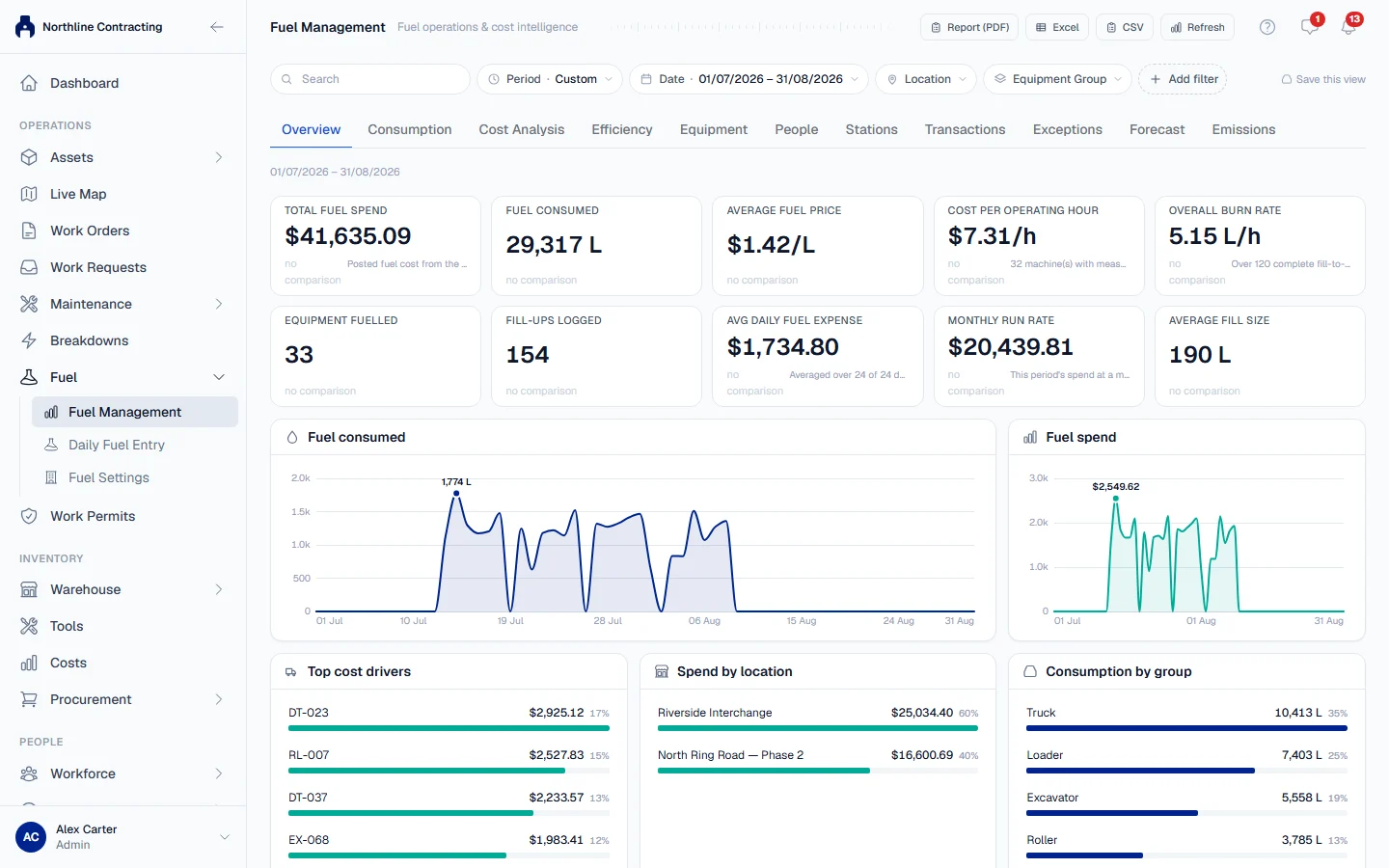
- Fuel management. Daily Fuel Entry for logging many fill-ups at once, a managed list of fuel stations, fuel settings with a backdating policy, and a Fuel Management workbench showing where fuel went, what it cost, and what needs a second look. A full fuel report can be printed. See How fuel works, Daily fuel entry and Fuel management.
- Public equipment card. Scanning a machine's QR label shows a safe summary of the machine, even to someone without a login. See Public equipment card.
- Equipment Dossier. A printable record of one machine, in a summary or a full edition. See Equipment Dossier.
- Printable work orders and inspection reports, and inspection findings printed one per sheet for the workshop wall. See Print a work order and Inspection report and action cards.
- Scheduled reports by email. The breakdown report and the daily inspection report can be mailed to chosen users on a schedule. See Automatic reports and Daily inspection report.
- Breakdown codes. Classify breakdowns with your company's own failure codes and filter the register by them. See Breakdown codes.
- Cancel a breakdown logged by mistake, without it counting as a failure. See Cancel a breakdown.
- Correct or withdraw a PM logged by mistake, and record past services from older records. See Correct or withdraw a PM and Record past services.
- Tracking meters. Record process readings such as pressure, level or pH beside a machine's hour meter. See Tracking meters.
- Routine maintenance. Log greasing, washing and other small jobs, and see which machines are overdue. See Record a day's work.
- Data export. Take your organisation's records out as a download. See Data export.
Improved
- Work permits can cover a place, a work order, or many machines at once, so one hot work permit covers ten machines in a workshop bay. A whole crew can be added in one step. See Create a work permit.
- Purchase requests carry many lines, each with its own part number, code and photo. Approvers can approve, reject, or send a request back, and refuse single lines with a reason. An approved request can be printed. See Raise a purchase request and Approve a purchase request.
- Assign a PM template to many machines at once, previewed before anything is saved. A machine serviced by both hours and kilometres gets a starting point for each. See Assign PM templates.
- A machine can have no meter at all, and every machine states how it is powered. See How meters work.
- Meter readings record the time they were taken, and a wrong reading can be corrected. See Correct a meter reading.
- Fuel figures in kilometres are measured properly for trucks, and a consumption figure says how far it can be trusted. See Fuel consumption figures.
- The Cost Ledger and fuel pages can be read in USD without changing the amounts on record. See Read the Cost Ledger.
- Settings is one page, reached from your own name in the sidebar, and Reports is now Analytics. See Analytics overview.
- Column headings stay in view while you scroll a long register.
- Raising a work order is a page rather than a small window. See Create a work order.
Fixed
- Editing a PM template no longer detaches the services already logged under it.
- Equipment tabs a role cannot read are no longer offered.
- The Spare Parts tab works again and parts leave the shelf when issued.
- A created user is reported as created even when the invitation email could not be sent.