
Breakdown Analysis
Measure how reliable your equipment is over a period: availability, time between failures, repair time, the causes and machines behind most downtime, and repeat failures.
The Breakdown Analysis Report looks back over a period you choose and answers the questions behind your breakdowns: how available were the machines, how often did they fail, how long did repairs take, and which causes and machines cost the most. Use the Breakdowns list for what is down today; use this for the trend.
Before you start
- You need Analytics: View and Breakdowns: View. Without both, the page tells you that you do not have permission instead of opening.
- Your plan must include analytics (Business). See Plans, trial and seats.
- The figures are only as good as the records. Classified breakdowns, recorded diagnoses and regular hour meter readings make every view more useful. See Breakdown codes.
Open the report
- In the sidebar, open Analytics > Breakdown Analysis Report.
- Set the Date Range. It is required.
- Narrow it if you want, by Location, Equipment, Breakdown Status, Breakdown Code, Priority, Equipment Model, Equipment Category or engineer.
- Choose a view from the tabs: Overview, Causes, Equipment, Response & backlog or Register. The filters apply to every view.
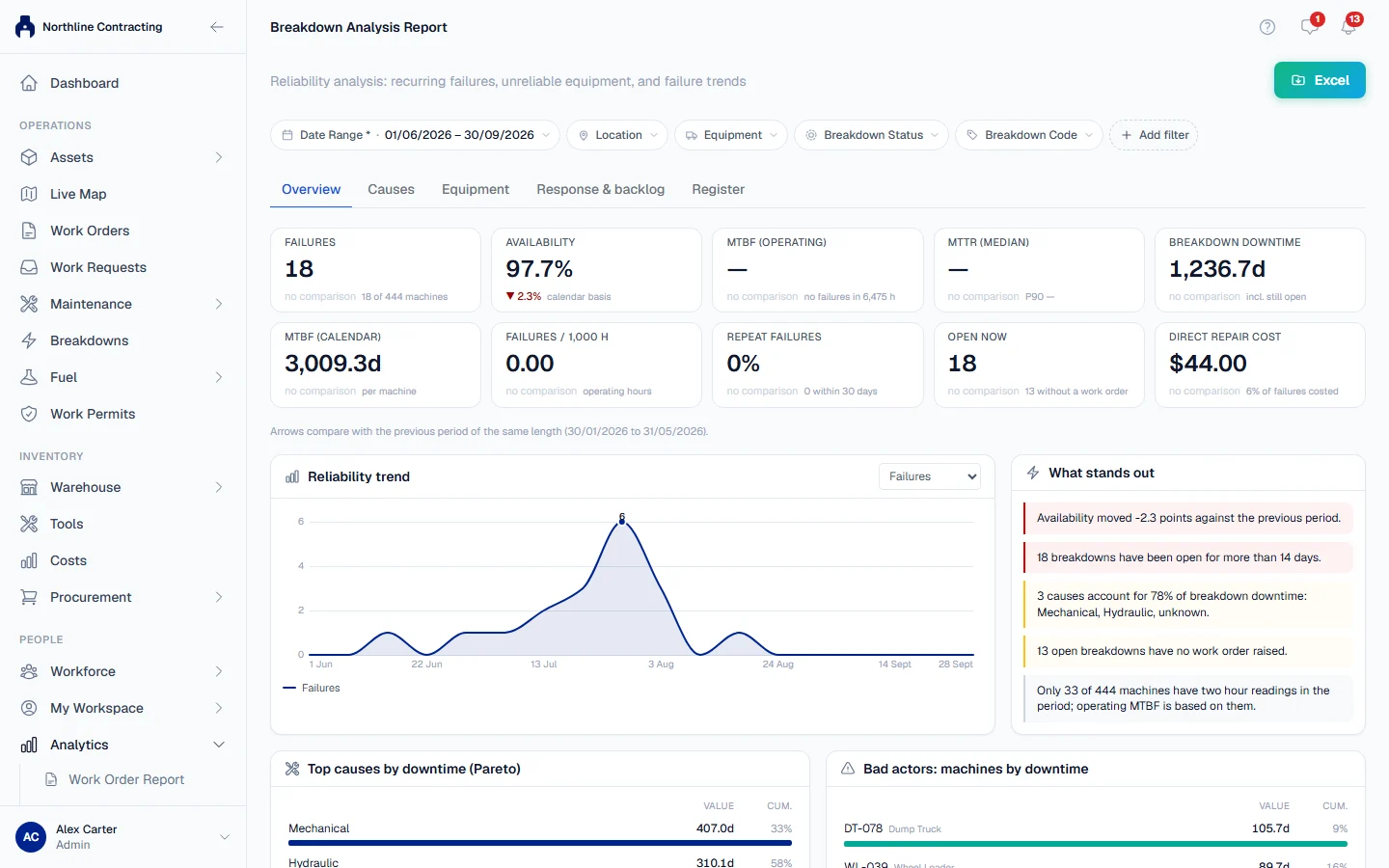
Arrows beside the figures compare the period with the previous period of the same length.
The figures
| Figure | What it tells you |
|---|---|
| Failures | Breakdowns reported in the period, and how many machines they affected. |
| Availability | 1 minus breakdown downtime divided by machines times hours in the period. |
| MTBF (operating) | Mean time between failures, in hours the machines actually ran. |
| MTBF (calendar) | Mean time between failures, in calendar days per machine. |
| MTTR (median) | The typical time from report to back in service. The P90 below it shows the slowest repairs. |
| Breakdown downtime | Total time machines were down in the period. |
| Failures / 1,000 h | Failures for every 1,000 operating hours. |
| Repeat failures | Share of failures where the same machine failed again within 30 days of its previous repair. |
| Open now | Breakdowns still open, and how many have no work order. |
| Classified | Share of failures that carry a breakdown code. |
| Direct repair cost | Shown only if you can see costs. See the rules below. |
The views
- Overview: the figures above, a reliability trend, What stands out (short findings written from the data, such as one machine carrying a large share of downtime), the top causes by downtime and the machines with the most downtime.
- Causes: a Cause Pareto chart and a table of causes, grouped by Main category, Sub-category or Detailed code. Click a cause to narrow the report to it and go one level deeper.
- Equipment: every machine ranked by downtime, failures, repair time, repeats or lowest availability. Click a machine to narrow the whole report to it.
- Response & backlog: where repair time goes (reported to diagnosed, to work order raised, to work started, to back in service), the time-to-restore spread, open breakdowns by age, and what open breakdowns are waiting on.
- Register: the breakdowns themselves, one row each.
Click Excel to export the report.
Rules worth knowing
- Availability is on a calendar basis. Solmex has no register of scheduled working hours, so the figure uses every hour in the period. Planned maintenance is not counted as downtime.
- Downtime is clipped to the period. A repair that started last month counts only its days inside this period.
- Operating MTBF uses only machines with two or more hour meter readings in the period. The report says how many machines that is. Calendar MTBF uses every machine.
- A period with no failures shows no MTBF, with the hours observed beside it, rather than a misleading number.
- A breakdown resolved without a resolution time adds no downtime, and the report counts how many there were.
- Cancelled breakdowns never appear here. They were mistakes, not failures. See Cancel a breakdown logged in error.
- Repair cost is what the Costs module ties to a work order raised on the breakdown. Spare parts issued from the warehouse cannot be tied to a particular repair and are not included. The report states how many failures have a cost.
- The machines counted are today's machines on site, narrowed by the Location, equipment, model and category filters, plus any machine that failed in the period. The status, priority, cause and engineer filters narrow the failures, not the machines.
Troubleshooting
| What you see | What to do |
|---|---|
| "No breakdowns: your assets were reliable for this period." | There were no failures in the range. Widen the Date Range to compare. |
| "Nothing in this period clears a threshold worth raising." | No finding was large enough to report. This is a valid answer. |
| Operating MTBF is missing or based on few machines | Record hour meter readings regularly, so each machine has at least two in the period. |
| A large share shows as Not classified | Classify those breakdowns. See Breakdown codes. |
| The report does not load, but the page opens | You also need Breakdowns: View. Ask your administrator. |