
Help CenterManaging Purchases and Stock
Approve a purchase order
Approve or reject a purchase order someone else raised. One approval is enough, and nobody can approve their own order.
A purchase order needs one approval before it can be sent to the supplier. Approving it commits the company to buy these items at these prices. The person who raised the order can never approve it.
Before you start
- You need Procurement: Approve.
- You cannot decide an order you raised yourself, whatever permissions you hold.
- Purchase orders do not use the purchase request approval chain. Any holder of Procurement: Approve other than the buyer can decide.
Approve or reject an order
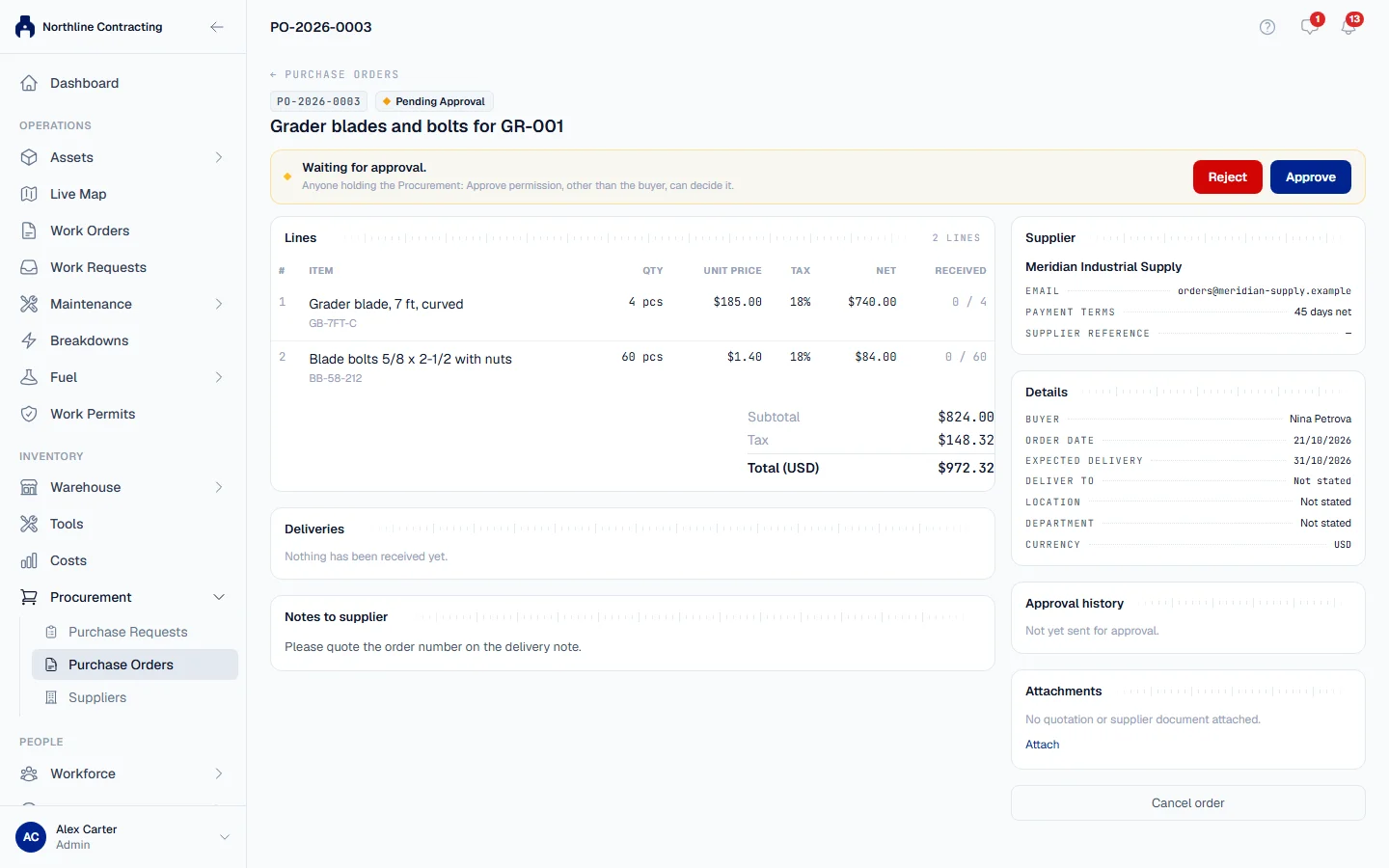
- In the sidebar, open Procurement > Purchase Orders. The Awaiting My Approval tab opens when an order is waiting.
- Click the order. The banner says Waiting for approval.
- Check the Supplier, the Lines with their prices and tax, and the Total. Open any quotation under Attachments.
- To approve, click Approve. In Approve this purchase order?, add a comment if you want, then click Approve.
- To reject, click Reject. In Reject this purchase order?, say what has to change: a reason is required. Click Reject.
What happens next
| You chose | The order |
|---|---|
| Approve | Becomes Approved. The buyer is told and can send it to the supplier. The PDF can now be downloaded. |
| Reject | Goes back to the buyer as a Draft under a new revision, with your reason. They correct it and send it again. |
Every decision is kept in the order's Approval history, revision by revision, so a rejected first version stays on record.
Rules worth knowing
- One step, not a chain. Unlike a purchase request, an order is approved once, by any eligible approver.
- An approved order cannot be edited. If it must change, it is cancelled and raised again. See Close short or cancel a purchase order.
- A buyer cannot send an order for approval when nobody else can approve it. Solmex refuses at that point rather than creating an order that will wait forever.
Troubleshooting
| What you see | What to do |
|---|---|
| "You raised this order, so you cannot approve it yourself." | Ask another person who holds Procurement: Approve. |
| "A rejection needs a reason." | Write what has to change, then click Reject. |
| A message that nobody else holds the Procurement: Approve permission | An administrator gives Procurement: Approve to a second person under Settings > Roles. See Roles and permissions. |
| "The decision could not be recorded." | Check your connection and try again. |
| No Awaiting My Approval tab | Your role does not include Procurement: Approve. |