
What's new in October 2026
The Help Center opens, Starter gets clearer, work permits follow their templates, and every register sorts as a whole.
October brings this Help Center, in English and Turkish, and a "?" on every page of Solmex that opens the article for the page you are on. It also tidies up work orders and work permits, makes sorting work across a whole register, and fixes a set of smaller things customers told us about.
New
- The Solmex Help Center. Step-by-step articles for every module, in English and Turkish, with the exact wording the app uses and the message you will see when something is refused. Start at Find your way around.
- Help for this page. The "?" in the header of every page opens the Help Center article for that page in a new tab. If you read Solmex in Türkçe, it opens the Turkish article. See Find your way around.
- Raise a work order permit from the permit register. When creating a permit from the register, you can now choose Work Order and search for an open work order by number, title or machine. The machine is carried across for you. See Create a work permit.
- Save a purchase request as a draft. Start a request, save it as a draft and come back to it before you submit it for approval. See Raise a purchase request.
- Edit a manual cost entry. A cost entered by hand can now be corrected (date, amount, category, machine, description and more) instead of being voided and entered again. Costs posted automatically from fuel and parts are still corrected where they came from. See Add, edit or void a cost.
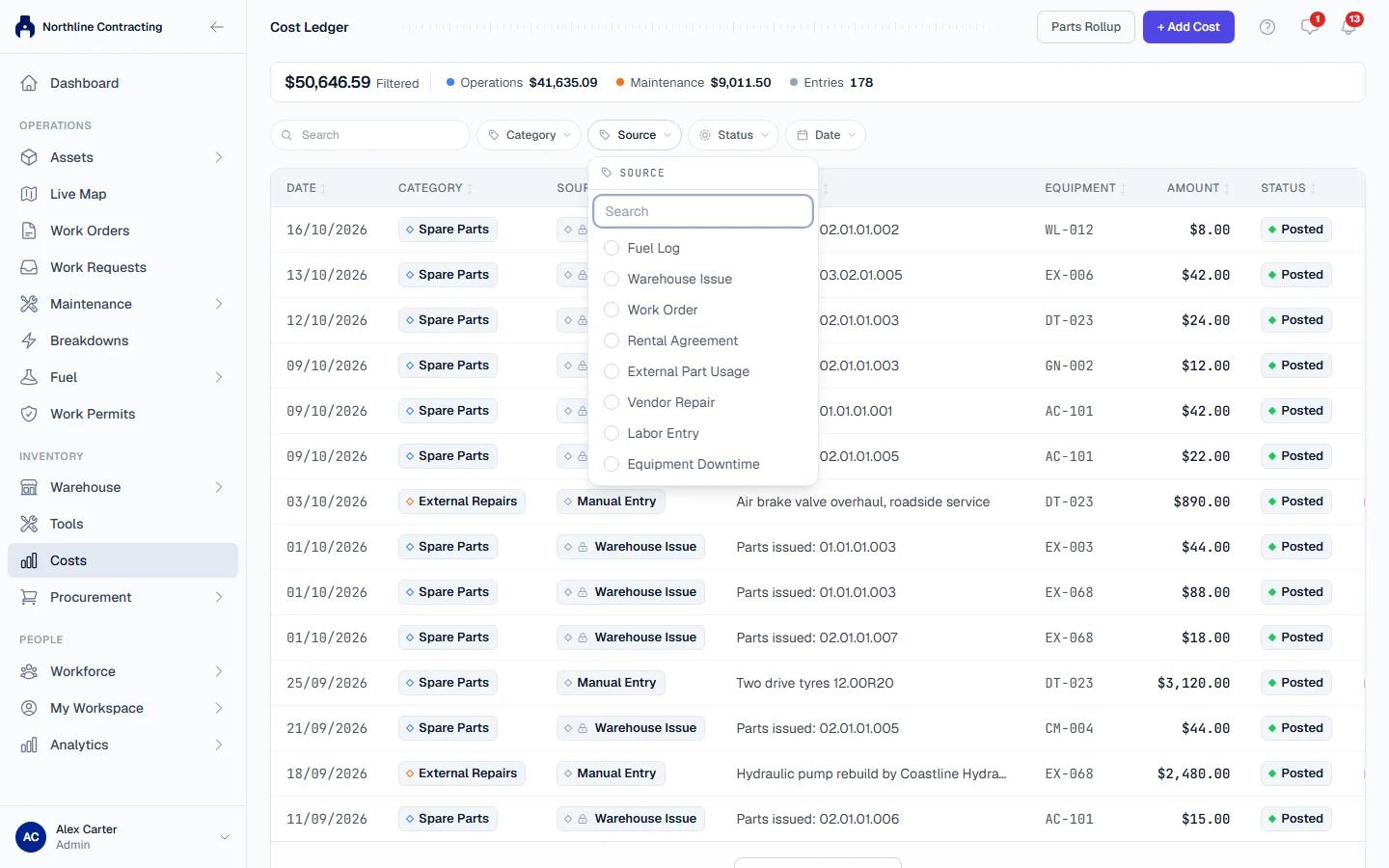
- Filter the Cost Ledger by source. Show only fuel, only parts issues, only manual entries, or any other source. See Read the Cost Ledger.
Improved
- Work permit templates now do what they say. A template's Requires approval before activation, Default Validity (hours) and Required Sign-offs are now applied to every permit raised from it. A template that needs no approval approves the permit on submission, the validity fills Valid Until, and Sign & Activate waits for each required signature. See Permit templates.
- Starter is one full user per company, with as many work requesters as you need. Starter includes Work Orders, so the one full user can open and run them. See Plans, trial and seats.
- Creating a work order no longer asks for the hour meter reading. Readings belong to the machine's meter history, where they are checked against earlier readings. See Create a work order.
- A breakdown repair no longer assumes a work permit. When you raise a work order from a breakdown, Requires work permit now starts unticked; tick it when the job is hazardous. See Work orders that need a work permit.
- Sorting covers the whole register. Clicking any column heading sorts every record that matches your filters, not only the rows already loaded on screen. See Filter, search and sort a list.
- "Work record" replaces "job card". The part of a work order where the work done, parts and signatures are recorded is now called the work record everywhere you read it. See Record the work done.
- Location and Sublocation, consistently. Every screen now uses Location for a site or project and Sublocation for a place inside it. See Add Locations and Sublocations.
- Insurance dates agree. A machine's insurance expiry now shows the later of the date on its record and the date on its insurance certificate, so renewing one no longer leaves the other reading expired.
- Asset register export. The Excel export now has separate Ownership (how a machine is held) and Owner columns, and the fuel type column uses the same words as the equipment record. See Export the register to Excel.
- Add Equipment form. Breakdown is no longer offered as a starting status (a machine is in breakdown because a breakdown is open), and the Created By box is gone: Solmex records who added the machine.
- Faster pages. The dashboard, the equipment models list, the inspections list and the daily entry lists load with less waiting.
Fixed
- An optional sign-off role no longer stops a work record from being completed. Only the roles your company marks as required must sign. See Configure sign-off roles.
- The time on a newly reported breakdown is now your local time, not shifted by your time zone. See Report a breakdown.