
Help CenterManaging Purchases and Stock
Suppliers
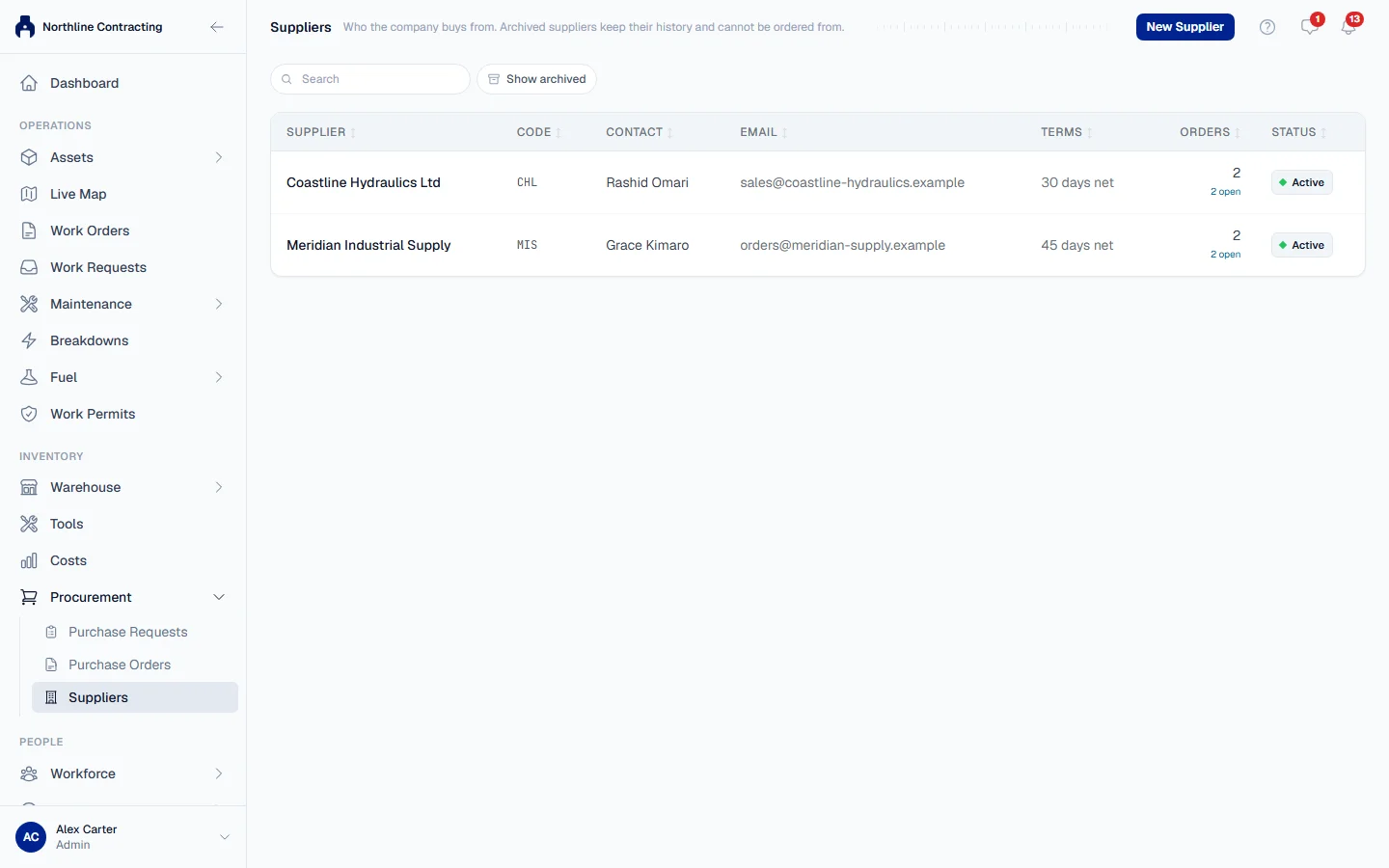
Keep the register of companies you buy from, with their contact details, payment terms and default tax rate.
Every purchase order is placed with one supplier, so the supplier has to be on the Suppliers register first. The register holds who to contact, where to email an order, and the terms you usually buy on.
Before you start
- You need Procurement: View to read the register and Procurement: Order to add or change a supplier.
- If your account is limited to some Locations, you can read the register but not change it: suppliers are shared across the whole company.
Add a supplier
- In the sidebar, open Procurement > Suppliers.
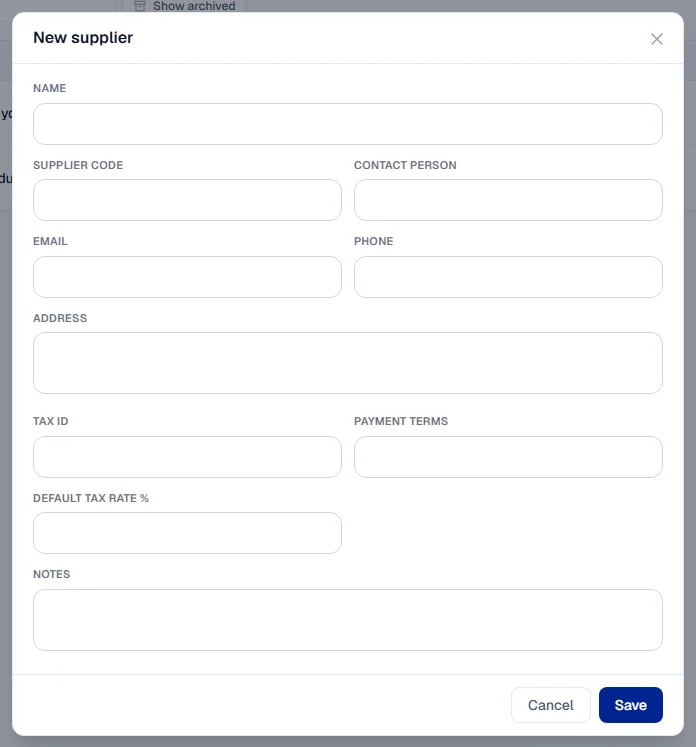
- Click New Supplier. The New supplier form opens.
- Fill in the fields below. Only Name is required.
- Click Save.
| Field | Notes |
|---|---|
| Name | Must be unique. "ACME Ltd" and "acme ltd" count as the same name. |
| Supplier code | Your own code for the supplier. Optional, but unique when given. |
| Contact person, Phone, Address, Tax ID | For your reference. |
| Where an order is sent when you email it from Solmex. Without one, you mark orders as sent by other means. | |
| Payment terms | Free text, such as "30 days net". Copied onto each new order. |
| Default tax rate % | Filled in on each new order line for this supplier. You can change it per line. |
| Notes | Anything else worth remembering. |
Change or archive a supplier
- Click the supplier on the register. The Edit supplier form opens.
- Change what you need and click Save.
- To stop ordering from a supplier, click Archive. To bring them back, turn on Show archived, open them and click Restore.
What happens next
The supplier appears in the Supplier list when you raise a purchase order. The Orders column on the register counts their open orders.
Rules worth knowing
- An archived supplier cannot be ordered from. Orders already raised with them are unaffected.
- Terms are copied, not linked. Changing a supplier's payment terms does not change orders already raised: each order keeps the terms it was placed under.
- The default tax rate is a starting value, never a rule. Each order line can carry its own.
Troubleshooting
| What you see | What to do |
|---|---|
| "A supplier needs a name." | Fill in Name. |
| A message that a supplier with that name already exists | Find the existing supplier with the search box. Turn on Show archived if you cannot see them. |
| A message that the supplier code is already in use | Choose a different code, or leave it blank. |
| "The supplier could not be saved." | Check your connection and save again. |
| No New Supplier button | Your role does not include Procurement: Order. |