
PM and work permit compliance reports
Measure whether preventive maintenance was done when it fell due, and whether work permits were closed before they ran out.
Two Analytics pages answer a compliance question with one rate. The PM Compliance Report asks whether services were done when they fell due. Work Permit Compliance asks whether permits were closed before their validity ran out. Both work as described in How Analytics works.
Before you start
- For the PM Compliance Report you need Analytics: View and Preventive Maintenance: View.
- For Work Permit Compliance you need Analytics: View and Work Permits: View.
- A report whose module permission you lack is not shown in the sidebar.
- To export a report to Excel you also need Analytics: Export. Without it there is no Excel button.
The PM Compliance Report
In the sidebar, open Analytics > PM Compliance Report.
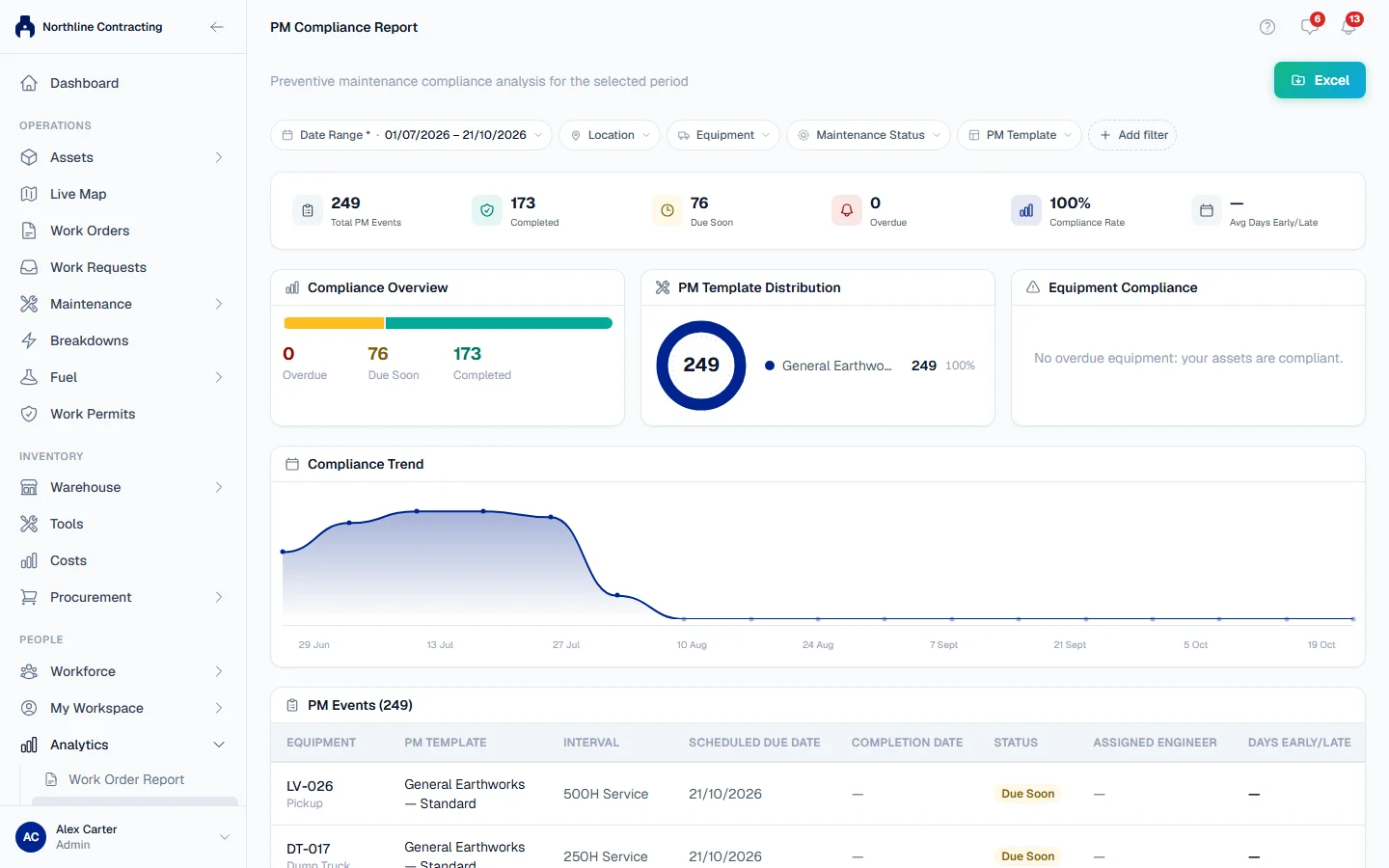
Filters
Location, equipment, Equipment Model, Equipment Category, PM Template, Maintenance Status and Assigned Engineer.
What it shows
The report lists PM events of three kinds: services completed in the period, services due soon and services overdue now.
| Section | What it tells you |
|---|---|
| Compliance Rate | Completed services as a share of completed plus overdue services. |
| Total PM Events | Every event in the report, including those due soon. |
| Avg Days Early/Late | On average, how far from its due date a service was done. |
| Compliance Overview and Compliance Trend | The same picture as a chart, and how it moved over the period. |
| Equipment Compliance | The machines with overdue services. When there are none: No overdue equipment: your assets are compliant. |
| PM Template Distribution | Which templates the events came from. |
| The register | One row per event: machine, template, interval, Scheduled Due Date, Completion Date, Days Early/Late, status and linked work order. |
Days Early/Late reads On time, or a number of days early or late, such as 3d late.
For the live due list, rather than a look back, use The Preventive Maintenance page. How due dates are worked out is in How PM due dates work.
Work Permit Compliance
In the sidebar, open Analytics > Work Permit Compliance.
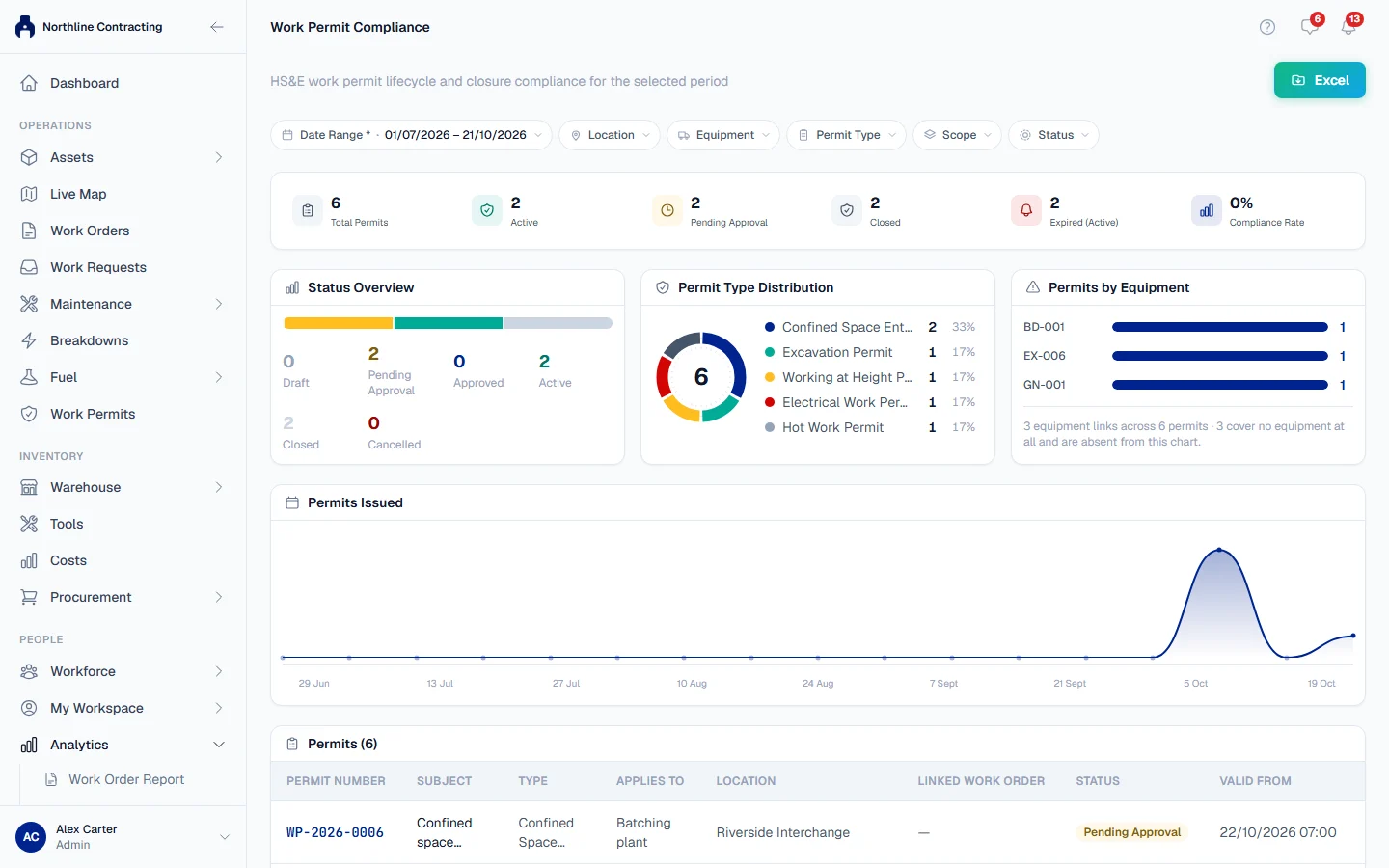
Filters
Location, equipment, Permit Type, Scope and status.
What it shows
| Section | What it tells you |
|---|---|
| Total Permits and Permits Issued | How many permits the period holds. |
| Compliance Rate | Of the permits that should be closed by now, the share closed on or before the end of their validity. |
| Expired (Active) | Permits still open after their validity ran out. These are the ones to chase. |
| Status Overview and Permit Type Distribution | Permits by status and by type. |
| Permits by Equipment | Which machines had the most permits. |
| The register | One row per permit: Permit Number, Type, Subject, Applies To, Location, Status, Valid From, Valid To, Closed At and Linked Work Order. |
A permit "should be closed by now" when it is closed, or when it is still approved or active after its validity ended. Cancelled permits are not counted.
Troubleshooting
| What you see | What to do |
|---|---|
| Compliance Rate shows a dash | There is nothing to measure yet: no completed or overdue services, or no permits that should be closed. |
| "No PM events for this period." | Nothing was completed in the period and nothing is due. Check that machines have a PM template. See Assign PM templates. |
| "No permits for this period." | No permits were raised in the period. Widen the Date Range. |