
Numbers don't match between two screens
The usual reasons two totals disagree, such as filters, Location, voided entries, unpriced fuel and parts, currency and stock held in several places, and how to line them up.
Short answer: two screens almost always disagree because they are counting different things, not because one is wrong. Compare the scope first (the filters, the dates, the Location, the machine statuses), then check whether voided or unpriced records are involved, and which currency each screen shows.
Check the scope first
| Difference | What happens |
|---|---|
| Filters and search | Every register, report and export shows only what matches its filters. A filter left from earlier, or a status chip, narrows the figure. Look for pills holding a value and click Clear all |
| Date range | Analytics, the Cost Ledger and Fuel Management each count their own period. "Last 30 days" and "Month to date" are different windows |
| Location on the dashboard | With one Location chosen, every widget shows that Location's figures. A record counts under the Location its machine belongs to today, even if it happened before the machine moved |
| Your own Location access | A user limited to some Locations sees only those on the dashboard, while most other pages still show every Location |
| Disposed and off-site machines | Disposed machines are hidden from the register unless you ask for them, and some lists show only machines on site |
| Excel exports | The file holds what the page was showing. The scope line at the top of the sheet names every filter |
Records that never count
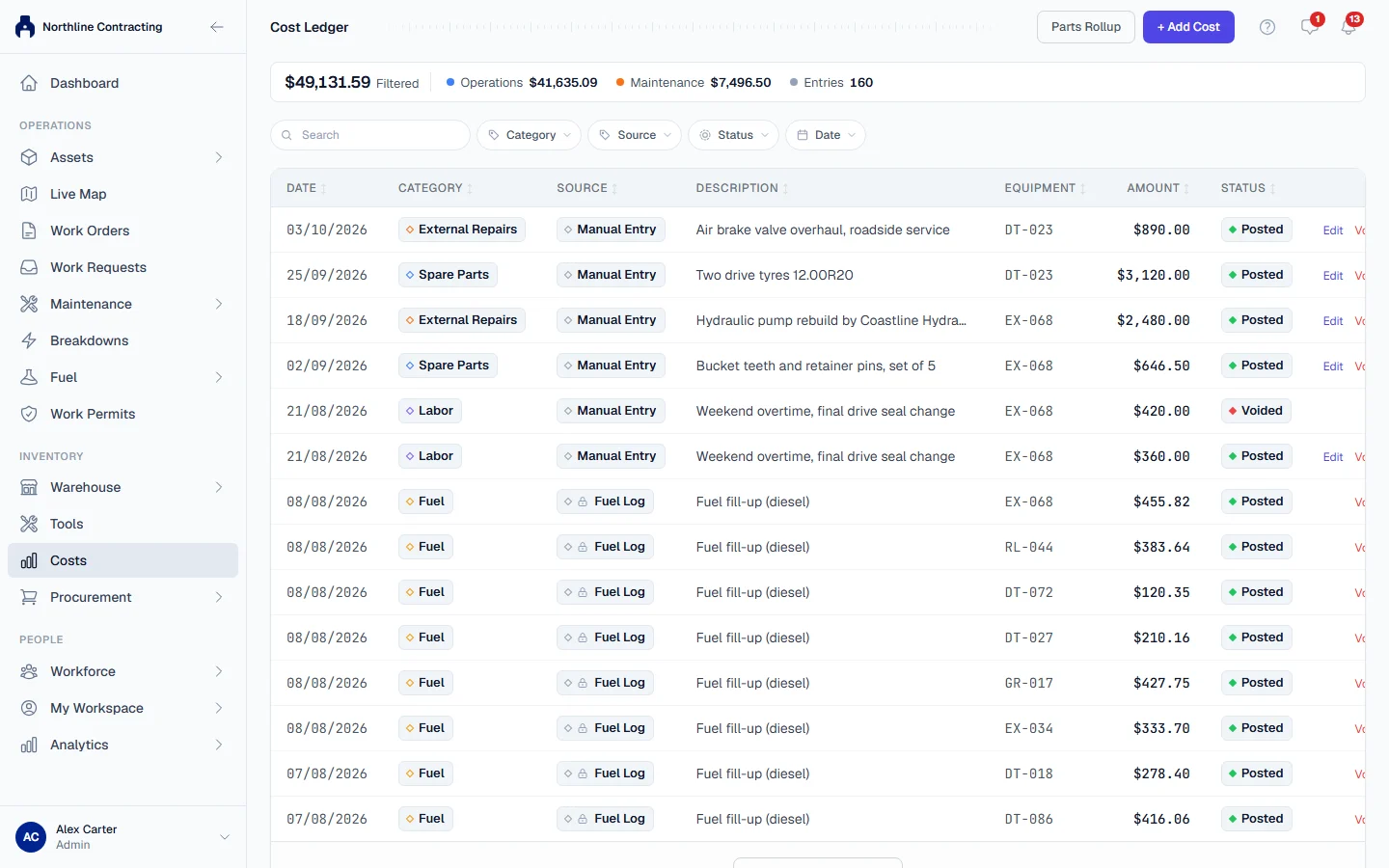
- Voided entries stay visible, struck through, but are never added to a total. On the Cost Ledger, Entries counts voided rows while Filtered does not, so the count and the total can look out of step.
- Cancelled breakdowns were logged in error and are left out of downtime and failure figures.
- Withdrawn PM records stop counting towards the machine's PM schedule, and are hidden on the History tab unless you choose Show withdrawn.
Money that is missing on purpose
| What you see | Why |
|---|---|
| A machine's costs look too low | Fill-ups and parts recorded without a price add no cost. Solmex never charges a guessed figure |
| Fuel spend on Fuel Management is below the litres times the price you expect | Spend comes from Costs. A fill-up with no posted cost adds nothing, and the page says how many there are |
| Uncosted Qty on Parts Costs | Quantity issued from stock that had no price, stated rather than valued at a guess |
| Receiving a purchase order changed no cost | A part's cost is recorded when it is issued, not when it arrives |
| "No cost entries recorded for this machine yet." | Nothing with a price has been recorded against it |
See How costs work.
Currency
Every amount is stored in your company's base currency. The Cost Ledger, Fuel Management and the dashboard's Fuel Overview each have their own Convert to USD toggle, remembered separately in your browser. One screen in US dollars and another in your base currency will never agree. Check the line under the heading, which states the rate used. When Convert to USD is greyed out, no rate could be fetched and figures stay in the base currency.
Stock and the dashboard
| What you see | Why |
|---|---|
| In Stock on the Stock Register is higher than an issue says is available | In Stock is the total across every storage location. An issue can only use what is at the location it comes from. See Spare parts show none available |
| Low stock (all) in Key Metrics, with a Location chosen | Stock is not held per Location, so the tile shows the whole company and is left out of Critical Alerts |
| No change-since-yesterday arrows | With one Location chosen, they are hidden, because yesterday's figures were kept for the whole company only |
Fuel and meter figures
- Hours and kilometres are never added together. Machines measured by the hourmeter (litres per hour) and by the odometer (litres per 100 km) are reported side by side.
- A machine with no meter, or no meters stated, has no consumption figure. It is listed with the reason rather than dropped.
- Meter readings are ordered by date and time, not by when they were typed, so a reading entered this afternoon for this morning sits in its proper place.
What you may see
| If you see… | What it means | What to do |
|---|---|---|
| "No equipment matches the current filters." | A filter or search narrows the list to nothing | Click Clear all and empty the search box |
| A colleague's link shows fewer records than they see | You may be limited to certain Locations | See Limit a user to Locations |
| A tile shows a dash | The figure could not be worked out, for example no on-site machines to measure availability | Nothing to fix; it is not a zero |
| "Not enough history yet: needs 3+ fill-ups with a meter reading" | Consumption needs a baseline | Keep recording the meter at every fill-up |