
Map layers and replay
Show open breakdowns, overdue maintenance and fuel by Sublocation on Live Map, and replay where machines were at a moment in the last 90 days.
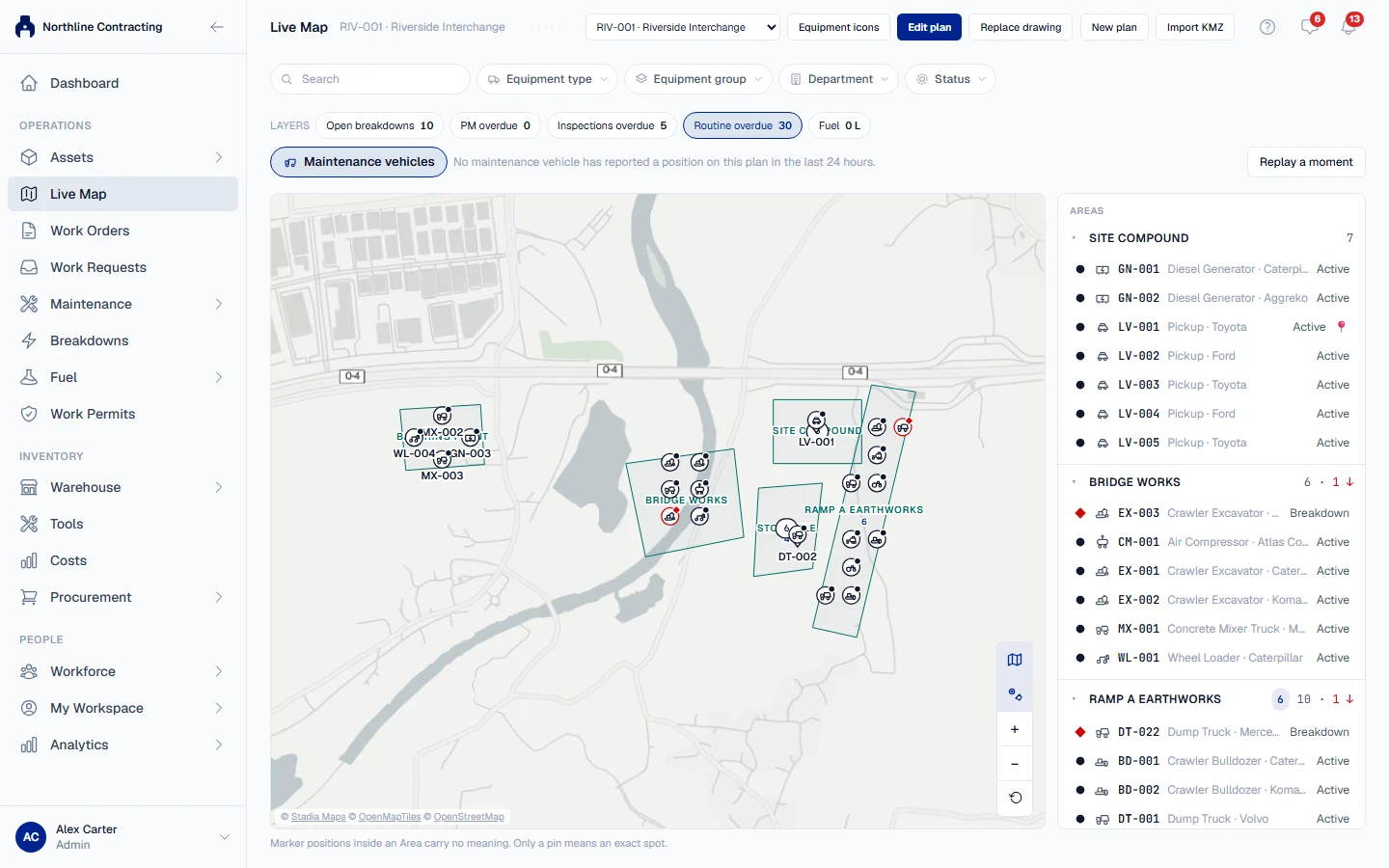
Layers put a number on each Area of the plan: how many open breakdowns it holds, how many machines are overdue for PM, how much fuel went into its machines. Replay moves the plan back in time, so you can see where machines were at a moment in the past.
Before you start
- Live Map is switched on per company, not by plan. If you do not see it, contact Solmex.
- You need Live Map: View and Equipment: View.
- Each layer also needs the permission of the module it counts. A layer you cannot see is greyed out.
Show a layer
- Open Live Map and choose the Location.
- Under Layers, click a layer. Its total for the whole plan is shown on the button.
- Each Area now shows a badge with that layer's count. Click the layer again to turn it off.
| Layer | What it counts | Needs |
|---|---|---|
| Open breakdowns | Open breakdowns on machines in each Area | Breakdowns: View |
| PM overdue | Machines overdue for a preventive maintenance service | Preventive Maintenance: View |
| Inspections overdue | Machines overdue for an inspection | Inspections: View |
| Routine overdue | Machines overdue for a routine maintenance job | Routine Maintenance: View |
| Fuel | Litres of fuel put into machines in each Area, over the last 7 days | Fuel: View |
The counts come from the same rules as the module's own pages, so the layer and the page never disagree.
If a count belongs to a Sublocation that has no Area on this plan, it is shown in the list pane beside the unplaced machines, so the badges still add up to the total.
Replay a moment
- Click Replay a moment.
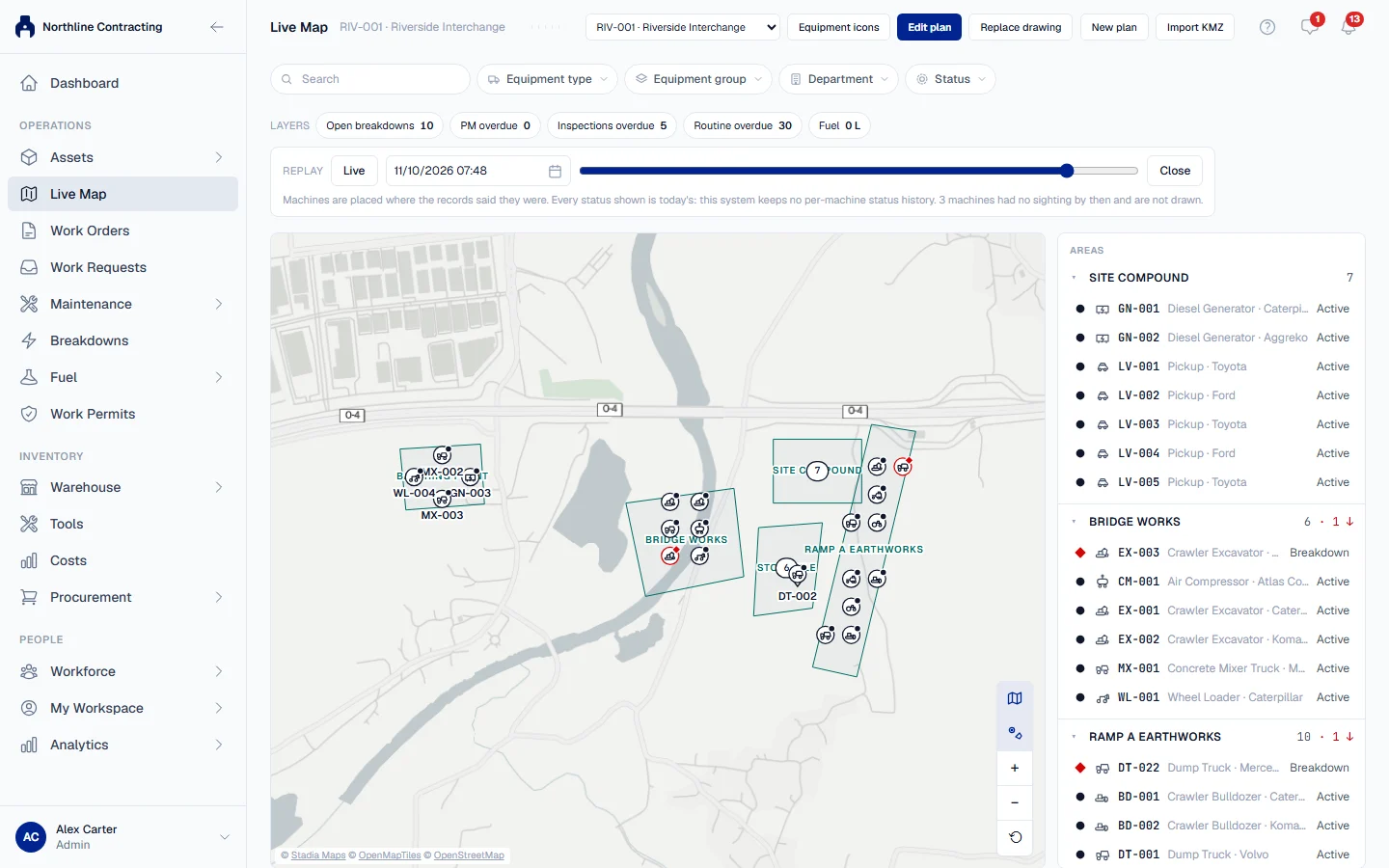
- Move the slider back through the last 90 days, or type the Moment to reconstruct.
- The plan redraws machines where the records said they were at that moment.
- Click Live to return to the present.
What replay can and cannot tell you
- Places are historical. Each machine is drawn in the Sublocation its newest sighting up to that moment named.
- Statuses are today's. Solmex keeps no history of each machine's status, so a machine broken down last month but working today is drawn as working. The replay bar says so.
- Machines with no sighting by then are not drawn. They are counted under Not yet sighted in the list pane, rather than placed where they are today.
- You cannot replay the future, and the exact spot cannot be recorded while replaying.
To follow one machine's movements through a day, use its day track instead. See Follow a machine's day track.
Troubleshooting
| What you see | What to do |
|---|---|
| A layer is greyed out with "Needs" in its tooltip | Your role does not include that module's view permission. Ask your administrator. |
| "1 layer is not yours to see." | As above: the plan is telling you a layer exists that your role cannot show. |
| "3 machines had no sighting by then and are not drawn." | Nothing had recorded where they were by that moment. Choose a later moment, or accept the gap. |
| A badge total does not match the Areas on the plan | Look in the list pane: part of the count belongs to a Sublocation not drawn on this plan. |