
Language, dates and appearance
Switch Solmex between English and Türkçe, use light or dark mode, and understand how dates, times and money are shown.
Solmex lets each person choose their own language and appearance, while keeping the things that must agree across the company, such as how dates are written and which currency the books are kept in, the same for everyone.
Change your language
Solmex is available in English and Türkçe. Each person chooses their own, so one company can have both in use on the same day.
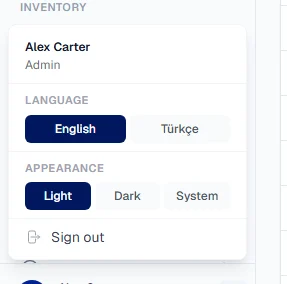
- At the foot of the sidebar, click the small arrow beside your name.
- Under Language, choose English or Türkçe.
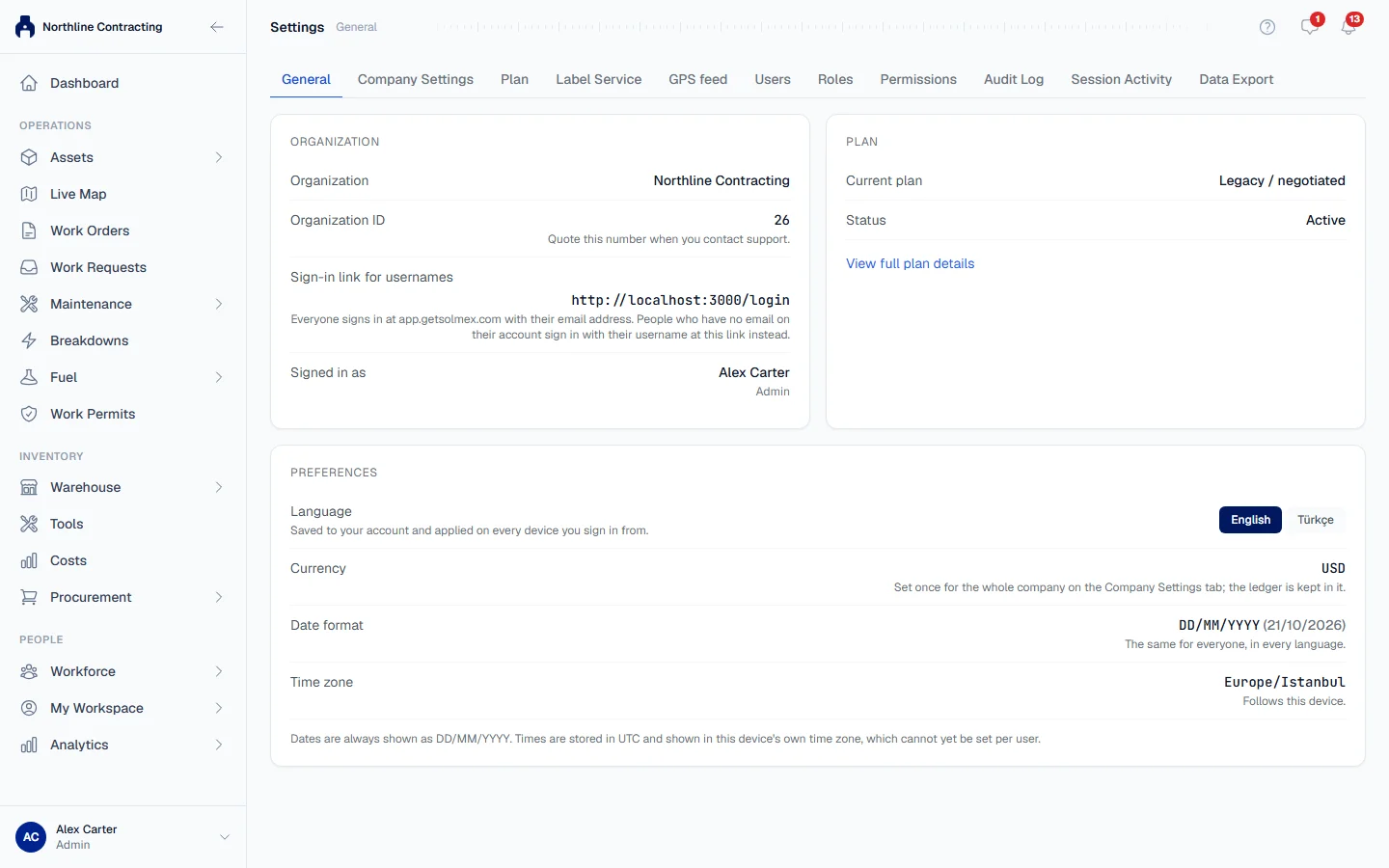
You can also change it under Settings > General, in the Preferences card.
The page switches at once. Your choice is saved to your account and applied on every device you sign in from. Until you choose, Solmex follows your browser's language.
What stays in English whichever language you choose:
- Excel and CSV exports. See Export to Excel.
- PDF documents, such as reports, work order sheets and labels.
- Names your company typed, such as equipment types, job names and Sublocations. They appear exactly as written.
Light and dark mode
- Click the small arrow beside your name at the foot of the sidebar.
- Under Appearance, choose Light, Dark or System.
System follows your computer or phone and changes with it, for example when the phone switches to dark mode in the evening. It is the starting choice.
Appearance is remembered per browser, not per account: you might want light mode on a bright site laptop and dark mode on your phone at night. Printing always uses light mode.
Dates and times
Every date in Solmex is written DD/MM/YYYY, for example 22/09/2026, in both languages, on screen, in PDFs, in emails and in Excel files.
- Date boxes take the same form. Type the digits and Solmex adds the slashes; a date and time is written DD/MM/YYYY HH:MM.
- Times are shown in your device's own time zone. Settings > General shows the time zone your device is using.
Money
All amounts are shown in your company's base currency, set once for the whole company under Settings > Company Settings. The cost ledger is kept in it, and Settings > General shows which one it is. There is no per-person currency.
Viewing figures in US dollars
Some pages can show their figures converted to US dollars for reading: the Cost Ledger, the Cost Report, the Spare Parts Consumption report, Fuel Management and the dashboard's fuel overview.
- Press Convert to USD at the top of the page. It then reads, for example, "TZS → USD".
- Press it again to return to your base currency.
Each page remembers its own choice in this browser. The dashboard's fuel overview starts in USD; the pages start in your base currency.
- The conversion is for viewing only. Nothing is saved in dollars, and amounts you type in are always in your base currency.
- If no exchange rate can be fetched, the button is shown but cannot be pressed, and figures stay in your base currency. Solmex never converts at a guessed rate.
- If your base currency is already USD, the button is not shown.
Troubleshooting
| What you see | What to do |
|---|---|
| "Enter a date as DD/MM/YYYY." | The date box has digits in a form it cannot read. Type the day first, then the month and year. |
| Your language changed back after signing in on another device | The language saved to your account wins at sign-in. Choose it again and it is saved for every device. |
| Dark mode is not kept on another computer | Appearance belongs to each browser. Choose it once on each. |
| Convert to USD cannot be pressed | No exchange rate is available right now. Try again later. |