
Help CenterManaging Purchases and Stock
How spare parts work
The ideas behind the warehouse in Solmex: parts, storage locations, stock held per location, documents that move it, and how stock is valued.
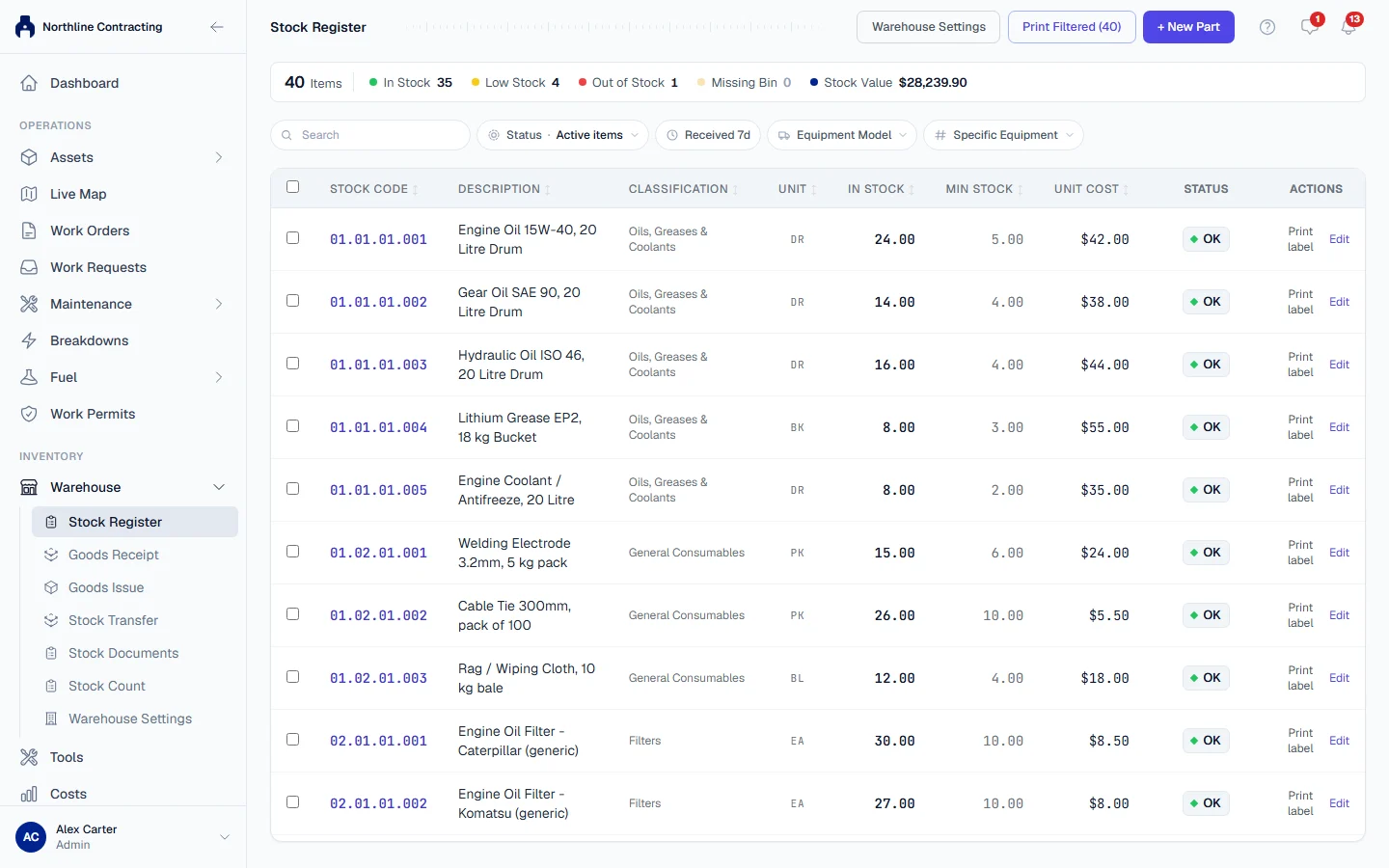
The warehouse keeps track of the spare parts, fluids and consumables your maintenance work uses: what you have, where it is kept, what it cost and where it went. This article explains the few ideas the rest of the warehouse is built on. Read it once before you set up your store.
Everything lives under Warehouse in the sidebar: Stock Register, Goods Receipt, Goods Issue, Stock Transfer, Stock Documents, Stock Count and Warehouse Settings.
Parts
A part is one line in your catalogue: one stock code, one description, one unit (such as EA, L or KG). Every part is filed under a three level classification you design yourself, such as Filters, then Hydraulic Filters, then Return Filters, and its Stock Code is built from that tree. See Classify your parts and Add a part.
Storage locations
A storage location is a place stock physically sits: a store, and the areas, racks, shelves and bins inside it, up to four levels deep. Stock can sit at any level, so a one room store needs only one location. See Set up storage locations.
Storage locations are not the same as your Locations and Sublocations, which describe where your sites and machines are.
Stock is held per storage location
Solmex records how much of each part is at each storage location. The In Stock figure on the Stock Register is the total across all of them. When you issue a part, it must come out of a storage location that actually holds it.
Only documents move stock
Nobody types a new quantity over an old one. Every change is a document with a number, a date and the person who posted it:
| Document | What it records | Page |
|---|---|---|
| Goods receipt | A delivery coming in | Receive goods |
| Goods issue | Parts going out, charged to a machine, a Location or a cost centre | Issue parts |
| Transfer | Parts moved from one storage location to another | Transfer stock |
| Fitting record | A part fitted to a specific machine | Parts on a machine |
| Adjustment | A correction after counting the shelf | Count and correct stock |
Parts used on a work order or a PM are issued for you when the work is finished. See Record the work done and Log a completed PM.
A posted document cannot be edited. If something was recorded wrongly, it is corrected by another document, so the history always shows both the mistake and the fix. Every posted document, and the files attached to it, can be opened again from Stock Documents.
How stock is valued
Each delivery keeps its own price. When parts go out, Solmex takes them from the oldest delivery first (first in, first out), so a part issued today is charged at what that particular stock actually cost. Moving stock between storage locations keeps each delivery's price and age. The Stock Value on the Stock Register adds up what the stock on hand actually cost, delivery by delivery. The value of each issue goes to the machine or Location it was charged to, and shows in Costs. See The Costs tab.
Stock found during a count that the records did not know about is also added unpriced, whatever anyone types, because nobody paid a known price for it. Unpriced stock is left out of the Stock Value and shown beside it as Unpriced qty.
Who can do what
| Permission | Lets you |
|---|---|
| Warehouse: View | See the Stock Register, parts and Stock Documents |
| Warehouse: Edit | Add and edit parts, receive goods, issue parts, transfer stock, attach files to stock documents, record parts fitted to a machine |
| Warehouse: Manage | Open Warehouse Settings to set up storage locations and the classification, count and correct stock, void anybody's fitting record |
Where to start
- Set up storage locations.
- Classify your parts.
- Add a part for each item you stock.
- Receive goods to bring your existing stock in.