Help Center / Reporting
PDF documents in Solmex
Every PDF Solmex produces, where to get it and who can, from the work order sheet to the dossier and the reports emailed on a schedule.
Included in: Every plan Updated 12/10/2026
Solmex produces a number of printable PDF documents, each for a different reader: a sheet for a technician, a signed record for a file, a summary for a manager. This page lists them all in one place, with where each one is made and what you need to get it. Follow the link in each row for the full article.
# Before you start
Every document carries your company's name and logo from Company Settings . Set them first so your documents look like yours. See Set up your company .
A document shows only what its permission lets you see in the app. None of them is a way around a permission.
Dates in every document are written DD/MM/YYYY.
# Documents about one job or one machine
Document What it is for Where to get it You need
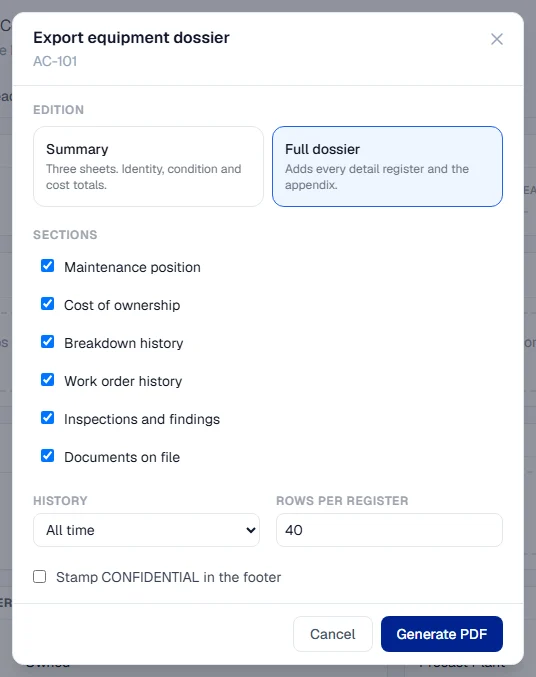
Work order sheet One A4 sheet handed to a technician: the job, the machine and what must be in place first. Print on the work order. See Print a work order .Work Orders: View Work record The record of the work done on a work order, with parts, time and signatures. Print record , or Print signed record once signed, in the Work done section. See Record the work done .Work Orders: View PM Completion Report The record of one completed service, filed on the machine automatically. The Report column of the machine's PM History. See Log a completed PM . Preventive Maintenance: View Inspection Report The full, signed record of one inspection. Export PDF on the inspection. See Print the Inspection Report and Finding Action Cards .Inspections: View Finding Action Cards One open finding per sheet, large enough to pin on a workshop wall. Print action cards . Same article as above.Inspections: View Work permit The permit for the work site, with a QR code that opens it on a phone. Print or download from the permit. See Permit documents, printing and QR codes . Work Permits: View Equipment Dossier A machine's whole record, as a three-page summary or a full history, for an owner, auditor, insurer or buyer. Export Dossier on the machine's page. See Export a machine's dossier .Equipment: View and Analytics: Export
# Documents for purchasing
Document What it is for Where to get it You need
Approved purchase request What your company authorized, line by line, with the approval history. Download PDF on an approved request. See The approved request PDF .Procurement: View Purchase order The order you send to a supplier, with prices, totals and delivery details. Download PDF on an order from Approved onwards, or emailed to the supplier. See Send a purchase order to the supplier .Procurement: View
# Reports for managers
Document What it is for Where to get it You need
Breakdown Status Report What is down and why, readable in a minute, printable in black and white. PDF on the Breakdowns page. See The Breakdowns list and the Breakdown Status Report .Breakdowns: View and Analytics: Export, Business plan Fuel management report An A3 report on fuel for the chosen period: summary, charts, exceptions and rankings. Report (PDF) on Fuel Management . See Fuel Management .Fuel: Export, Business plan
# Reports emailed on a scheduleThese three are made by Automatic reports . They are emailed to the people you choose, and any past run can be downloaded again from the History tab of Automatic Reports .
Document What it covers
Equipment Breakdown Report The breakdown picture for the previous complete day, week or month. Daily Inspection Report Every inspection of the day, with a summary page in front. See Email a Daily Inspection Report . Routine Maintenance Overdue Report Which machines are overdue on routine jobs when it is sent.
All three need Analytics: Schedule to set up, and the Business plan.
Why it works this way
Each document has one reader and says only what that reader needs. A work order sheet leaves out costs and the record of the work, because the record belongs on the work record, and two papers describing the same job would end up disagreeing.
Tip
To get records out in bulk rather than as documents, use Export all your data , or the Excel button on a register or an Analytics page.
# Troubleshooting
What you see What to do
A PDF button you expect is not shown Your role lacks the permission in the tables above, or your plan does not include the module. Ask your administrator. No PDF on a purchase request or purchase order The request must be Approved ; the order must be Approved or later. Your logo is missing from documents Upload it in Company Settings . See Set up your company .
Was this page helpful?
Yes No
Thank you. Your answer helps us decide which pages to improve first.