
How PM due dates are worked out
Services follow the manufacturer's fixed milestones, so a late service never shifts the next one. Covers due soon and overdue, hours and kilometres judged separately, never serviced, and the projected due date.
This article explains exactly how Solmex decides that a service is On schedule, Due soon or Overdue, so you can trust what the screens tell you and explain it to others.
Before you start
- You need Preventive Maintenance: View to see PM status.
- The machine needs a template. See Assign PM templates to machines.
Services follow fixed milestones
Manufacturers schedule services on a fixed grid: 250, 500, 750, 1,000 hours and so on. Solmex follows that grid. The next service is due at the next point on the grid, not at "last service plus 250 hours".
At each milestone, the service due is the largest interval that divides it. On a template with 250 h, 500 h and 1,000 h services:
| Milestone | Service due |
|---|---|
| 250 h | 250 h service |
| 500 h | 500 h service |
| 750 h | 250 h service |
| 1,000 h | 1,000 h service |
Which milestone a service answers
A logged service counts for the milestone it is nearest to. A 250 h service done at 510 hours answered the 500 h milestone, so the 750 h one is still to come. Exactly halfway between two milestones counts for the later one.
Due soon and overdue
| Verdict | When |
|---|---|
| On schedule | The next milestone is further away than the due-soon window. |
| Due soon | The next milestone is within the due-soon window. |
| Overdue | The machine has passed a milestone and no service on record answers it. |
The due-soon windows are:
| Measured by | Due soon from |
|---|---|
| Hours | 50 hours before |
| Kilometres | 500 km before |
| Calendar, in months | half a month before |
| Calendar, in days | 7 days before |
Worked examples
All on a template with 250 h, 500 h and 1,000 h services:
| Hourmeter reading | Verdict | Why |
|---|---|---|
| 199 h | OK | 51 hours short of the 250 h milestone |
| 200 h | Due soon | exactly 50 hours short: the window starts here |
| 250 h | Overdue | milestone reached, no 250 h service logged |
| 250 h, with the 250 h service logged | OK | the next milestone is 500 h |
| 460 h, 250 h service logged late at 285 h | Due soon | 40 hours short of 500 h, not of 535 h |
| 760 h, 250 h service logged at 510 h | Overdue | that service answered 500 h, so the 750 h one was missed |
| 1,000 h, 250 h and 500 h services logged | Overdue | at 1,000 h it is the 1,000 h service that is due |
Hours and kilometres are judged separately
A machine with both an hourmeter and an odometer gets one verdict per meter. A truck can be On schedule on hours and Overdue on kilometres. Solmex never converts hours into kilometres or the other way round. Calendar intervals get their own verdict too.
Calendar services
A calendar service is due one cycle after the last time it was done. For a machine with no service on record, the first cycle is counted from the machine's arrival date (or the date it was registered, if no arrival date is stated), so assigning a template never makes a newly registered machine overdue on day one. The interval then shows "No service on record, counted from the machine's arrival".
Never serviced is not the same as overdue
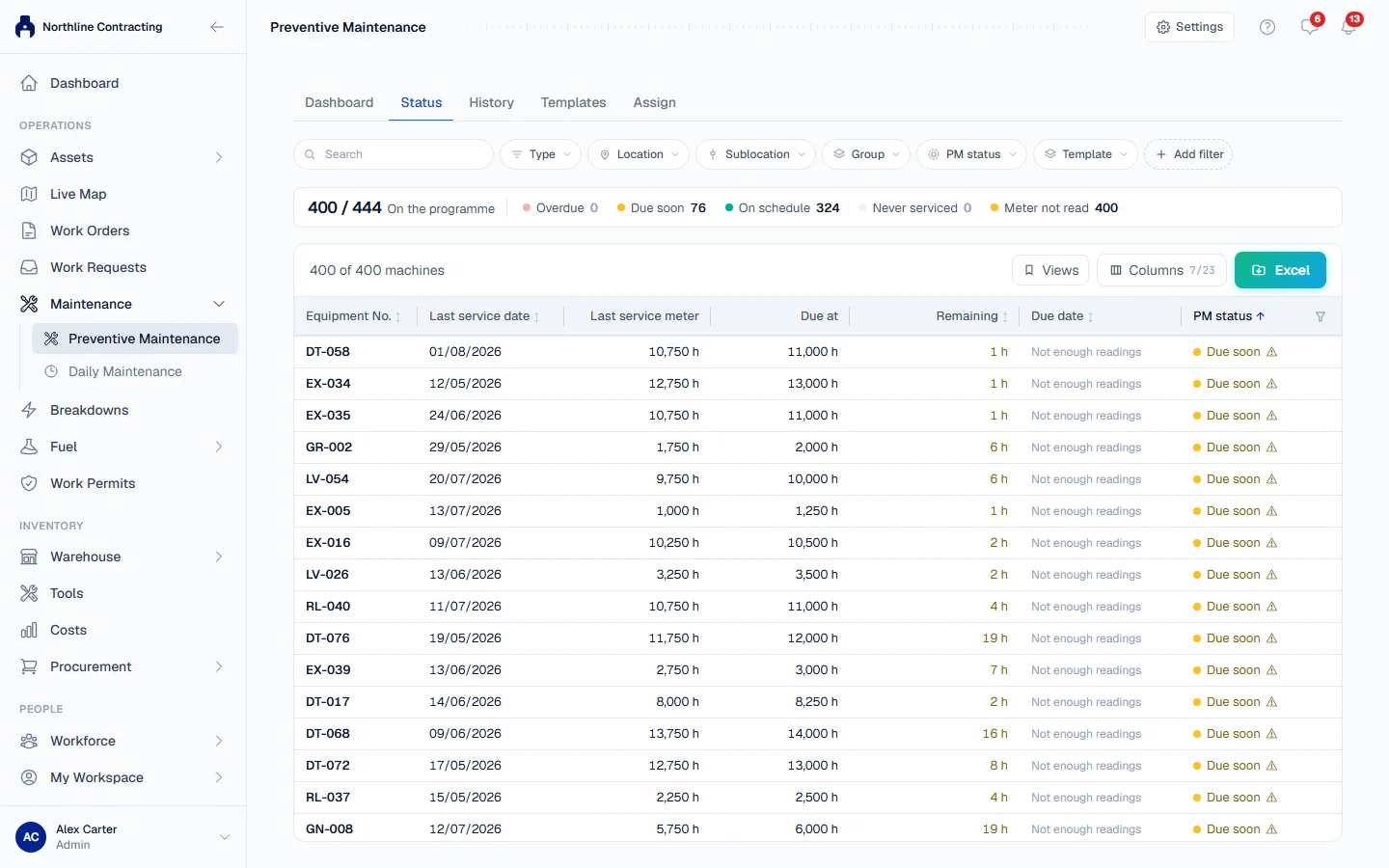
On the Preventive Maintenance page, a machine that has passed a milestone but has no service on record at all is shown as Never serviced, not Overdue. It usually means its history has not been entered yet, not that work was missed. Fix it by importing its last PM or recording past services.
The projected due date
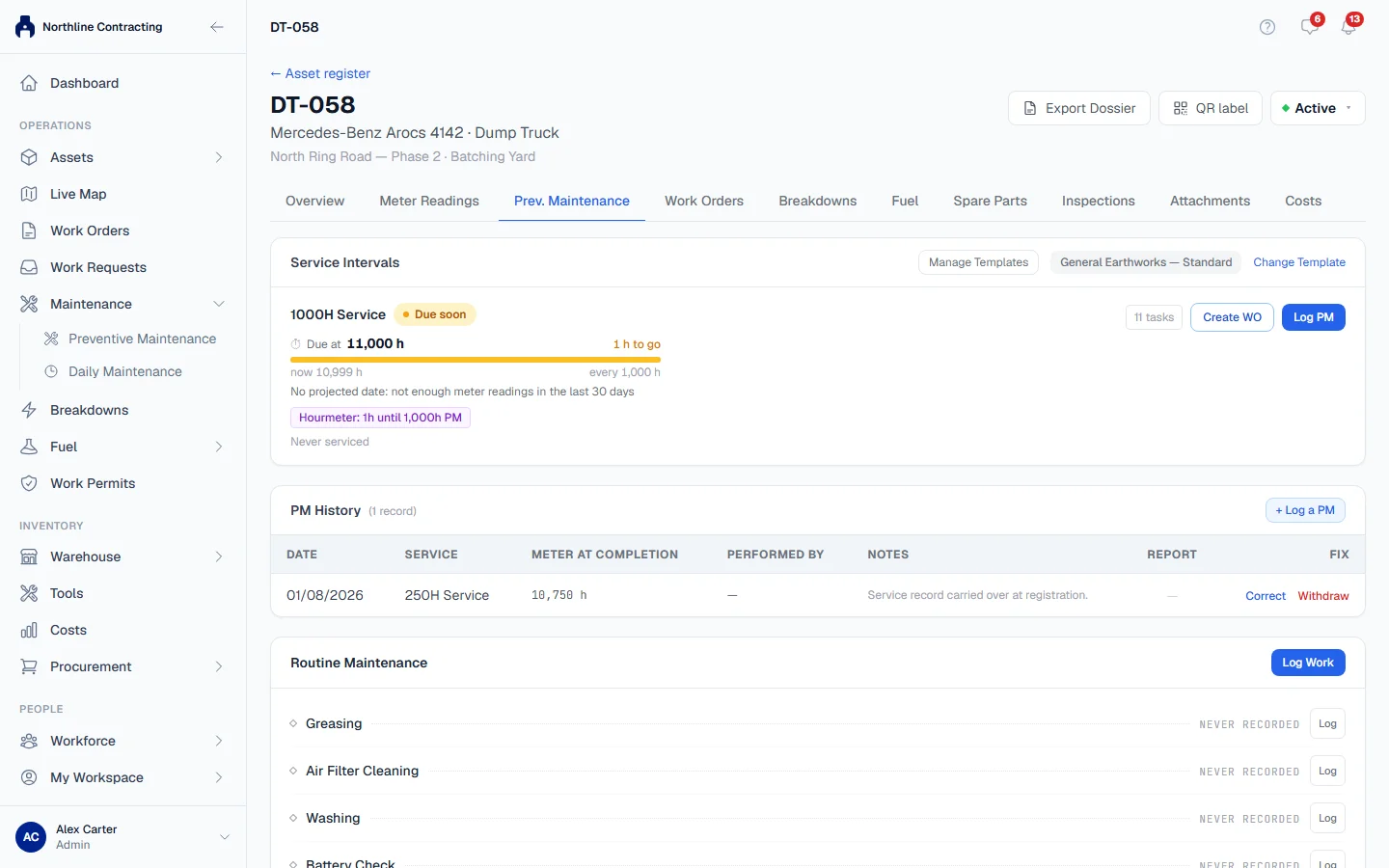
Hours and kilometres do not tell you a date by themselves. Solmex projects one from the machine's own recent use: the typical daily movement of its meter over the last 30 days, needing at least 3 days with readings. On the Prev. Maintenance tab this reads "Projected 14/11/2026, at this machine's own ... a day".
It is a projection, not a schedule. If there are not enough readings, Solmex says "No projected date: not enough meter readings in the last 30 days" rather than guess. If the meter has not moved, it says "No projected date: the meter has not moved".
Keep the meters fresh
Every verdict is based on the machine's latest meter reading. If no reading has come in for 14 days, the Preventive Maintenance page marks the machine with "Meter not read for ... days", because an On schedule verdict built on an old reading may no longer be true.
Troubleshooting
| What you see | What to do |
|---|---|
| A machine reads Overdue for a service you know was done | The service is not on record. Log it with the meter reading it was done at. |
| A service shows Overdue after a late service was logged | The late service answered an earlier milestone. Check which milestone each logged service is nearest to. |
| "Last PM date recorded, but no meter reading" | The machine has a last PM date but no reading, so Solmex cannot place it on an hours or kilometres cycle. Add the reading by importing its last PM, or log its last service. |
| "No projected date: not enough meter readings in the last 30 days" | Record meter readings more often. |