
Help CenterManaging the Organisation
Disable, re-enable and seats
Change a user's role, seat or language, switch an account off when someone leaves and back on when they return, and keep within your plan's full seats.
People change jobs, leave and come back. Solmex never deletes a user, so their name stays on every work order, reading and signature they made; you switch the account off instead. This article covers everything you do to an existing account. Adding someone new is in Invite your team.
Before you start
- Users: Edit lets you change a user's details, role and seat.
- Users: Delete lets you disable and enable accounts. Administrators have both.
- All of this is on Settings > Users. The list shows each user's Seat, Locations, Last Login and Failed sign-in count, and you can filter it by role and status.
Change someone's role, seat or language
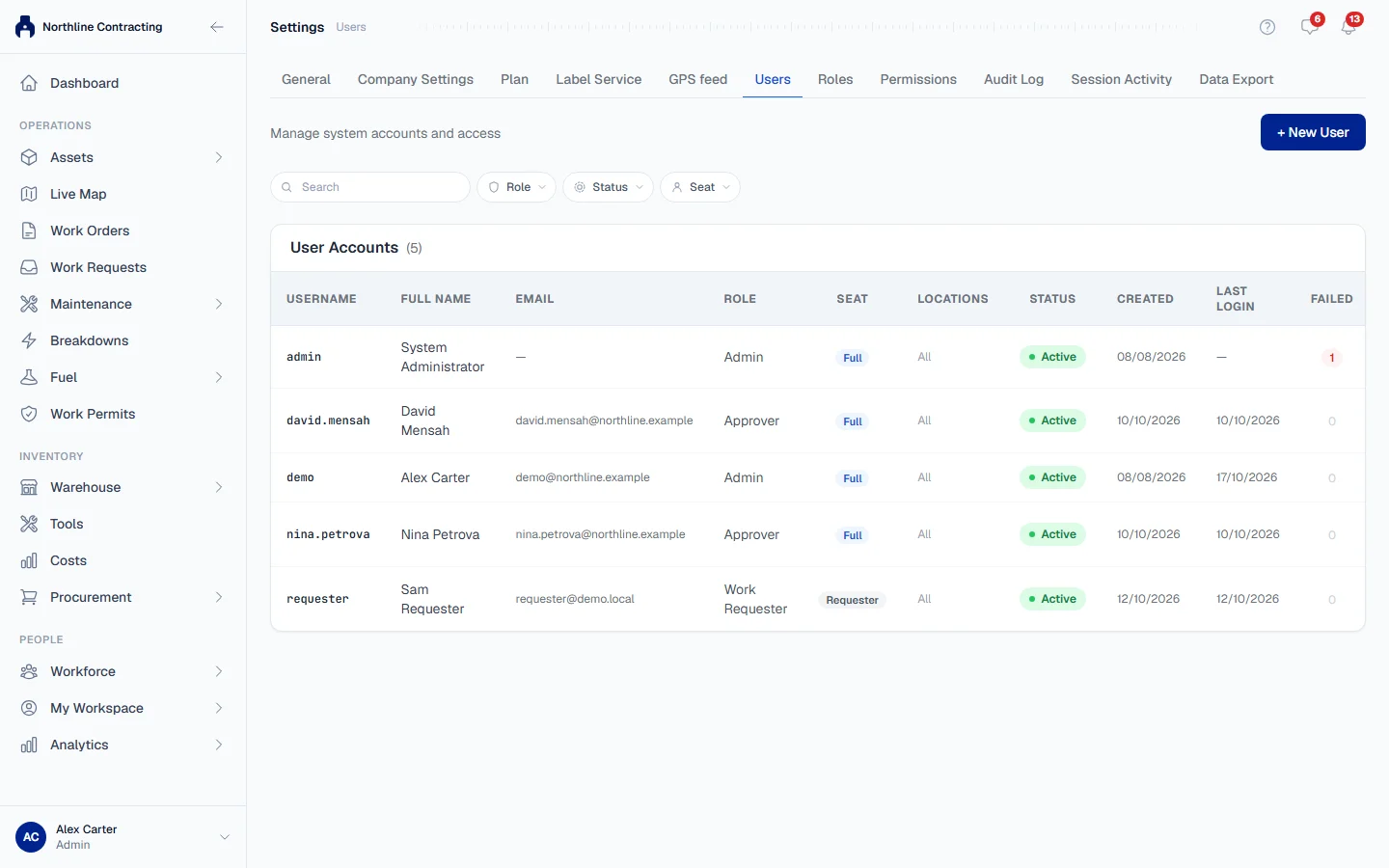
- Open Settings > Users and click Edit on the person's row.
- Change the Full Name, Email, Role, Seat or Language.
- Click Save changes.
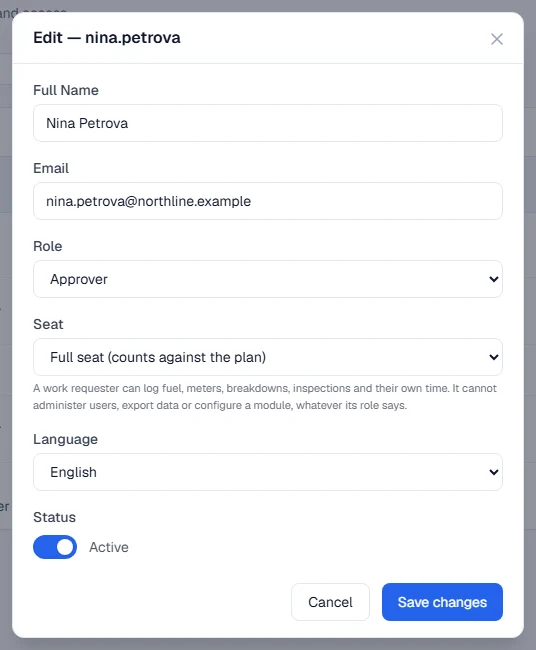
A new role or seat takes effect the next time their screen loads.
Disable an account
- Click Disable on the person's row.
- Confirm. The message reads "Disable account for (name)? They will not be able to log in."
The row now shows Disabled. If they held a full seat, it is free again straight away.
Re-enable an account
- Filter the list by status Disabled to find the person.
- Click Enable and confirm.
They sign in with the password they had. If they never set one, or have forgotten it, click Invite to email them a new link, or Reset PW to set one for them.
Full seats and work requesters
Every user has one of two seats:
| Seat | What it can do | Counts against your plan |
|---|---|---|
| Full seat (counts against the plan) | Whatever their role allows. | Yes |
| Work requester (free; entry surfaces only) | View equipment, work orders, PM, tools and stock; log fuel; report and update breakdowns; carry out inspections; raise work requests; record work done on a work order. Their own leave and timesheets in My Workspace. | No |
A work requester can never administer users, export data, approve anything or configure a module, whatever their role says. The seat is a ceiling on top of the role, so a generous role cannot widen it.
Only full seats count against your plan's limit. When the limit is reached, Solmex refuses the next full seat, whether you are adding a user, enabling one, or moving a work requester to a full seat. Disabling a user or moving them to a work requester seat is never refused. To see your limit and how much of it is in use, open Settings > Plan: see Your plan page.
Rules worth knowing
- You cannot disable yourself, or change your own role or seat. Ask another administrator.
- The last active administrator stays. The last enabled user who can manage roles cannot be disabled or moved to a work requester seat. Someone must always be able to run the company.
- You can only take over accounts you could have created. Changing the email, password, role or status of someone whose role holds permissions you do not have is refused. So is resetting an administrator's password unless you are one.
- Five wrong passwords in a row lock an account for 15 minutes. The Failed column shows the current count; it returns to zero on the next successful sign-in. You do not need to do anything: the lock lifts by itself.
- Disabling a user does not touch their employee record. If they are also on the employee list, change their status there as well. See Add and manage employees.
Troubleshooting
| What you see | What to do |
|---|---|
| "Cannot deactivate your own account" | Ask another administrator to do it. |
| "Cannot deactivate the last active administrator" | Give another user an administrator role first. |
| "Cannot move the last active administrator to a work requester seat" | Give another full-seat user an administrator role first. |
| "Cannot change your own seat kind" or "Cannot change your own role" | Ask another administrator. |
| "Your plan allows ... and ... are in use. Deactivate one, or ask us about a larger plan." | Disable an unused full seat, use a work requester seat, or contact us. |
| "You cannot change the access or sign-in details of a user whose role grants permissions you do not hold" | Ask an administrator. |
| A message that resetting the password of an administrator needs administrator rights | Only an administrator can reset another administrator's password. |