
Help CenterManaging Purchases and Stock
The Purchase Requests register
Find the requests waiting for your approval, follow your own, and search every request your company has raised.
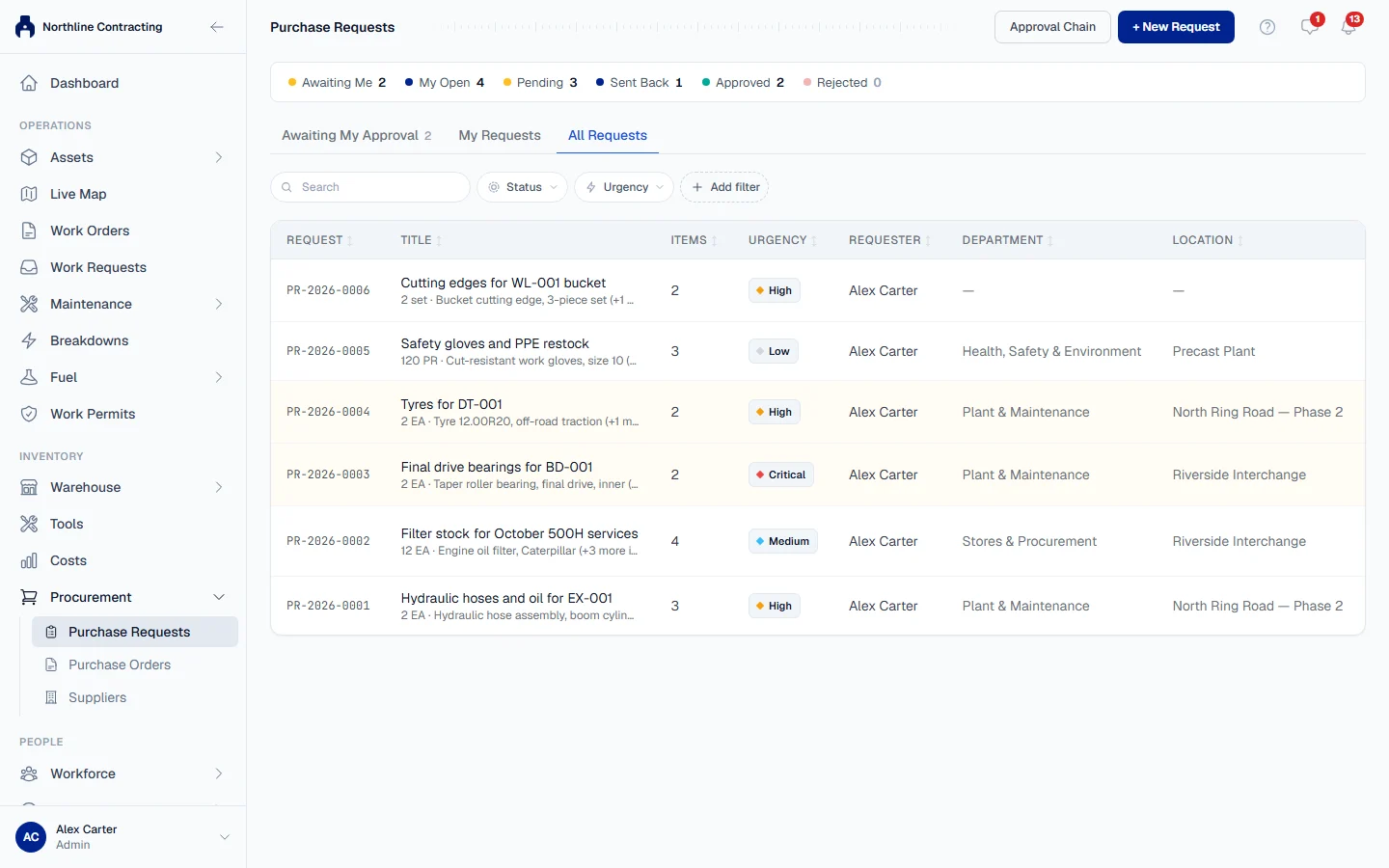
The Purchase Requests page lists every request in one register. It opens on the requests waiting for you, so an approver sees their work first.
Before you start
- You need Procurement: View to open the page.
- Other people's drafts are never shown, to anyone. A draft becomes visible once it is sent.
Open it
In the sidebar, open Procurement > Purchase Requests.
The three tabs
| Tab | Shows |
|---|---|
| Awaiting My Approval | Requests where it is your turn to decide. The page opens here when anything is waiting for you. |
| My Requests | Requests you raised, including your drafts. |
| All Requests | Every request, whoever raised it. |
The figures across the top
Awaiting Me, My Open, Pending, Sent Back, Approved and Rejected count the requests in each state.
The columns
| Column | What it shows |
|---|---|
| Request | The request number. Rev 2 beside it means it was sent back and resubmitted. |
| Title | What the request is for. |
| Items | The first item and how many more, and how many lines were refused. |
| Urgency | Low, Medium, High or Critical. |
| Requester, Department, Location | Who asked, and for whom. |
| Status | Draft, Pending Approval, Sent Back, Approved, Rejected or Withdrawn. |
| Waiting On | Whose turn it is and which step, such as "Step 2 of 3". |
| Raised | When it was raised. |
An approved request with lines refused says so, for example "1 line refused", so a bare Approved never overstates what was agreed.
Find a request
Type in the search box to search by request number, title, item, part number or reason. The search reaches every line of a request. Filter by Urgency, department, status or Location with the filter buttons.
Click a row to open the request.
What the statuses mean
| Status | Meaning |
|---|---|
| Draft | Saved but not sent. Nobody has been asked. |
| Pending Approval | With its approvers, one at a time. |
| Sent Back | An approver asked for changes. It is with the requester to correct. |
| Approved | Every approver agreed. Final. |
| Rejected | An approver refused the whole request. Final. |
| Withdrawn | The requester took it back. Final. |
Troubleshooting
| What you see | What to do |
|---|---|
| "Nothing is waiting for your approval." | No request is at your step right now. |
| A colleague's request is missing | It is still a draft. Drafts appear once they are sent. |
| No Procurement in the sidebar | Your role does not include Procurement: View, or your plan does not include Procurement. |