
Add a meter reading
Record one hourmeter or odometer reading for one machine from its Meter Readings tab.
Use the Meter Readings tab to record a single reading on a single machine, for example when you are standing in front of it. To read many machines in one go, use Daily Meter Entry instead.
Before you start
- You need the Equipment: Edit permission. Without it the tab shows the history but no button to add to it.
- The machine must carry the meter you want to read. See How meters work.
Record a reading
- Open the machine and go to the Meter Readings tab.
- If the machine has both meters, choose Hourmeter or Odometer at the top.
- Click + Log Hourmeter (or + Log Odometer). The New Hourmeter Reading form opens.
- Check Reading Date and Reading Time. Both are filled in with today and the current time; change them if you read the meter earlier.
- Type the figure in the meter box. The current reading is shown as a hint inside the box.
- Add Notes if you want to, and click Save Reading.
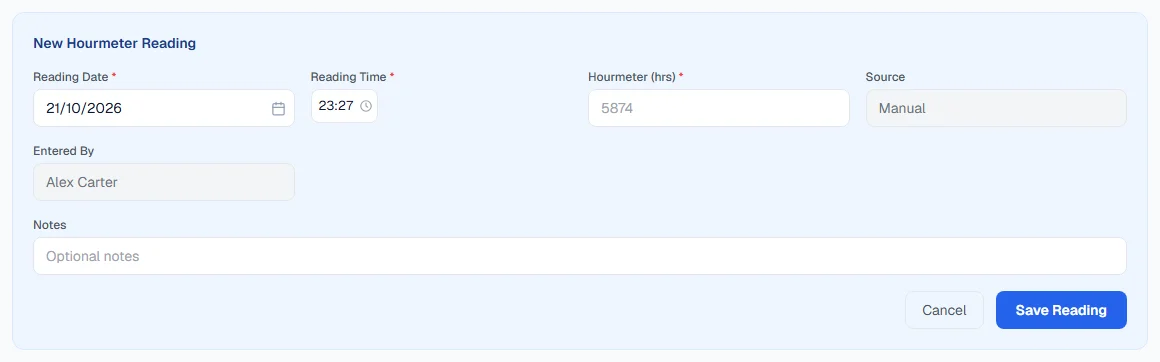
Source is always Manual on this form. Readings from the GPS feed, Daily Meter Entry, fuel fills, PM services and routine work are labelled with their own source automatically.
The reading appears at the top of the history, and the banner above it shows the new current figure with Last recorded on and your name.
Reading the history
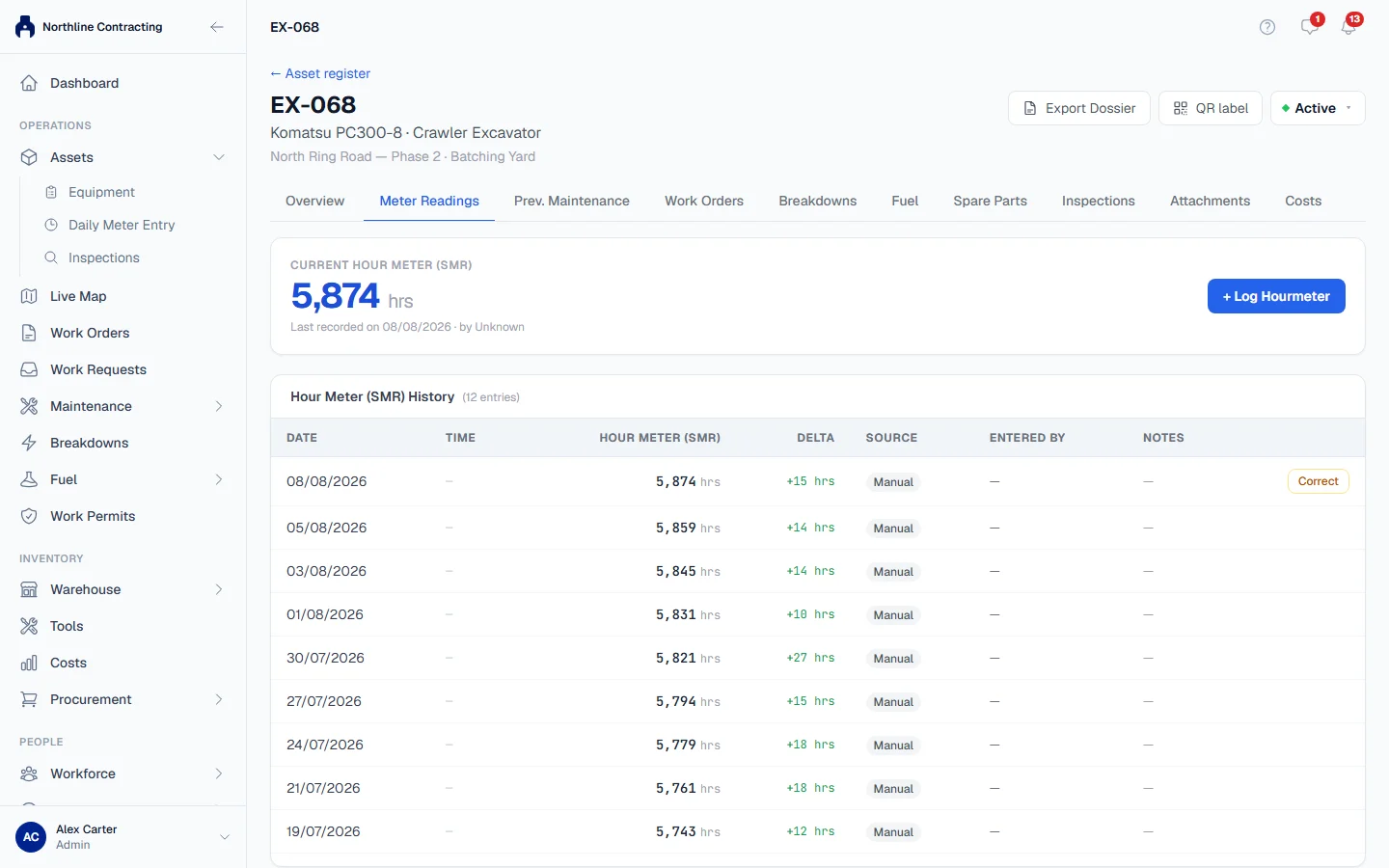
The history table lists every reading, newest first, with its Date, Time, value, Delta (how far it moved since the reading before), Source, Entered By and Notes. A reading recorded before times were kept shows a dash in the Time column rather than a made-up midnight.
A reading that has been corrected carries a small corrected badge. Hover over it to see how many times and why.
Rules worth knowing
- The date cannot be in the future.
- A reading below the last one is refused, and so is a first reading below the opening figure the machine was registered with.
- A big jump is saved without asking here. You are looking straight at the machine's history while you type, so the tab trusts you. The same jump in Daily Meter Entry asks you to confirm.
- The highest reading moves the machine's SMR, which preventive maintenance is measured against. See How PM due dates work.
Troubleshooting
| What you see | What to do |
|---|---|
| A message saying the figure "is below the last recorded" reading on a date | Check the figure. If the last reading was the mistake, correct it first. |
| A message saying the figure "is below the machine's opening" reading | The machine was registered with a higher starting figure. Check the reading. |
| "Reading date cannot be in the future." | Choose today or an earlier date. |
| No meter fitted instead of a form | The machine is recorded as having no meter. If it does have one, click Edit meters on the Overview tab. |
| Meters not stated instead of a form | Nobody has said which meters the machine has. Set them with Edit meters on the Overview tab. |
| "Failed to save reading." | Check your connection and try again. |