
What a work permit is
A work permit authorises hazardous work, such as hot work or confined space entry, for a set time. This article explains the permit register and every status a permit moves through.
A work permit is a written authorisation for hazardous work: welding, entering a confined space, electrical isolation, working at height and similar. It states what work is allowed, where, on which equipment, by whom, under which precautions and until when. Solmex keeps every permit in one register, moves it through approval and sign-off, and prints it with a QR code for the work site.
Before you start
Work permit actions are split between permissions, so the person who raises a permit is not the only person who decides on it:
| Permission | Allows |
|---|---|
| Work Permits: View | See the register and permits, print and download them. |
| Work Permits: Edit | Create, edit and submit permits, attach documents, duplicate. |
| Work Permits: Approve | Approve or reject a permit waiting for approval. |
| Work Permits: Sign | Record signatures and activate an approved permit. |
| Work Permits: Close | Close an active permit, or cancel one. |
| Work Permits: Templates | Manage permit templates. |
Work Permits is included in the Business plan.
Where to find it
In the sidebar, open Work Permits. The register lists every permit with its Permit No, Subject, Type, what it Applies To, its Work Order, Valid To and Status. The figures at the top show permits Pending Approval, Active, Expiring Soon, Expiring Today and Recently Closed.
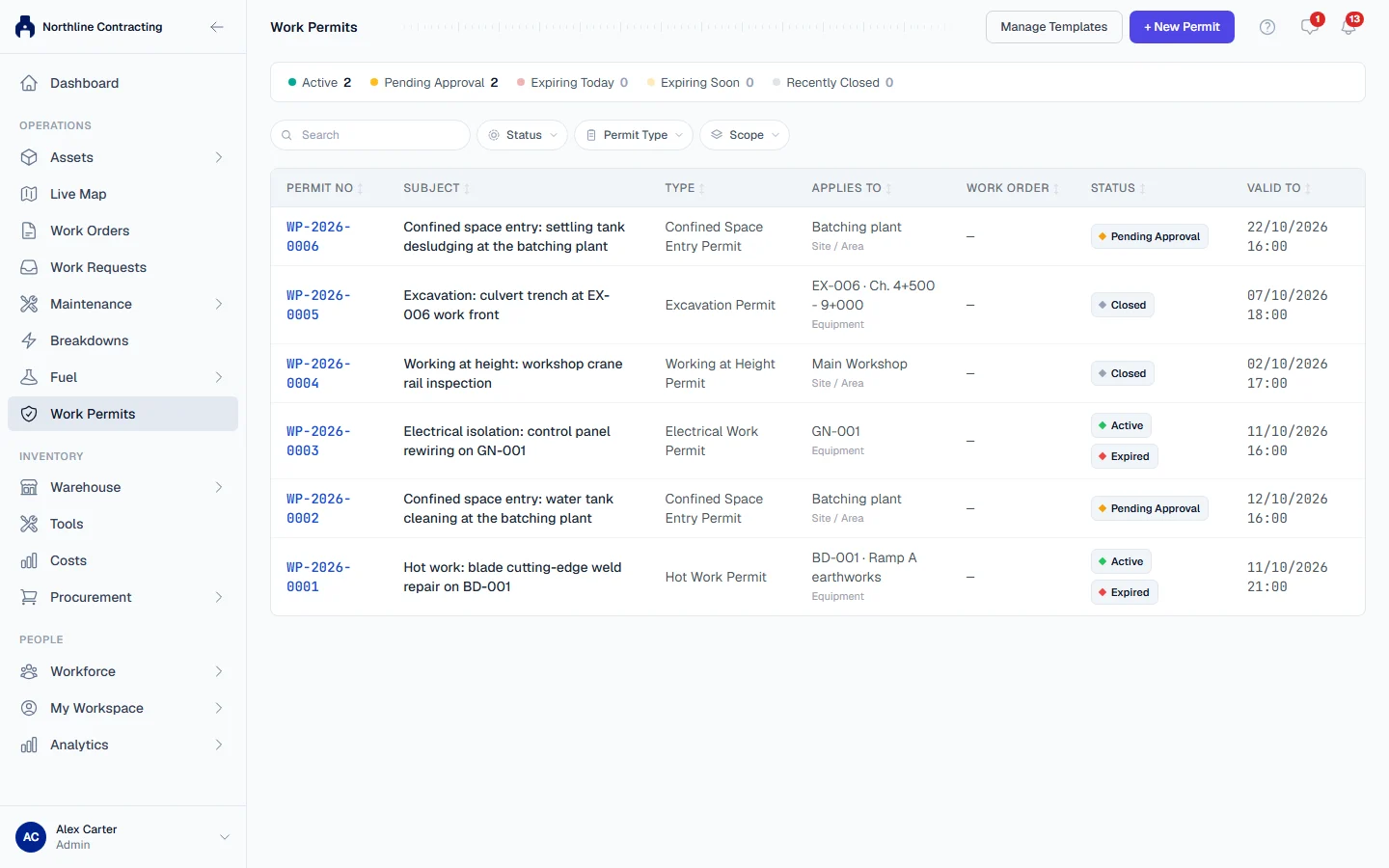
Each permit has a number such as WP-2026-0001. Numbering starts again each year.
The lifecycle
Draft  →  Pending Approval  →  Approved  →  Active  →  Closed
  ↑             │
└── Reject ───┘ Cancel is possible at any stage before Closed| Status | Meaning | Who moves it on |
|---|---|---|
| Draft | Being written. The only status in which the permit can be edited. | Submit for Approval (Edit) |
| Pending Approval | Waiting for someone to judge it safe. | Approve or Reject (Approve) |
| Approved | Agreed, but work may not start yet. | Sign & Activate (Sign) |
| Active | Work is authorised now, until Valid Until. | Close (Close) |
| Closed | Work is finished and the permit is handed back. Final. | |
| Cancelled | Not going ahead. Final. |
Rejecting a permit sends it back to Draft with a comment, so the person who raised it can correct it and submit it again. There is no separate "rejected" status.
Two template rules can change these steps for a permit raised from a template. A template that does not require approval makes the button read Submit (no approval needed), and submitting moves the permit straight to Approved; the History tab records that it was approved by the template's rule. A template with Required Sign-offs stops Sign & Activate until each listed role has signed. A permit with no template always needs approval. See Permit templates.
Closed and cancelled are final
A Closed or Cancelled permit is read only. It cannot be edited, signed or given new attachments. To continue related work, click Duplicate into New Permit: Solmex creates a new draft with the same details, and the original stays exactly as it was. See Approve, sign and close a permit.
When a permit is closed, Solmex creates a PDF of the signed permit and attaches it to the permit as Signed Permit PDF.
Expiry
While a permit is Active, Solmex compares its Valid Until time with the clock:
| Badge | Meaning |
|---|---|
| Expiring Soon | Valid Until is within the next 24 hours. |
| Expired | Valid Until has passed. |
An expired permit stays Active until someone closes it. Hover over the Expired badge, or open the permit, and Solmex says so in words: the permit is past its Valid Until time and must be closed. If the work must continue, close it and duplicate it into a new permit with new times. An active permit cannot be extended in place.
Permits and work orders
A permit can be raised from a work order, and a work order that needs a permit shows a Work permit section with Create work permit. See Work orders that need a work permit. From the register, choose the Work Order scope and pick the work order from the list of open ones. A permit cannot be created for a closed work order, and closing a work order does not close its permits.