
Wialon or a GPS feed: which to choose
When to connect Solmex to Wialon Hosting, when to send positions through a GPS feed instead, and what each one asks of you.
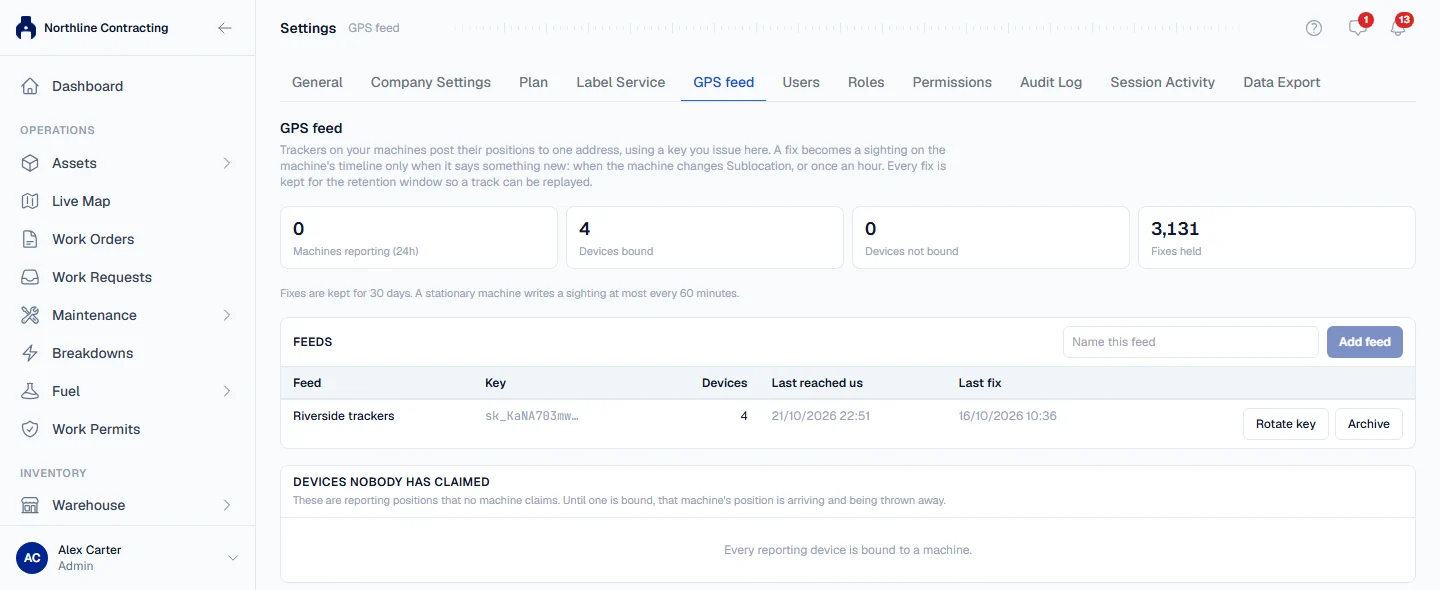
Solmex can learn where your machines are in two ways. It can fetch their positions from Wialon Hosting itself, or your trackers can send positions to Solmex through a GPS feed. This page helps you choose; the setup steps are in the linked articles.
Before you start
- Live Map, and the Wialon connection, are each switched on per company rather than by plan. If you do not see them, contact Solmex.
- Either way, someone with Settings: Edit sets up the connection on the GPS feed tab of Settings, and someone with Equipment: Edit binds each tracker to its machine.
Compare the two
| Wialon | GPS feed | |
|---|---|---|
| Your trackers report to | Wialon Hosting | Any platform, or straight to you |
| Who sends the positions | Solmex fetches them from Wialon every minute | Your trackers or a script on your side post them to Solmex |
| Setup on your side | A Wialon login and a token from Wialon's page | Someone who can build a small web integration |
| Binding trackers to machines | Suggested from Wialon unit names, which you confirm | By hand, from the devices that have reported |
| Fetch now | Poll now, or Refresh GPS on Live Map | Positions arrive when your side sends them |
| Article | Connect Wialon | Connect GPS trackers and Send GPS positions from any tracker |
Choose Wialon when
- Your trackers already report to Wialon Hosting.
- You do not have anyone to build or run an integration.
- Your Wialon unit names include each machine's equipment number, so Solmex can suggest the bindings.
Only Wialon Hosting is supported, on Wialon's own servers. A Wialon Local installation on your own server cannot be connected this way; use a GPS feed instead, with a script that reads from Wialon Local.
Choose a GPS feed when
- Your trackers report to another platform, or you run your own.
- You want positions sent the moment they are taken, rather than collected once a minute.
- You already have Wialon connections in use: a company can have at most three.
What is the same either way
Positions from both routes are treated identically. They are kept for 30 days to draw each machine's day track, they add an entry to the machine's location history only when the machine changes Sublocation or an hour has passed, and a position outside every Sublocation is never moved to the nearest one. You can also use both: some machines through Wialon and others through a GPS feed.
Troubleshooting
| What you see | What to do |
|---|---|
| No Connect Wialon on the GPS feed tab | The Wialon connection is not switched on for your company. Contact Solmex. |
| "This organisation already has 3 Wialon connections, the most allowed." | Archive one you no longer use, or send the rest through a GPS feed. |