
Why is this machine overdue, or not overdue?
How preventive maintenance, inspections and daily jobs decide what is due, and why a machine with no history is shown apart from a missed service.
Short answer: Solmex judges a machine against the records it has. A PM service is overdue when the machine has passed a fixed milestone with no service on record that answers it. An inspection is overdue when its cycle since the last completed inspection has run out. A daily job is overdue when more days have passed than its interval since it was last recorded. A machine with no history at all is shown on its own, never as overdue.
Preventive maintenance
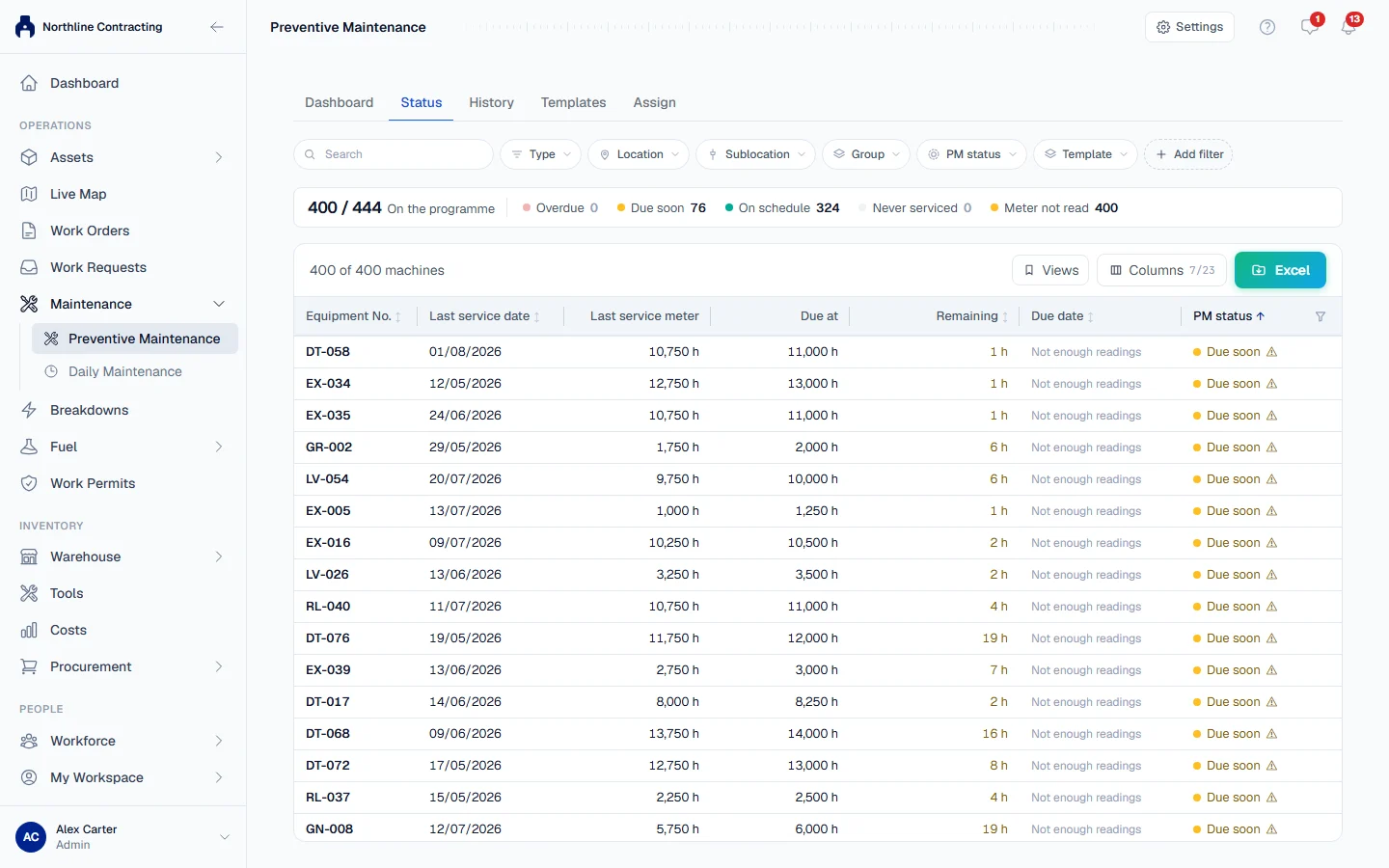
Services follow the manufacturer's fixed grid (250, 500, 750, 1,000 hours and so on), not "last service plus 250". A service logged late does not move the next one, and a logged service counts for the milestone it is nearest to.
| What you see | Why |
|---|---|
| Overdue for a service you know was done | The service is not on record. Record it with the meter reading it was done at |
| Overdue right after a late service was logged | The late service answered an earlier milestone. A 250 h service done at 510 h answered 500 h, so 750 h is still to come |
| Overdue at 1,000 h with the 250 h and 500 h logged | At 1,000 h it is the 1,000 h service that is due |
| On schedule on hours, Overdue on kilometres | A machine with both meters gets one verdict per meter |
| Never serviced | It has passed a milestone but has no service on record at all. Its history is probably not entered. Import its last PM |
| Not on the programme | No template, or a template it cannot follow, such as one needing a meter the machine does not have |
| "Meter not read for ... days" | Every verdict uses the latest reading. An On schedule built on an old reading may no longer be true |
| "Last PM date recorded, but no meter reading" | A date alone cannot place a machine on an hours or kilometres cycle. Add the reading by importing its last PM |
Calendar services count their first cycle from the machine's arrival date, or the day it was registered, so assigning a template never makes a new machine overdue on day one. See How PM due dates are worked out.
Inspections
| What you see | Why |
|---|---|
| A machine stays overdue after its inspection | The inspection is still a draft. Open it and click Complete Inspection. Only completed inspections count |
| Never inspected in Last Inspected, with Overdue | The machine has genuinely run past its first interval without an inspection |
| A machine you expected is missing | No active template matches its exact equipment type, it is transferred, demobilized or disposed of, or, for a meter template, it has no meter reading |
| "All clear: inspections are up to date" but you have no templates | Nothing can fall due without a template |
A machine you have just registered is not overdue. Its first cycle counts from its arrival, mobilization or registration date for a calendar template, and from zero on the meter for a meter template. See See which inspections are due.
Daily maintenance
| What you see | Why |
|---|---|
| Every machine shows Never recorded | Nothing has been recorded yet. Never recorded is never counted as overdue |
| A job shows No interval | The job has no Remind after, so it is tracked but never flagged |
| Due soon | The job is in the last two days of its interval |
| Overdue | More days have passed than the job's interval |
See See what is due.
Machines left out on purpose
Machines that are transferred, demobilized or disposed of are left out of the inspection due list. A disposed machine cannot be serviced or inspected until it is reinstated. See Dispose of and reinstate a machine.