
How fuel works in Solmex
The ideas behind the Fuel module: fill-ups, the meter reading taken at the pump, stations and attendants, and where the cost comes from.
The Fuel module records every litre that goes into a machine, where it came from, who dispensed it and what it cost. From those records Solmex works out how much each machine burns, what fuel is costing you, and which entries deserve a second look.
Before you start
- To see fuel records you need Fuel: View. To log fill-ups you need Fuel: Edit.
- Changing settings, managing stations and attendants, and editing or voiding saved entries needs Fuel: Manage. By default only administrator roles hold it.
- Each machine should have its Fuel Type set on its record. See Add equipment.
Where fuel lives
In the sidebar, Fuel opens three pages:
| Page | What it is for |
|---|---|
| Daily Fuel Entry | Log fill-ups for many machines in one pass. See Daily Fuel Entry. |
| Fuel Management | Read where the fuel is going and what it costs. See Fuel Management. |
| Fuel Settings | Rules for entries, plus your fuel stations and fuel attendants. See Fuel Settings. |
Each machine also has a Fuel tab on its page, with its own fuel history and a Log Fuel button. See Log a fill-up on a machine.
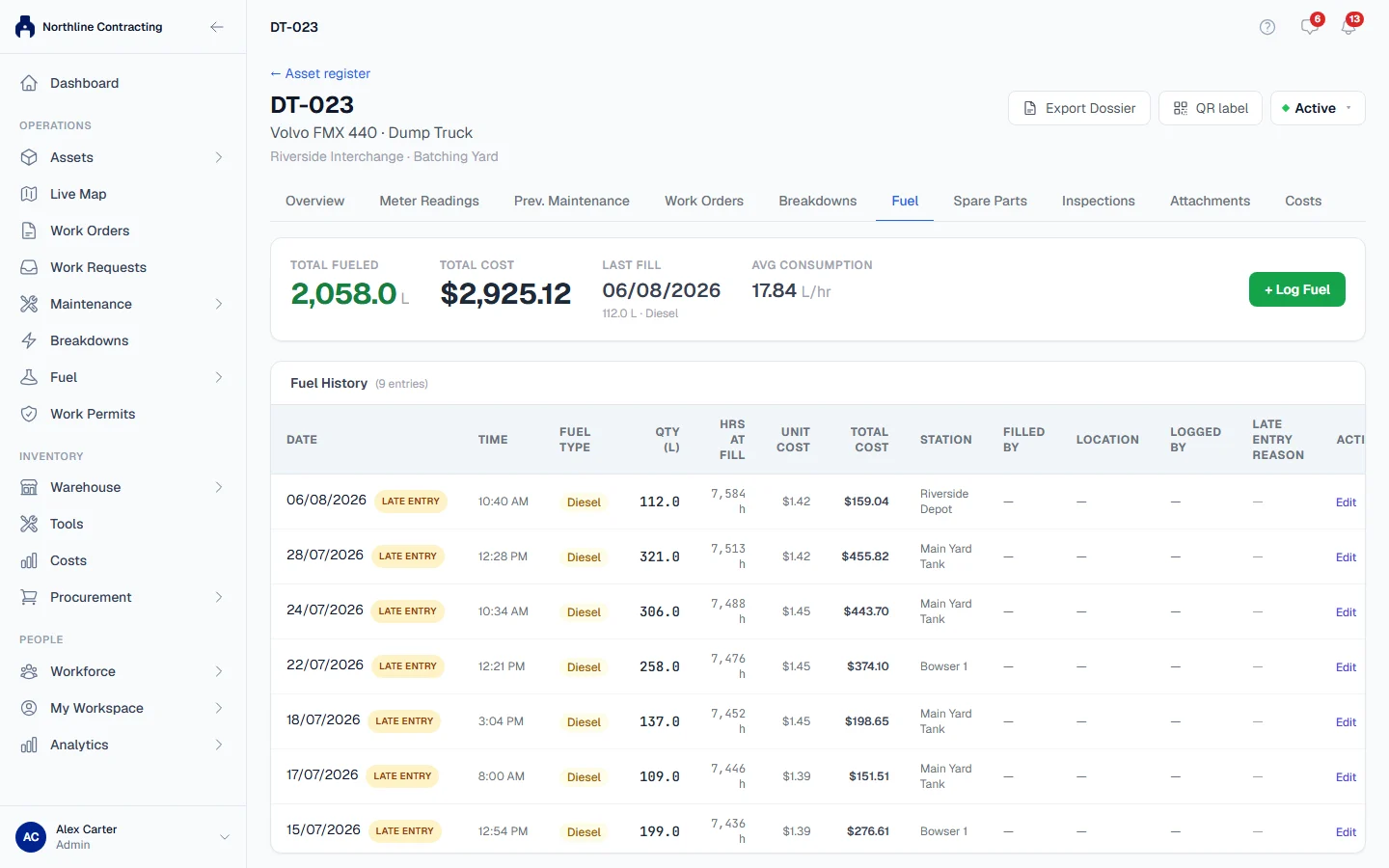
What a fill-up records
A fill-up is one delivery of fuel into one machine. It records:
- the date and time of the fill-up
- the litres and the unit cost
- the Station the fuel came from
- who dispensed it (Filled By)
- the Sublocation where the machine was fuelled
- a reading for each meter the machine carries
The two entry screens are the same act. A fill-up saved on Daily Fuel Entry and one saved from a machine's Fuel tab follow exactly the same rules and land in the same history.
The meter reading at the pump
The hourmeter or odometer reading you type with a fill-up is not kept only on the fuel record. It also becomes a reading in the machine's meter history, exactly as if it had been entered on the Meter Readings tab. That keeps the SMR up to date on machines that are fuelled every day but rarely read otherwise, which in turn keeps preventive maintenance due dates right.
The reading is also what makes consumption measurable. Solmex divides the fuel put in at one fill-up by the meter movement since the previous fill-up. Without a reading at the pump there is nothing to divide by. See Fuel consumption figures.
Where the cost comes from
When a fill-up has a cost, Solmex posts it to Costs, the single ledger every cost in Solmex goes through. Fuel Management reads its spend figures from there, so fuel cost always agrees with the rest of your cost reporting.
A fill-up with no posted cost still counts as fuel, but adds nothing to spend. Fuel Management says how many fill-ups in a period carry no cost, so you know when a total is understated.
Rules worth knowing
- Fuel consumption is always reported against the date of the fill-up, never the date it was typed in. See Late entries and meter checks.
- A saved fill-up is never deleted. Someone with Fuel: Manage can edit it or void it, and a voided entry stops counting everywhere. See Edit, void or undo a fill-up.
- Stations and attendants are archived, never deleted, so old fill-ups keep naming them.
- Where a tank capacity is stated on the machine, Solmex can check a fill against what the tank can physically hold.
Troubleshooting
| What you see | What to do |
|---|---|
| "No fuel stations set up yet. Add them under Fuel Settings before logging fuel." | Someone with Fuel: Manage adds at least one station. See Fuel stations and attendants. |
| "No fuel attendants set up yet." | Add the people who dispense fuel under Fuel Settings. |
| The Fuel pages are missing from the sidebar | Your role does not include Fuel: View, or your plan does not include fuel. |