
Help CenterManaging Purchases and Stock
Correct, resubmit or withdraw a request
Fix a purchase request that was sent back and send it through approval again, or withdraw a request you no longer need.
A request that an approver sent back is yours to correct. Correcting it and resubmitting sends it through the whole approval chain again. If you no longer need it, you can withdraw it instead.
Before you start
- You need Procurement: Edit, and you must be the person who raised the request. Nobody else can edit it, including an administrator.
- You can edit a request only while it is a Draft or Sent Back.
Correct a request that was sent back
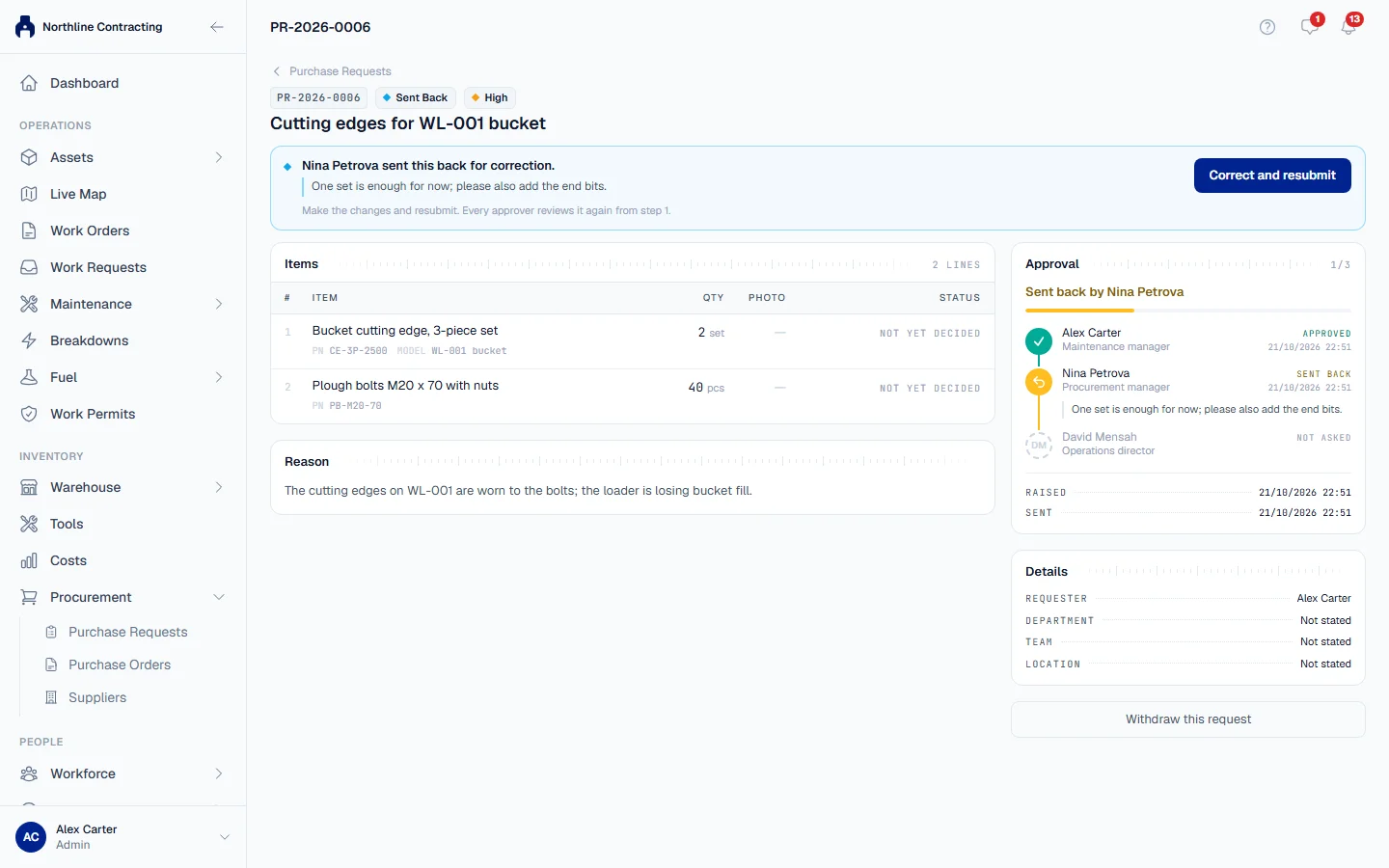
- Open the request. A banner says who sent it back, with their comment.
- Click Correct and resubmit. The page Correct PR-… opens with the request as it stands.
- Make the changes that were asked for. A line an approver refused shows their reason beside it.
- Change, add or remove lines as needed. A line you keep keeps its photo.
- Click Save and resubmit.
The request goes back to step 1 of the approval chain under a new revision. The register shows Rev 2 beside its number.
What happens next
Every approver reviews the corrected request again, from step 1. Under Approval on the request's page, the earlier pass is kept and collapsed, so anyone can see what was decided the first time and why.
Edit a draft
On a draft, click Edit in the banner at the top. Change the request and click Save draft. It stays a draft until you click Send for approval.
Withdraw a request
Withdraw a request you no longer need, for example because the part turned up in the store.
- Open the request and click Withdraw this request.
- In Withdraw this request?, write the reason. A reason is required once the request has been sent; a draft nobody has seen needs none.
- Click Withdraw.
The request stays on the register with the status Withdrawn, so anyone already notified can see what became of it. The approvers on the current pass are told.
Rules worth knowing
| Status | Can you edit it? | Can you withdraw it? |
|---|---|---|
| Draft | Yes | Yes, no reason needed |
| Pending Approval | No | Yes, with a reason |
| Sent Back | Yes | Yes, with a reason |
| Approved, Rejected, Withdrawn | Never | Never |
- A request with its approvers cannot be changed. Ask the approver it is waiting on to send it back, or withdraw it and raise a new one.
- An approved request is final. It can no longer be edited or withdrawn, because management signed it.
- A rejected request cannot be resubmitted. Raise a new one.
Troubleshooting
| What you see | What to do |
|---|---|
| "Only the person who raised this request can edit it." | Ask the requester to make the change. |
| "This request is with its approvers, so it cannot be changed." | Ask the current approver to send it back, or withdraw it. |
| A message that the request "can no longer be edited" | It is approved, rejected or withdrawn. Raise a new request. |
| "Please say why. The approvers who were asked can see this." | Write a reason, then click Withdraw. |
| "Could not withdraw this request. Please try again." | Check your connection and try again. |