
Connect GPS trackers
Issue a GPS feed key so your trackers can send positions to Solmex, then bind each reporting device to the machine it is fitted to.
When your machines carry GPS trackers, Solmex can place them on Live Map from their positions, record when they move between Sublocations, and draw each machine's day track. The trackers (or a small bridge on your own server) send positions to Solmex using a key you issue on the GPS feed settings tab.
If your trackers are on Wialon, Solmex can fetch the positions itself instead. See Connect Wialon.
Before you start
- Live Map is switched on per company, not by plan. If you do not see the GPS feed tab, contact Solmex.
- You need Settings: View to open the tab and Settings: Edit to add or change a feed.
- Binding a device to a machine needs Equipment: Edit.
- For positions to land in Sublocations, the Location needs a map plan. See Create a site plan.
Add a feed and get its key
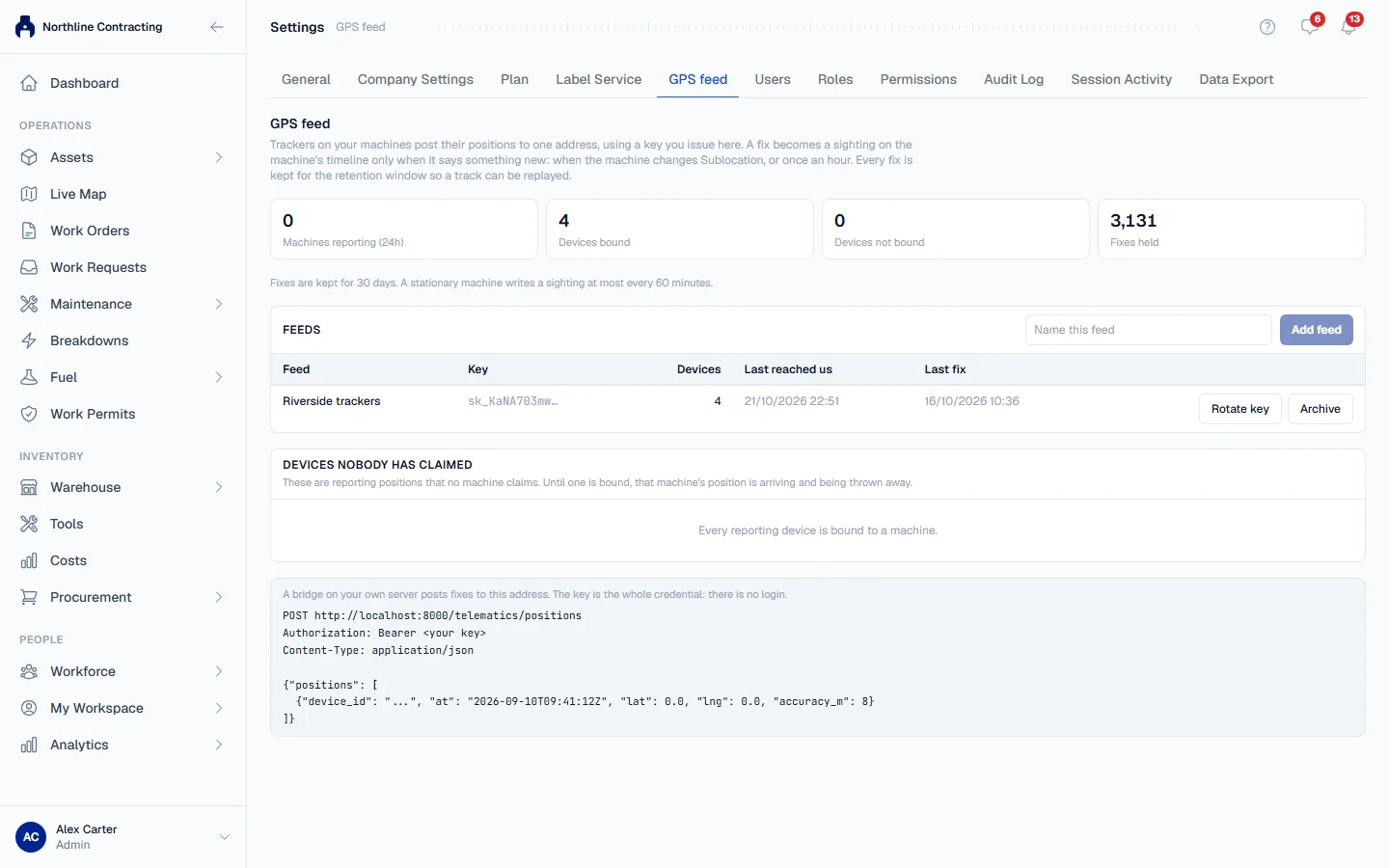
- In the sidebar, open Settings and click the GPS feed tab.
- Under Feeds, type a name in Name this feed, such as "Teltonika trackers", and click Add feed.
- The key appears once, under Key for the feed's name. Click Copy and store it where your tracker integration can use it.
- Click Done.
The bottom of the tab shows the address positions are posted to and the format they must take. Give both to whoever sets up your trackers or bridge.
Bind devices to machines
Each tracker reports with its own device id. Until a device is bound to a machine, its positions are stored but go nowhere.
- On the GPS feed tab, look under Devices nobody has claimed. Each device shows how many positions it has sent.
- Click Bind to a machine beside a device.
- Search by equipment number, type or plate, and choose the machine the device is fitted to.
Positions the device sent before you bound it stay exactly as they were recorded. Solmex never matches a device to a machine by its name or plate on its own: you choose.
Manage feeds
Each row under Feeds shows its Devices, when it Last reached us and its Last fix.
- Rotate key issues a new key. The old one stops working at once, and anything posting with it is refused until updated.
- Archive stops a feed. Restore brings it back.
The figures at the top of the tab show Machines reporting (24h), Devices bound, Devices not bound and Fixes held.
What happens to each position
Every position is kept for 30 days, so day tracks can be drawn. A position becomes a sighting on the machine's location history only when it says something new: when the machine changes Sublocation, or once an hour while it stays put.
A position is placed in a Sublocation when it falls inside a drawn area, or inside a point's radius. It is never moved to the nearest Sublocation. A position inside the plan but outside every Sublocation is drawn as a pin and listed under On the plan by GPS, in no Sublocation.
Any other newer record still wins. If an inspector records a machine in Zone C after its tracker reported Zone F, the machine is in Zone C until the next position says otherwise.
Troubleshooting
| What you see | What to do |
|---|---|
| "No Location has a georeferenced plan yet, so every fix will be recorded against the machine with no Sublocation." | Import a KMZ, or give a drawing its latitude and longitude box. See Create a site plan. |
| A device under Devices nobody has claimed | Its positions are being thrown away. Bind it to its machine. |
| "That device is already bound." | Another machine already has this device. |
| Positions are not landing in a Sublocation | The Sublocation is drawn as a point with no radius. Give it a radius. |
| "This feed is sending more positions than it may. Slow down, then retry." | Ask whoever runs your trackers to send less often or in smaller batches. |