
Work order and maintenance history reports
Read the Work Order Report for workshop performance over a period, and Equipment Maintenance History for every maintenance event and one machine's timeline.
Two Analytics pages look back over your maintenance work. The Work Order Report measures how the workshop performed in a period. Equipment Maintenance History lists every maintenance event in order, for audits, warranty claims and reviewing one machine's past. Both work as described in How Analytics works.
Before you start
- For the Work Order Report you need Analytics: View and Work Orders: View.
- For Equipment Maintenance History you need Analytics: View.
- A report whose module permission you lack is not shown in the sidebar.
- To export a report to Excel you also need Analytics: Export. Without it there is no Excel button.
The Work Order Report
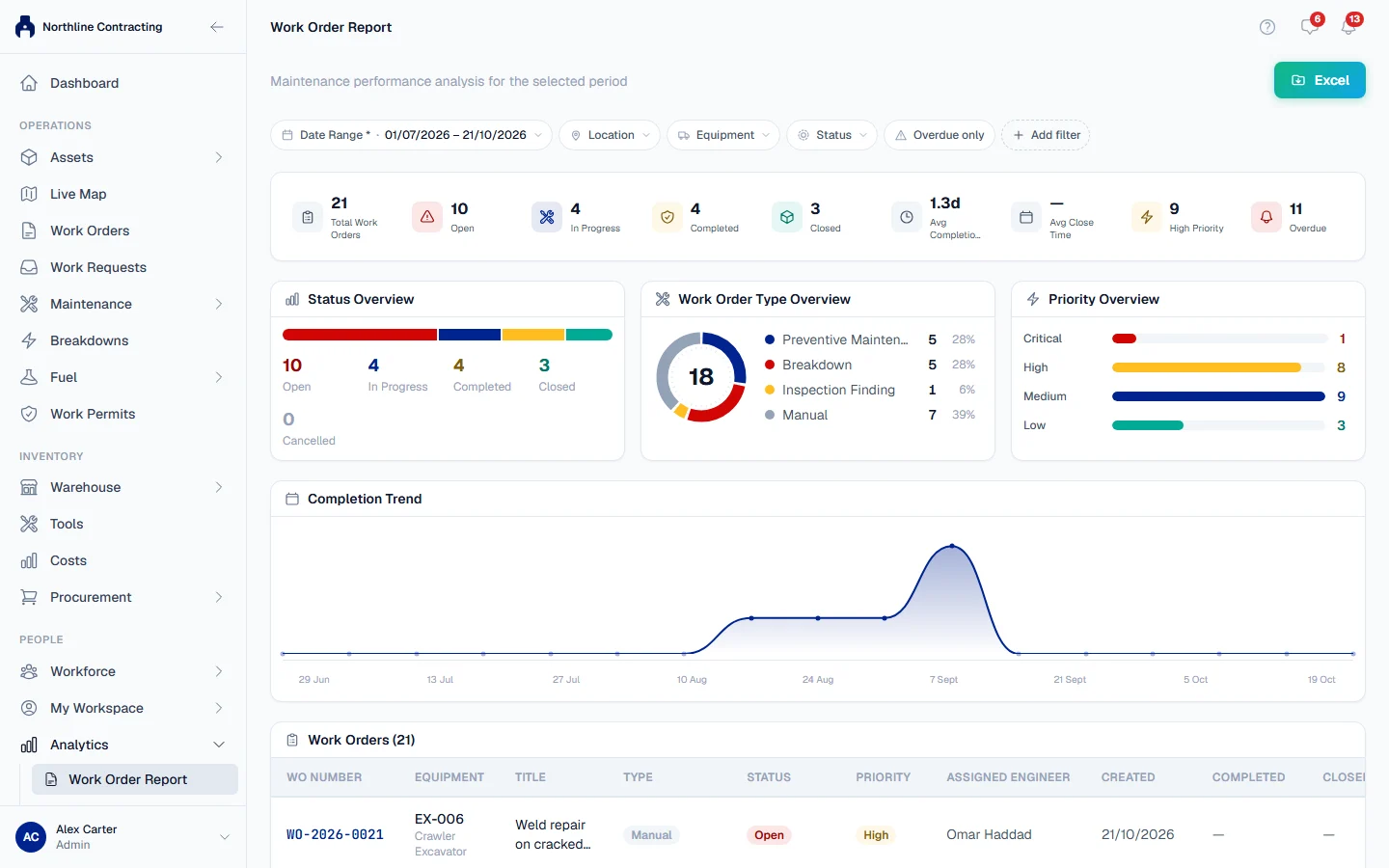
In the sidebar, open Analytics > Work Order Report. It covers the work orders raised in the Date Range you choose.
Filters
Location, equipment, Work Order Status, priority (including High + Critical), Work Order Type, Assigned Engineer and Overdue only.
Work Order Type is where the work order came from: Preventive Maintenance, Breakdown, Inspection Finding or Manual.
What it shows
| Section | What it tells you |
|---|---|
| Total Work Orders, High Priority, Overdue | How much work the period produced, and how much of it is urgent or late. |
| Avg Completion Time and Avg Close Time | How long work orders took to be completed, and then to be closed. |
| Status Overview | Work orders by status: Open, In Progress, Completed, Closed, Cancelled. |
| Priority Overview | Work orders by priority. |
| Work Order Type Overview | How much of the work was planned (PM) and how much reacted to breakdowns and inspections. |
| Completion Trend | Work orders over the period, week by week. |
| The register | One row per work order, with its number, title, machine, type, priority, status, engineer and dates. Click a row to open the work order. |
Equipment Maintenance History
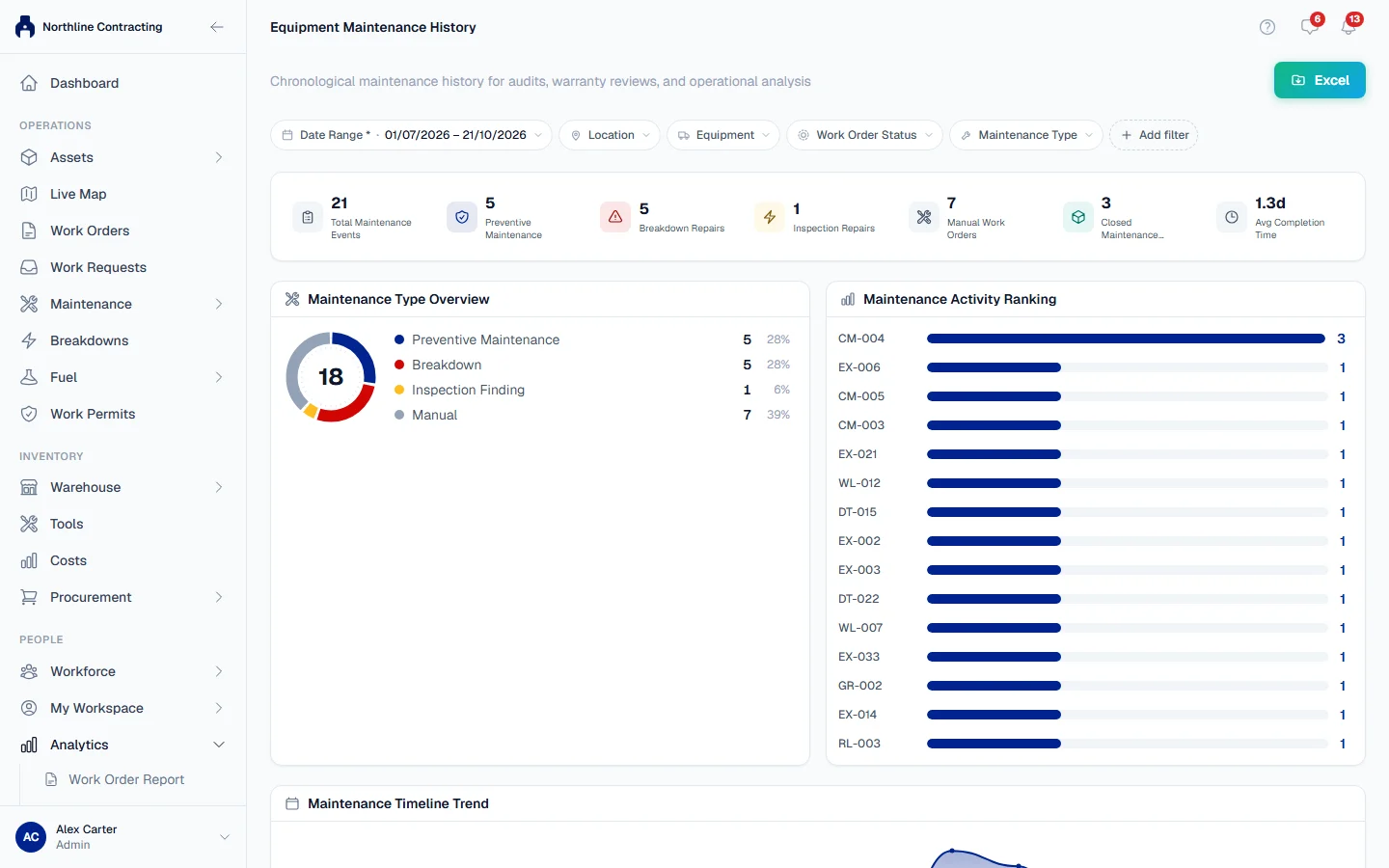
In the sidebar, open Analytics > Equipment Maintenance History. It lists every maintenance event in the period: PM services, breakdown repairs, repairs from inspection findings and manual work orders.
Filters
Location, equipment, Equipment Model, Equipment Category, Maintenance Type, Work Order Status and Assigned Engineer.
What it shows
| Section | What it tells you |
|---|---|
| Total Maintenance Events, Closed Maintenance Events | How many events the period holds, and how many are finished. |
| Breakdown Repairs, Inspection Repairs, Manual Work Orders | The same events by type. |
| Maintenance Type Overview | The mix of types as a chart. |
| Maintenance Activity Ranking | The machines with the most maintenance in the period. |
| Maintenance Timeline Trend | Events over the period. |
| The register | One row per event. Click a row to open it. |
One machine's timeline
Filter to a single machine to turn the page into that machine's history. A card at the top shows its Last Maintenance, Last PM and Last Breakdown, and an Equipment Timeline lists its events in order. This is the page to send to a warranty provider or an auditor asking what was done to a machine and when.
Troubleshooting
| What you see | What to do |
|---|---|
| "No work orders match the current filters" | Clear a filter or widen the Date Range. |
| "No maintenance events for this period." | Nothing was recorded in the period. Widen it, or check the machine filter. |
| "Failed to load report." on the Work Order Report | You need Work Orders: View as well as Analytics: View. |