
Why was my meter reading refused?
The rules every hourmeter and odometer reading is checked against, which ones block a save and which only ask you to confirm.
Short answer: meters only move forward, so a reading below the last one is refused, and so is a date in the future. A reading dated in the past is checked against the readings recorded just before and just after it. A machine recorded as having no meter is never asked for one. Everything else, such as a big jump, is a warning you can confirm.
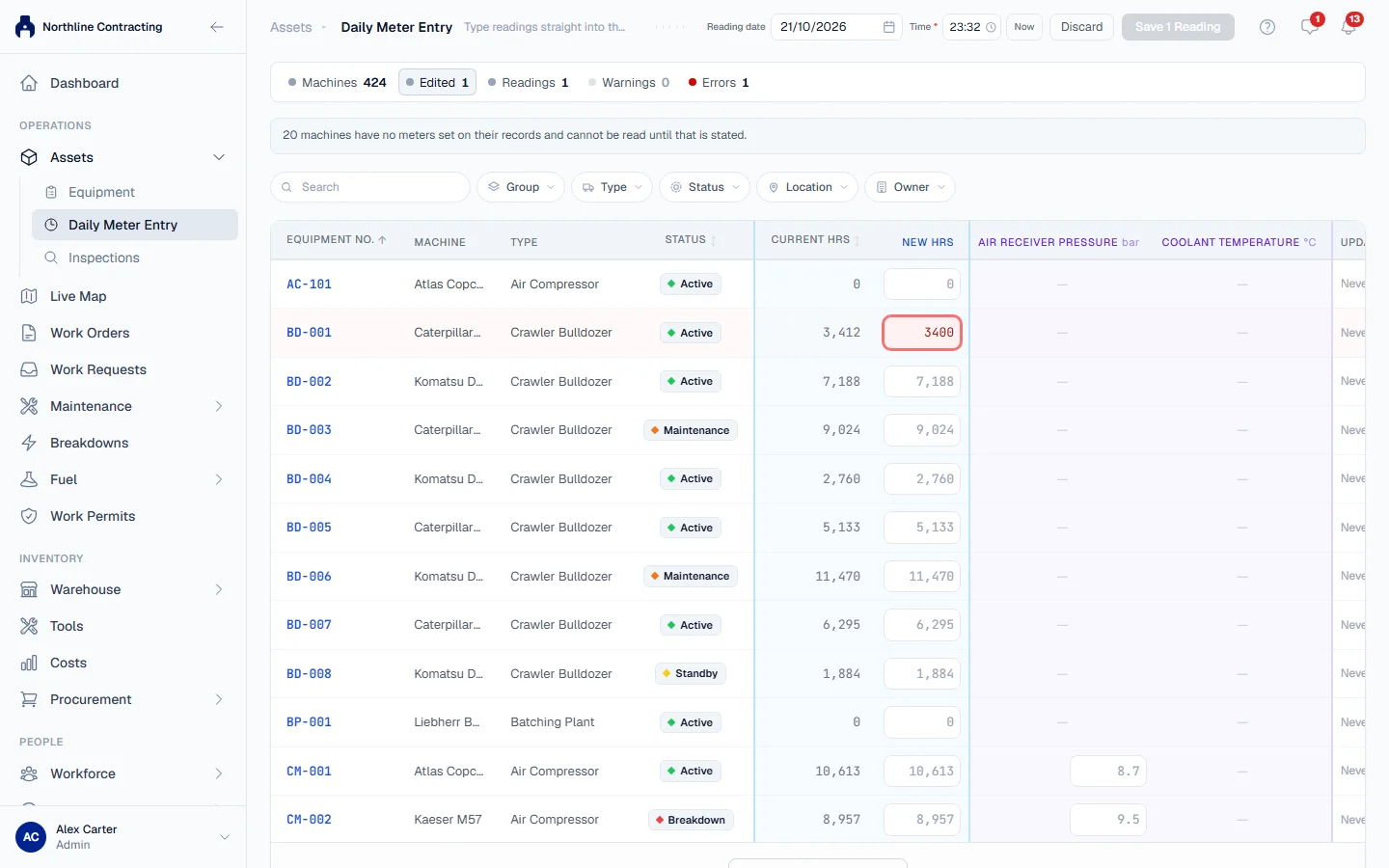
Errors and warnings
Solmex sorts problems with a reading into two kinds:
- Errors block the save. The reading is impossible given what is already recorded, and the message names the record it disagrees with.
- Warnings ask you to confirm. A machine can idle for a week or come back from a rebuild, so an unusual figure is held for you to check, then saved if you say it is right.
What you may see
| If you see… | What it means | What to do |
|---|---|---|
| A message saying the figure "is below the last recorded" reading on a date | Meters only move forward | Check the figure. If the earlier reading was the mistake, correct it first |
| A message saying the figure "is below the machine's opening" reading | The machine was registered with a higher starting figure | Check the reading against the meter |
| "Reading date cannot be in the future." | The date is after today | Choose today or an earlier date |
| A message that the reading "conflicts with this machine's meter history" | A backdated reading falls outside the readings either side of it | Open the record the message names and check which one is wrong |
| "Lower than the last recorded reading (…). You can still proceed." | On an inspection, a lower reading only warns | Check it. If it is right, save anyway |
| "Check the meter reading" with a list of warnings | On a PM or a past service, the reading disagrees with other readings | Correct it, or click Save anyway if it is right |
| "Some readings were refused. Fix the rows below and save again." | On Daily Meter Entry, someone recorded a reading on one of these machines while you were typing | Fix the marked rows and save again |
| The Time box has a red ring and Save is greyed out | Every reading needs a time | Pick a time or click Now |
| No meter fitted instead of a form | The machine is recorded as having no meter | If it does have one, click Edit meters on the Overview tab |
| Meters not stated instead of a form | Nobody has said which meters it has | Set them with Edit meters on the Overview tab |
| "This machine is recorded as having no meter, so no reading can be taken." | On a day's routine work, the machine has no meter | Leave the meter blank, or correct its meters |
| "Hourmeter reading is required." | On a fill-up, a machine with an hourmeter needs the reading at the pump | Type the reading on the meter |
Readings dated in the past
A reading for last Tuesday is not judged against today's meter, because the machine has worked since. Solmex finds the nearest recorded reading before that moment and the nearest after it, and the new reading must sit between them. Readings come from the Meter Readings tab, Daily Meter Entry, fill-ups that carried a reading, and logged PM services.
If only one neighbour exists, only that side is checked. If there are none, there is nothing to check against and the reading is accepted.
For a fill-up dated today, a reading below the current meter is a warning, because meters often get updated late. For a fill-up dated in the past, a conflict is an error. See Late fuel entries.
Big jumps
On Daily Meter Entry, a jump of more than a day's possible running since the last reading asks you to confirm before saving. On a machine's own Meter Readings tab the same jump is saved without asking, because you are looking straight at the machine's history. A first reading on a meter has nothing to compare with, so it is never warned about.
When the earlier reading was the mistake
A reading is refused because the one before it is too high, for example 124500 typed for 12450. Only the latest reading on a meter can be corrected, with a reason, and the old value is kept in the audit log. Correct it first, then enter the new reading. If your own Daily Meter Entry save was the mistake, you can undo it within 15 minutes.