
What's new in September 2026
Work requests, purchase orders, Live Map, Daily and Preventive Maintenance pages, and Solmex in a phone browser.
September was the largest month so far: anyone can now report a problem, purchase orders and goods receipt arrive, machines appear on a map of your site, and maintenance gets two new management pages. Solmex also works properly in a phone browser, gains dark mode, and every date reads DD/MM/YYYY.
New
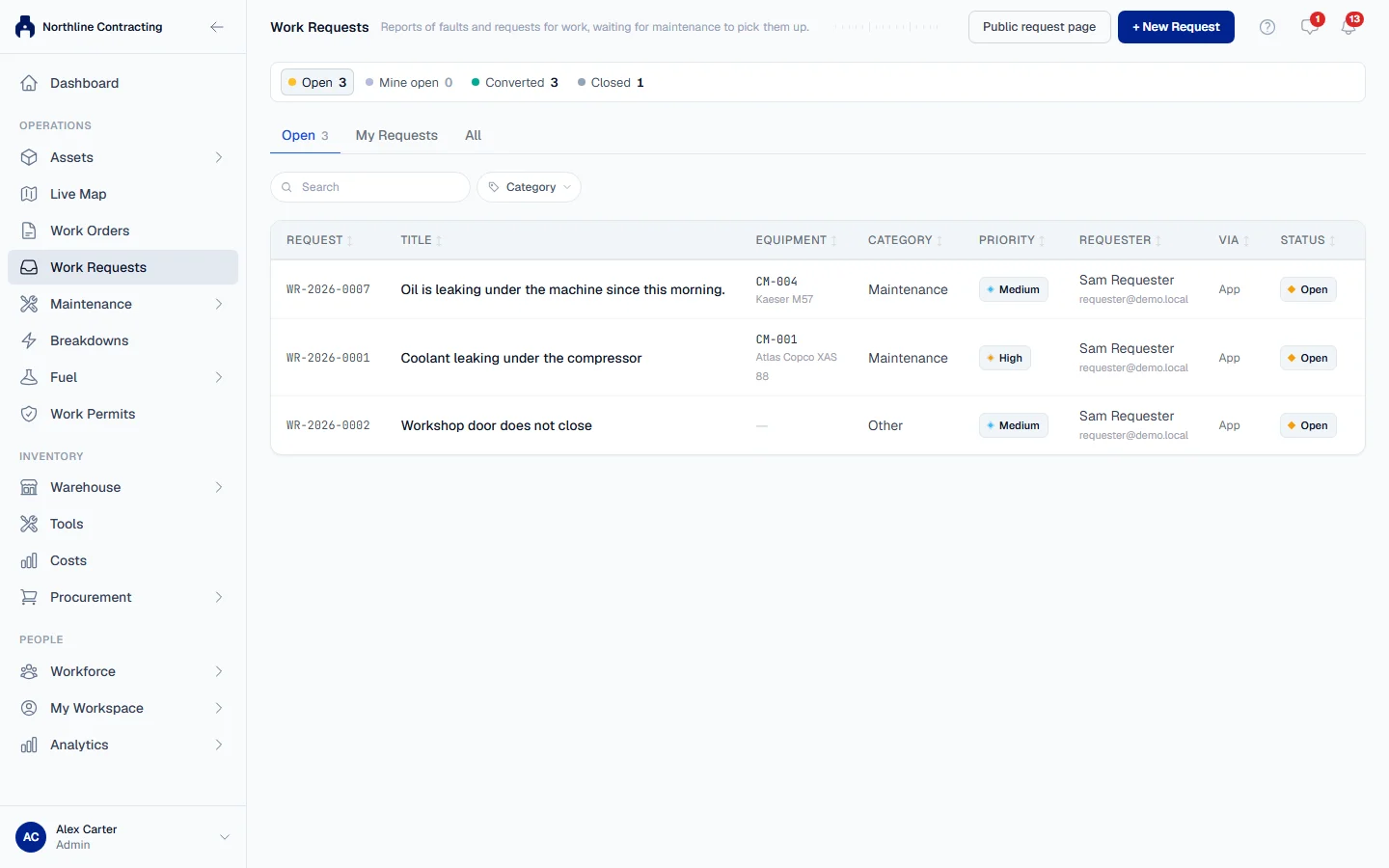
- Work requests. Anyone can tell maintenance that a machine needs attention: a work requester from inside Solmex, or anyone at all by scanning a machine's QR label or using your company's public request page. Maintenance then turns the request into a work order or a breakdown, or closes it with a reason. See Raise a work request, Report a problem without a login and Triage work requests.
- Suppliers, purchase orders and goods receipt. Raise an order against a supplier, have it approved by someone other than the buyer, send it, and record deliveries against it. Received parts go straight into stock. See Raise a purchase order and Receive goods.
- Live Map. Draw or import a plan of a Location, place its Sublocations on it, and see every machine where it was last seen, with an icon per equipment type, filters, overlays and a replay of any past moment. With a GPS tracker or Wialon connected, follow a machine's day track. See What Live Map shows, Create a site plan and Follow a machine's day track.
- Daily Maintenance. One page for greasing, washing and other routine jobs: a dashboard of pace and backlog, a status board over every machine, a history of work done, and maintenance teams with their own Sublocations and jobs. See What is Daily Maintenance and Maintenance teams.
- Maintenance team routes. When a team's service vehicle carries a GPS tracker, see where the team went each day, where it stopped and which work it did there. See Maintenance team routes.
- Preventive Maintenance page. Dashboard, status, history, templates and assignment in one place, with a projected due date for each machine. See The Preventive Maintenance page.
- Import each machine's last PM from a spreadsheet, so a new register does not read as overdue. See Import last PM.
- Import a fuel log from a spreadsheet, checked as strictly as an entry at the pump. See Import a fuel log.
- Import routine maintenance history from a paper logbook. See Import routine maintenance history.
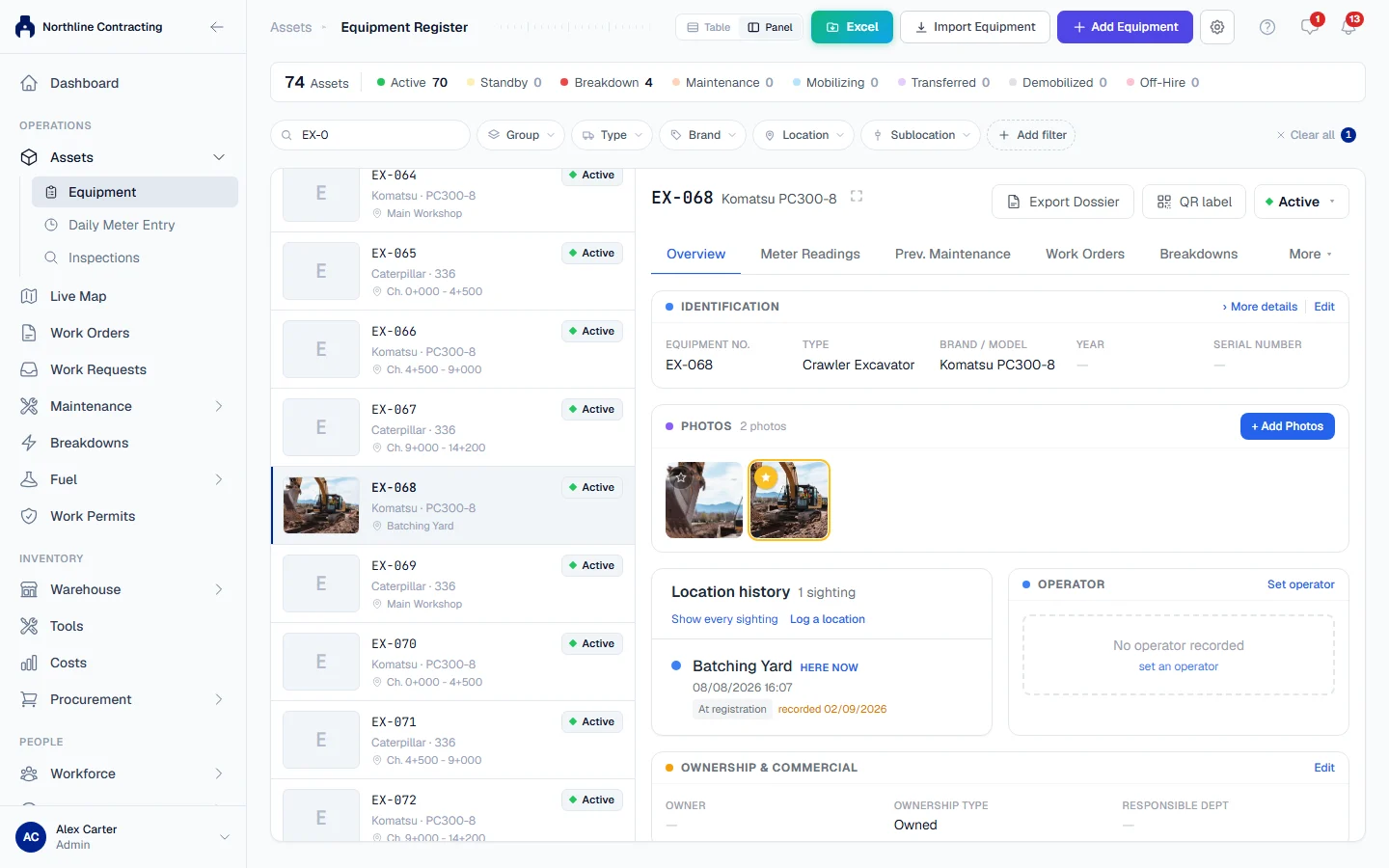
- A machine's location history. Inspections, fuel entries and your own entries now build a timeline of where a machine has been, and you can log a location or transfer a machine to another Location. See Location history and Transfer to another Location.
- Panel view and column choice on the Asset Register. See the list and the selected machine side by side, and pick, reorder and resize the columns. See Table and panel view and Choose, arrange and resize columns.
- One photo gallery per machine, gathering photographs from inspections, findings, work orders and breakdowns, with the photograph that stands for the machine on the register. See Machine photos.
- Users limited to their own Locations. An administrator can restrict a user to the Locations they work at, and the dashboard can show one Location's figures. See Location access and The dashboard and Locations.
- Dispose of a machine that was sold, scrapped or written off, keeping its history, and reinstate it if needed. See Dispose and reinstate a machine.
- Dark mode. Choose Light, Dark or System from your user menu. See Language, dates and appearance.
- Data export in Excel, CSV or both, now covering daily maintenance, Locations, inspections, breakdowns, work orders, PM, workforce and fuel. See Data export.
Improved
- Solmex in a phone browser. Lists become cards, dialogs open from the bottom of the screen, a tab bar sits under your thumb, and work orders can take a photo with the phone camera. See Use Solmex on a phone.
- Work orders read as one job. A single page with one clear next step, a visible blocker button, and a Work done section. See The work order page.
- Who signs off is your company's own list. See Configure sign-off roles.
- A redesigned printed work order that fits one sheet. See Print a work order.
- Breakdowns have four statuses, the register opens on what is down now, and Breakdown Analysis reports availability, time between failures and repair times. See Breakdown analysis.
- Inspections record where the machine was, who was operating it, which meter was read, and condition photographs. See Carry out an inspection.
- Finding categories are your own list. See Finding categories.
- Every date reads DD/MM/YYYY, on every screen, PDF and export, in both languages.
- A trial is 30 days of everything, then the free Starter plan for as long as you like. See Plans, trial and seats.
- Exports to Excel share one clear layout across every module. See Export to Excel.
Fixed
- Storage locations work again, and a part can be saved.
- Fuel entries are no longer refused because of an imported last PM figure.
- Registering a machine under a number already in use now says so clearly.
- The equipment page no longer scrolls sideways, and the dashboard loads faster.
- Changing a temporary password now signs you in.