
Yardım MerkeziOrganizasyonu Yönetme
Bu makale henüz Türkçeye çevrilmedi. Aşağıda İngilizce sürümünü okuyabilirsiniz.
Your plan page
Read the Plan tab: which plan you are on, its status, how many full seats are in use, and which modules are included.
The Plan tab shows what your company's plan includes and how much of it is in use. It is read only: plan changes are made by Solmex. For what each plan offers and how the trial works, see Plans, the free trial and seats.
Before you start
- You need Settings: View.
- Open Settings and go to the Plan tab. The General tab also shows your plan and status, with a link here.
Read the page
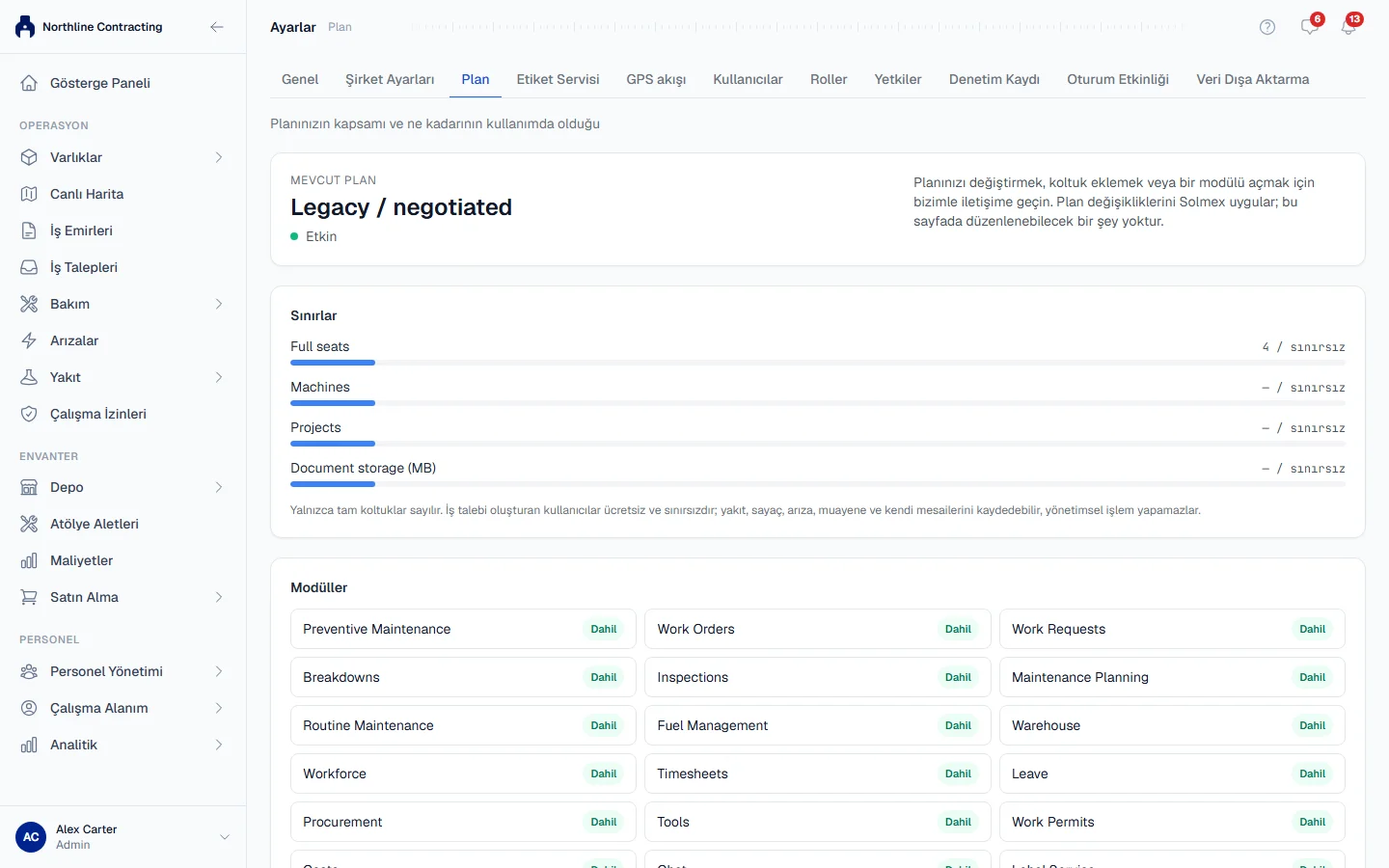
Current plan
The plan's name and its status:
| Status | Means |
|---|---|
| Active | The plan is running normally. |
| Trial | You are in the free trial. The date it ends is shown beside it. |
| Trial ended | The trial is over and you are on the free plan. A line names the plan you were trying: everything you entered is still there, and the modules it added are locked until you move up. |
| Payment overdue | Solmex is read only until payment is settled. |
| Cancelled | Solmex is read only. |
Limits
Each limit shows how much is in use against the plan's figure, or unlimited. Only full seats count: work requesters are free and unlimited. A label beside a figure says where it comes from: plan when it is the plan's own figure, agreed when it was agreed for your company, default otherwise.
If you are over a limit, the page says "Over the plan limit. Nothing has been removed; new additions are refused until you are back under it."
Modules
Every module, marked Included or Not included. Modules not on your plan are listed too, so you can see what moving up would add. A module that is not included shows a lock in the sidebar for anyone whose role would otherwise allow it.
Read-only mode
When the status is Payment overdue or Cancelled, a banner says the system is read only. Your data is safe: everyone can still open every record and export their data, but nothing new can be saved until the account is back in order.
Rules worth knowing
- Nothing is ever removed for being over a limit or outside your plan. A locked module keeps its records, and they reappear when the module is included again.
- To change your plan, add seats or unlock a module, contact us from the pricing page. Nothing on this page can be edited.
- Seats are managed per user: see Disable, re-enable and seats.
Troubleshooting
| What you see | What to do |
|---|---|
| "The plan could not be loaded." | Reload the page. |
| "No plan recorded" | Contact Solmex support with your Organization ID from the General tab. |
| A module shows a lock in the sidebar | It is Not included on your plan. |